About this template
Help prospective clients understand how your AI practice turns business questions into practical work. The page introduces an applied intelligence studio and clearly separates its services into AI strategy, intelligent products, and systems and automation.
A point-of-view section explains the emphasis on human judgment and useful outcomes, while the approach and principles sections show how the studio thinks about collaboration, accountability, and continued learning. A prominent contact section invites visitors to start a conversation.
Who it’s for
AI consultancies, applied AI studios, and technology professionals offering strategy, AI product development, or workflow automation to organizations.
What’s included
The dark, editorial layout guides visitors from the studio’s perspective to its services, working principles, and a direct invitation to make contact. Numbered section markers, service rows, and focused calls to action make the offer easy to scan.
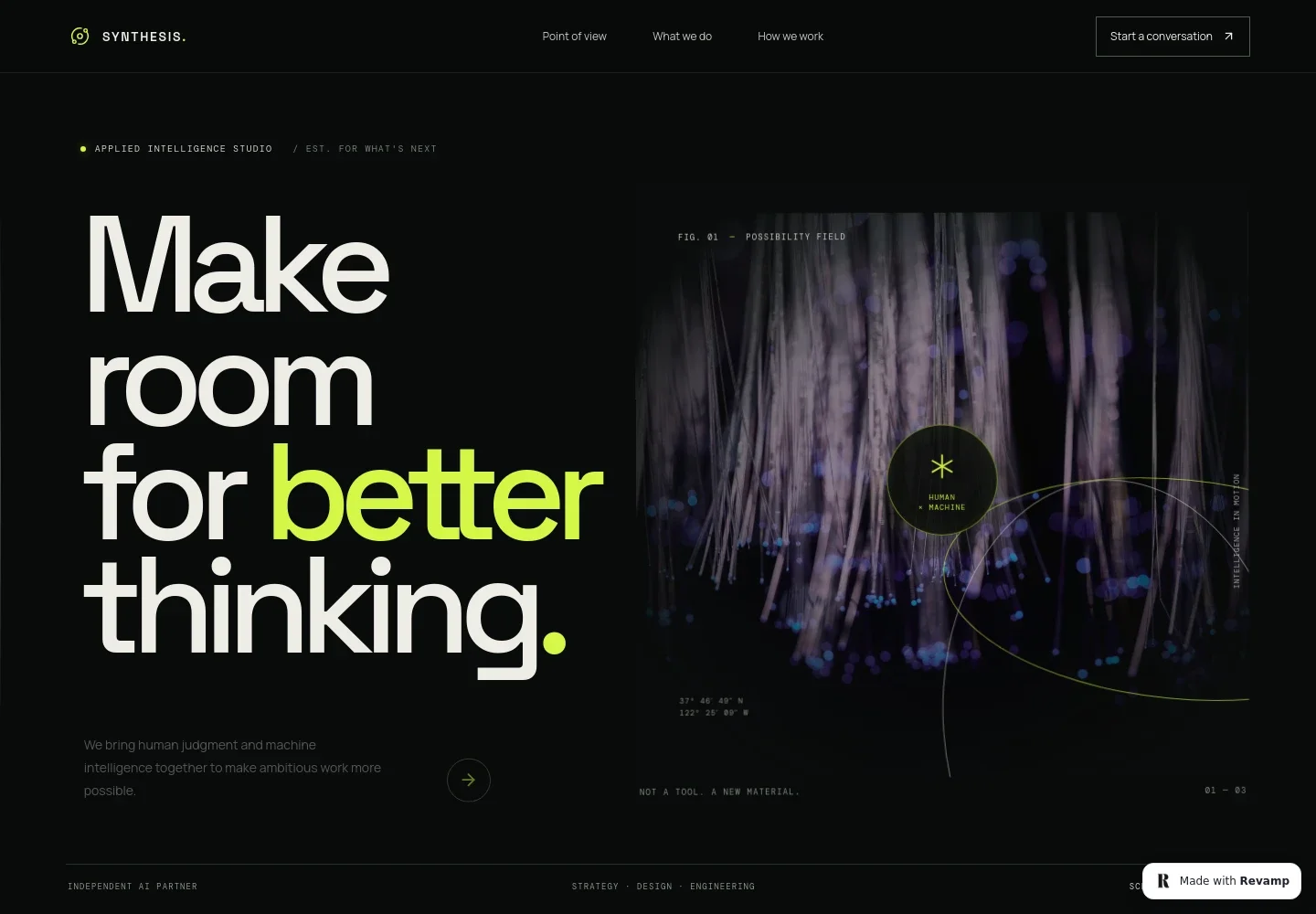
- Hero and navigation
- A concise headline introduces the studio’s human-centered view of AI, paired with an abstract orbit image, a short supporting statement, and navigation links to the page’s key sections.
- Point of view
- Explains the studio’s position that AI should serve people and meaningful work, giving prospective clients context for the services that follow.
- Services
- Three clearly numbered rows describe AI strategy, intelligent products, and systems and automation, each with a short explanation and a link to discuss the service.
- How we work
- Pairs an editorial portrait with copy about collaboration, human intention, and judgment, helping visitors understand the studio’s approach to AI projects.
- Principles
- Presents three working principles: start with people, make AI accountable, and keep learning. Each principle includes a brief explanation.
- Contact
- Closes with an invitation to discuss a challenge or idea and a contact link, giving interested organizations a clear next step.
- Footer
- Repeats the studio wordmark and offers a back-to-top link alongside a short brand statement and copyright line.
How to use this template
Open in Revamp
Click Use this template and sign in or create an account. You’ll start with your own copy of the design, ready to personalize.
Bring your content
Replace the sample text, photos, and logo with your own. Share your content, a document, or an existing website, and ask Revamp to adapt the template to your business.
Refine and publish
Ask Revamp to adjust the colors, layout, or sections, or edit directly on the page. Review desktop and mobile, then publish. You can keep making changes after launch.
Put your website to work
Make it easier for prospective clients to book a conversation, track inquiries, and organize project information. Ask Revamp to add or connect tools that fit the way your AI practice works.
-

Turn interest into scheduled consultations
CalendlyAsk Revamp to add consultation booking with Calendly so prospects can choose a meeting time.
-

Keep prospective client conversations organized
HubSpotAsk Revamp to connect HubSpot to organize inquiries and follow up with prospective clients.
-

Keep project planning and reporting in one place
Google SheetsAsk Revamp to connect Google Sheets for organizing project information or tracking internal planning data.
Frequently asked questions
Is this template free?
Yes. This premium template is free to use when you select Use this template. Free refers to the template itself, not hosting or other services.
Can I use my own content?
Yes. Ask Revamp to personalize the text, images, services, and contact details with your own business content.
Do I need coding skills?
No. Ask Revamp to personalize the content and design without coding.
Can I change the design?
Yes. Ask Revamp to adjust the colors, typography, layout, imagery, or other design details to suit your studio.
Can I keep editing after publishing?
Yes. You can keep editing after launch. Ask Revamp to update your content or design as your services and business change.


