About this template
Help visitors understand your airline’s point of view, the experience you want to offer, and the destinations that inspire travel. The page pairs a full-width cloudscape hero with sections about the journey, the cabin, and a featured destination.
The design uses editorial headlines, generous photography, and a clear path from brand story to destination and contact. Replace the imagined airline details with your own content and ask Revamp to tailor the page to your routes, services, and brand.
Who it’s for
For airline founders, marketing teams, and aviation professionals presenting an airline brand, its travel experience, and destination inspiration.
What’s included
The visible sections guide visitors from an airline’s brand promise through its approach to travel and on to a destination feature and contact prompt. The visual storytelling suits airlines that want to communicate a distinct travel experience rather than lead with a fare search.
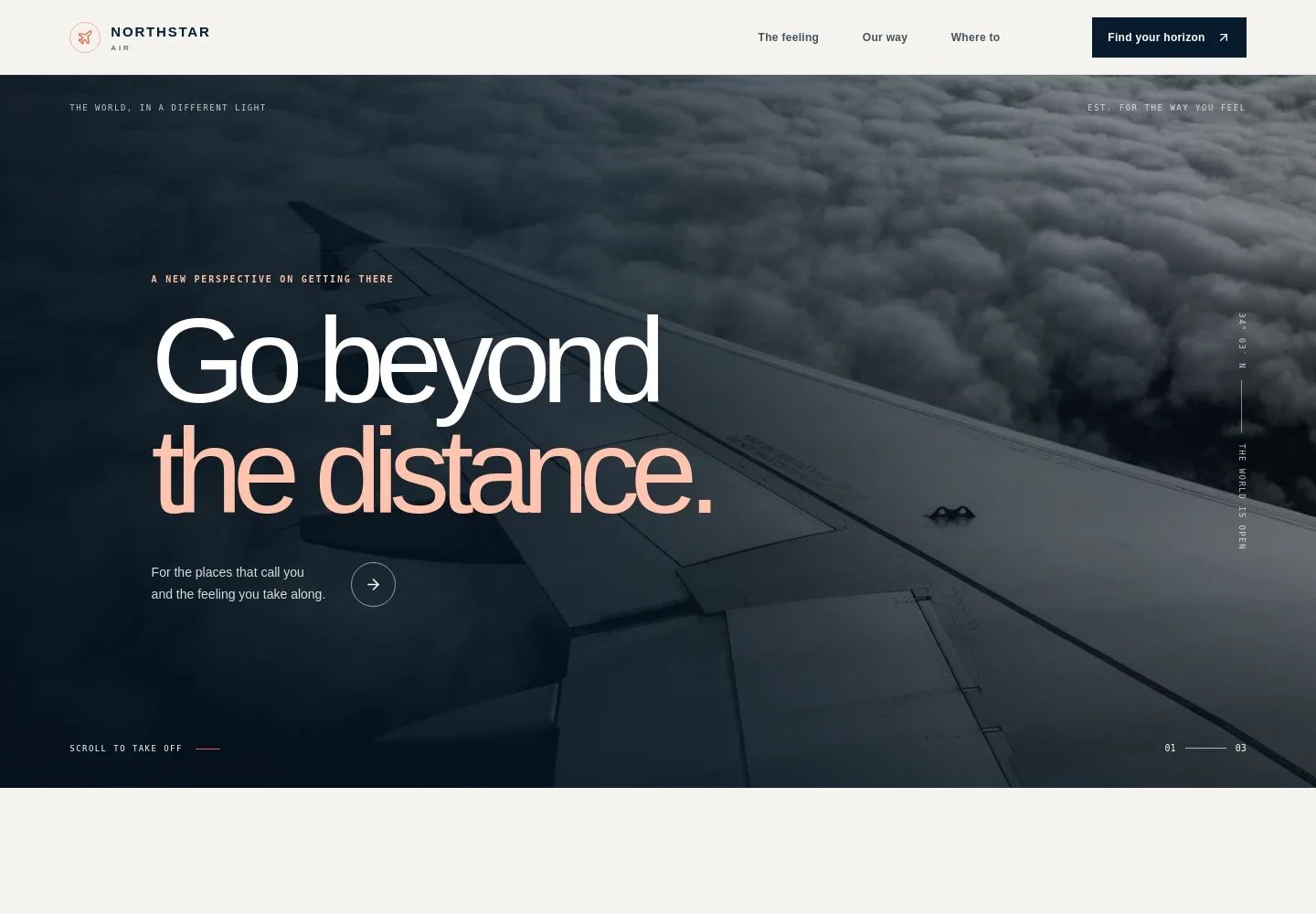
- Airline hero
- A full-width aircraft-above-the-clouds image, prominent brand headline, and links into the page establish the airline’s identity and invite visitors to continue.
- Travel brand story
- An editorial introduction explains the feeling behind the airline and gives visitors context for its approach to travel.
- Journey approach
- A takeoff-to-arrival visual track and three short chapters describe the intended cabin atmosphere, service style, and connected travel experience.
- Destination feature
- A large destination photograph, location coordinates, and accompanying editorial copy give a featured place a strong visual focus.
- Cabin experience
- A cabin image and concise copy describe a quieter, more considered onboard atmosphere.
- Contact call to action
- A closing invitation and contact link give interested visitors a clear next step. The displayed contact details are illustrative and can be replaced with your own.
- Navigation and footer
- The navigation links to the story, airline approach, and destination sections. The footer repeats the airline identity and provides a return-to-top link.
How to use this template
Open in Revamp
Click Use this template and sign in or create an account. You’ll start with your own copy of the design, ready to personalize.
Bring your content
Replace the sample text, photos, and logo with your own. Share your content, a document, or an existing website, and ask Revamp to adapt the template to your business.
Refine and publish
Ask Revamp to adjust the colors, layout, or sections, or edit directly on the page. Review desktop and mobile, then publish. You can keep making changes after launch.
Put your website to work
Give travelers a clearer path from inspiration to planning by asking Revamp to add booking, customer support, or marketing tools suited to your airline’s operations.
-

Online flight booking
AmadeusHelp visitors search and book flights from your website. Ask Revamp to connect your airline booking engine, such as Amadeus, to the booking journey.
-

Customer support
ZendeskBring customer questions into an organized support workflow. Ask Revamp to connect Zendesk for airline customer service inquiries.
-

Travel updates and newsletters
MailchimpKeep subscribers informed about route news and travel offers. Ask Revamp to connect Mailchimp for newsletter sign-ups and campaign follow-up.
Frequently asked questions
Is this airline template free?
Yes. This premium template is free to use when you select Use this template. Free refers to the template itself.
Can I use my own airline content?
Yes. Personalize the text, images, airline details, destinations, and contact information by asking Revamp to make the changes.
Do I need coding skills to customize it?
No. Ask Revamp to personalize the content and design in plain language, without coding.
Can I change the design?
Yes. Ask Revamp to adjust the colors, typography, imagery, layout, or other design details to suit your airline brand.
Can I keep editing after publishing?
Yes. You can keep editing after launch. Ask Revamp to update your content or design as your airline’s needs change.


