About this template
Help visitors understand what makes your arboretum worth exploring, from its living tree collection to the changing character of each season. The design uses a canopy-led hero, collection introduction, seasonal feature, and care section to tell that story before inviting visitors to plan a visit.
The illustrated Canopy House concept pairs large nature photography with editorial typography, field-note details, and clear navigation for the collection, care approach, and visit information. Replace the example copy and contact details with your arboretum’s own information.
Who it’s for
Designed for arboretums, botanical gardens, tree collections, and nature-focused public gardens that want to introduce their landscape, share seasonal interest, explain their care approach, and direct visitors toward planning a visit.
What’s included
The page moves from the experience of the landscape to practical next steps. Its distinct collection, seasons, care, and visit sections help prospective visitors understand both what they can discover and how to get in touch.
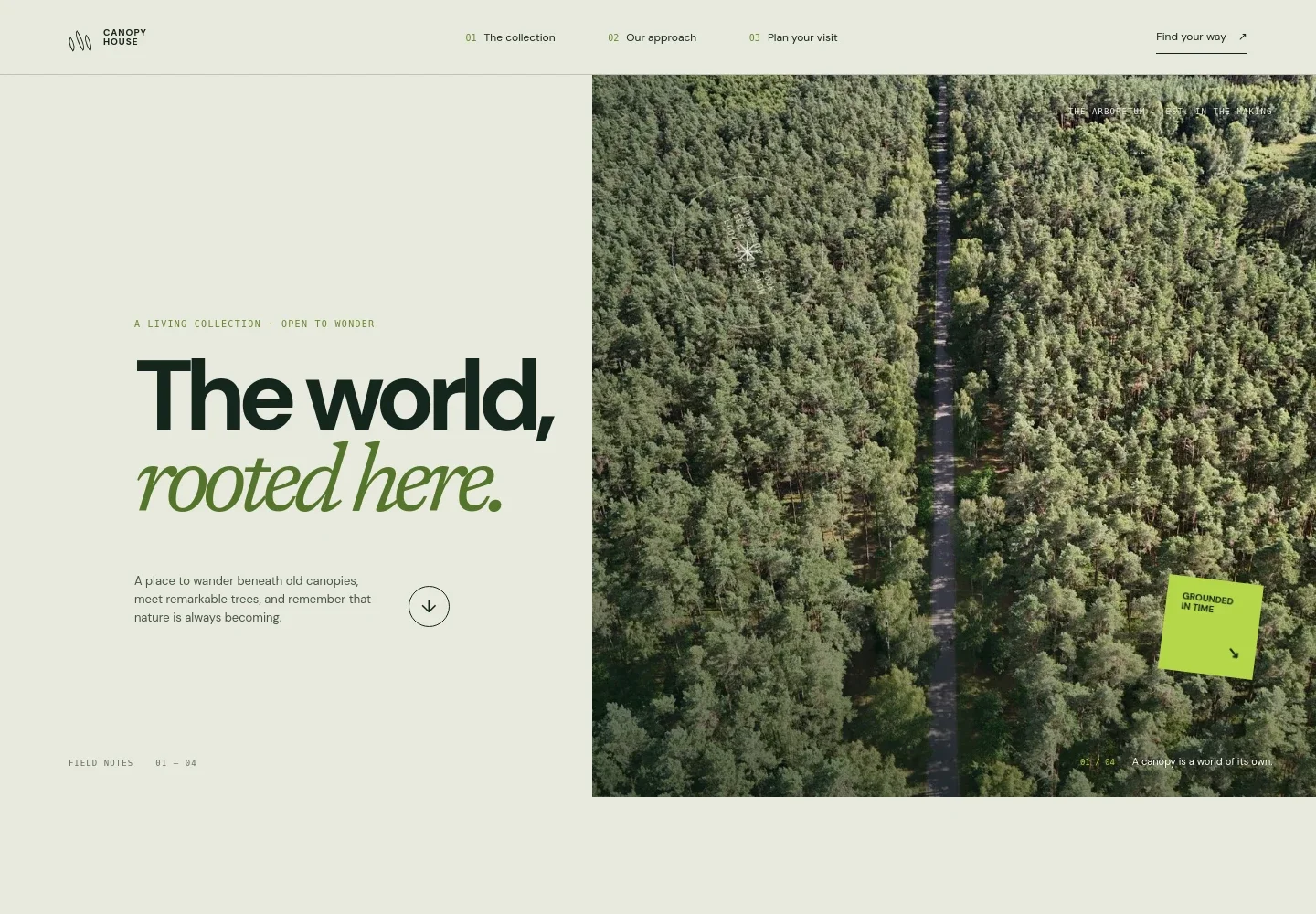
- Canopy-led hero
- A large aerial forest image, concise introduction, and link into the collection establish the natural setting and give visitors a clear starting point.
- Living collection introduction
- Editorial copy introduces the arboretum as a place to encounter trees in the landscape, supported by a prominent collection detail.
- Seasonal feature
- A four-season treatment and close-up leaf image show how the garden changes through the year, helping visitors see reasons to return in different seasons.
- Care approach
- A garden-path photograph and three concise themes explain the design’s focus on growing a collection, learning through observation, and making room for future growth.
- Visit invitation
- A prominent visit section gives visitors a next step through a contact link, with space for the arboretum’s own visit details.
- Navigation and footer
- Numbered links connect the collection, care, and visit sections. The footer repeats the identity and offers a return-to-top link.
How to use this template
Open in Revamp
Click Use this template and sign in or create an account. You’ll start with your own copy of the design, ready to personalize.
Bring your content
Replace the sample text, photos, and logo with your own. Share your content, a document, or an existing website, and ask Revamp to adapt the template to your business.
Refine and publish
Ask Revamp to adjust the colors, layout, or sections, or edit directly on the page. Review desktop and mobile, then publish. You can keep making changes after launch.
Put your website to work
Make it easier to organize visits and keep people informed. Ask Revamp to add or connect tools that fit how your arboretum handles visitor inquiries and updates.
-

Make visit inquiries easier to manage
HubSpotAsk Revamp to add an inquiry form that routes visitor questions to your team using HubSpot.
-

Keep seasonal updates in touch with visitors
MailchimpAsk Revamp to connect Mailchimp for sharing seasonal news and visitor updates by email.
-

Help visitors plan a time to come
CalendlyAsk Revamp to add appointment scheduling for guided visits or group inquiries with Calendly.
Frequently asked questions
Is this template free?
Yes. This premium template is free to use when you select Use this template. Free refers to the template itself.
Can I use my own content?
Yes. Ask Revamp to personalize the text, images, arboretum details, and contact information for your organization.
Do I need coding skills?
No coding skills are needed. Ask Revamp to make content and design changes in natural language.
Can I change the design?
Yes. Ask Revamp to adjust the colors, imagery, typography, layout, or sections to suit your arboretum.
Can I keep editing after publishing?
Yes. You can keep editing after launch. Ask Revamp to update your content or design as your information changes.


