About this template
Help visitors understand what an exhibition is about, what is on view, and how to plan a visit. This design pairs a bold art-led opening with clear details about the current exhibition, the organization’s perspective, and its address and hours.
The page also introduces programming such as talks, screenings, and open studio, giving an art institute room to explain its wider work alongside an exhibition. An editorial visual style, prominent artwork, and concise section navigation keep the experience centered on the art and the reasons to come.
Who it’s for
Contemporary art galleries, exhibition organizers, museums, and independent art institutes presenting an exhibition and welcoming visitors to their space.
What’s included
A complete exhibition-focused page that moves from the institution’s identity and featured artwork to exhibition details, its curatorial perspective, programming, and visitor information.
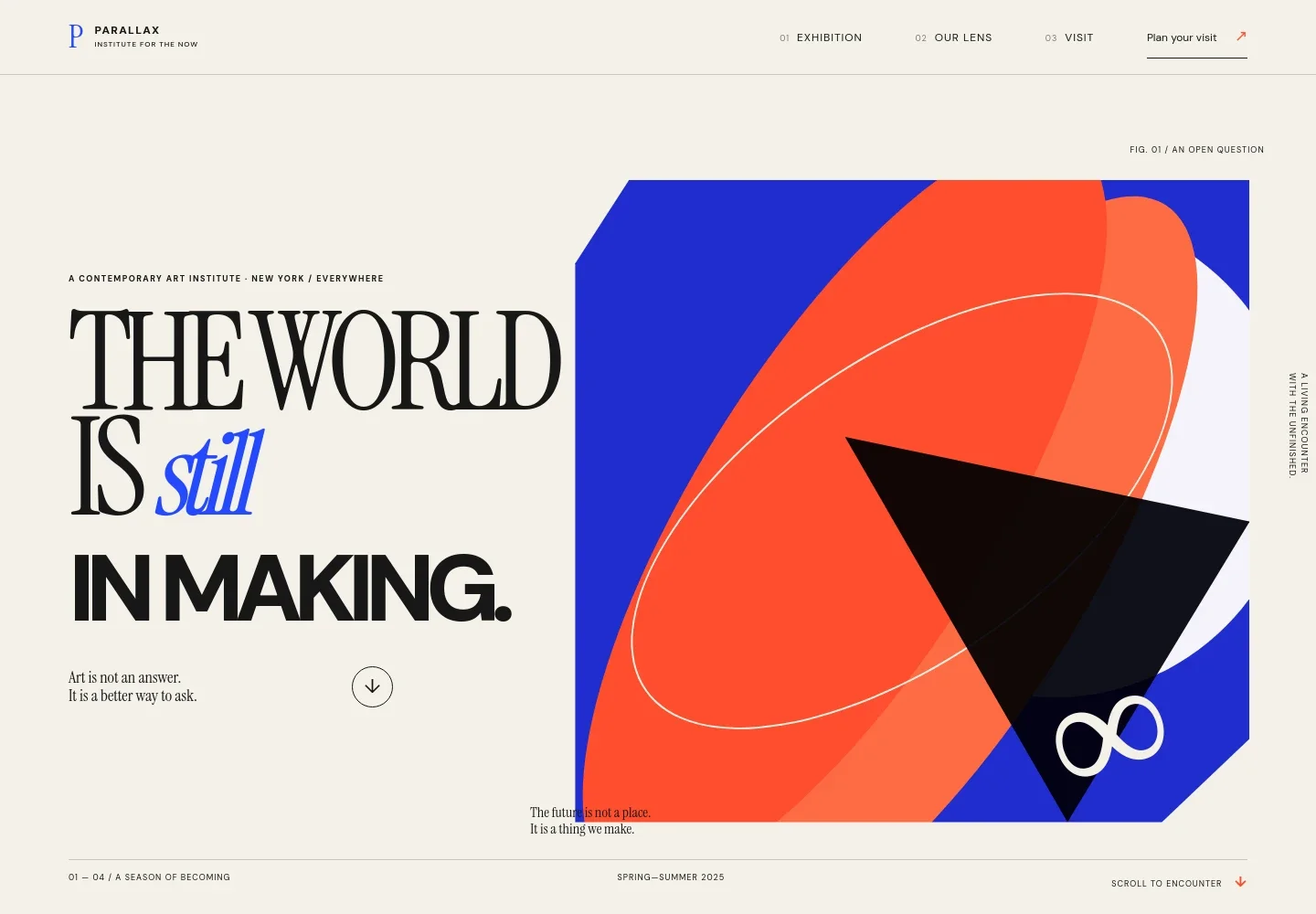
- Institution identity and artwork-led hero
- A wordmark and concise navigation introduce the institute, while an oversized statement and vivid abstract artwork set the exhibition’s tone. Season information and a direct path to the exhibition help orient visitors.
- Current exhibition
- A prominent exhibition title sits alongside its theme, artwork, descriptive text, curator information, dates, and gallery-hours note. This gives visitors the context they need to decide whether and when to visit.
- Our lens and programs
- An institutional introduction explains the organization’s point of view, followed by program descriptions for exhibitions, live questions, and open studio.
- Manifesto
- A short statement of beliefs gives the institute space to express its approach to imagination, uncertainty, and looking at art together.
- Visit details
- A dedicated visitor area presents an address, opening hours, admission information, and an email contact. These details are visibly presented as illustrative content in the design and can be personalized for a real venue.
- Footer
- The closing area repeats the institute identity, adds a short sign-off, and provides a link back to the top of the page.
How to use this template
Open in Revamp
Click Use this template and sign in or create an account. You’ll start with your own copy of the design, ready to personalize.
Bring your content
Replace the sample text, photos, and logo with your own. Share your content, a document, or an existing website, and ask Revamp to adapt the template to your business.
Refine and publish
Ask Revamp to adjust the colors, layout, or sections, or edit directly on the page. Review desktop and mobile, then publish. You can keep making changes after launch.
Put your website to work
Make it easier for visitors to plan ahead and for your team to share exhibition updates. Ask Revamp to add or connect tools that suit your venue’s needs.
-

Make exhibition visits easier to plan
EventbriteAsk Revamp to add timed-entry or event booking with Eventbrite so visitors can reserve a place for an exhibition or program.
-

Keep interested visitors informed
MailchimpAsk Revamp to connect Mailchimp so visitors can sign up for exhibition announcements and program updates.
Frequently asked questions
Is this template free?
Yes. This premium template is free to use through Use this template. Free refers to the template itself, not hosting or other services.
Can I use my own content?
Yes. Ask Revamp to personalize the page with your exhibition title, artwork, dates, venue details, opening hours, and organization information.
Do I need coding skills?
No. Ask Revamp to personalize the content and design for your venue without coding.
Can I change the design?
Yes. Ask Revamp to adjust the visual style, colors, typography, imagery, or layout to fit your institution and exhibition.
Can I keep editing after publishing?
Yes. You can keep editing after launch. Ask Revamp to update exhibition information, visitor details, or the page design as your needs change.


