About this template
Help visitors understand the festival at a glance: a citywide arts event with music, outdoor installations and dance across a long weekend. The design introduces the atmosphere first, then gives people clear ways to find the programme and orient themselves.
A bold, dark visual style pairs a nighttime crowd image with large display type, vivid accent details and editorial photography. The programme is organized around listening, looking and moving, while an illustrated route map makes the city-spanning concept easier to picture.
Who it’s for
For arts festival organizers, cultural event producers and citywide programming teams who want to introduce their event, give visitors a sense of its programme and help them plan where to begin.
What’s included
The page moves visitors from the festival’s atmosphere to its creative strands and a visual guide to navigating the event. Its image-led hero, distinct programme groupings and route illustration are suited to a festival spread across multiple kinds of places and performances.
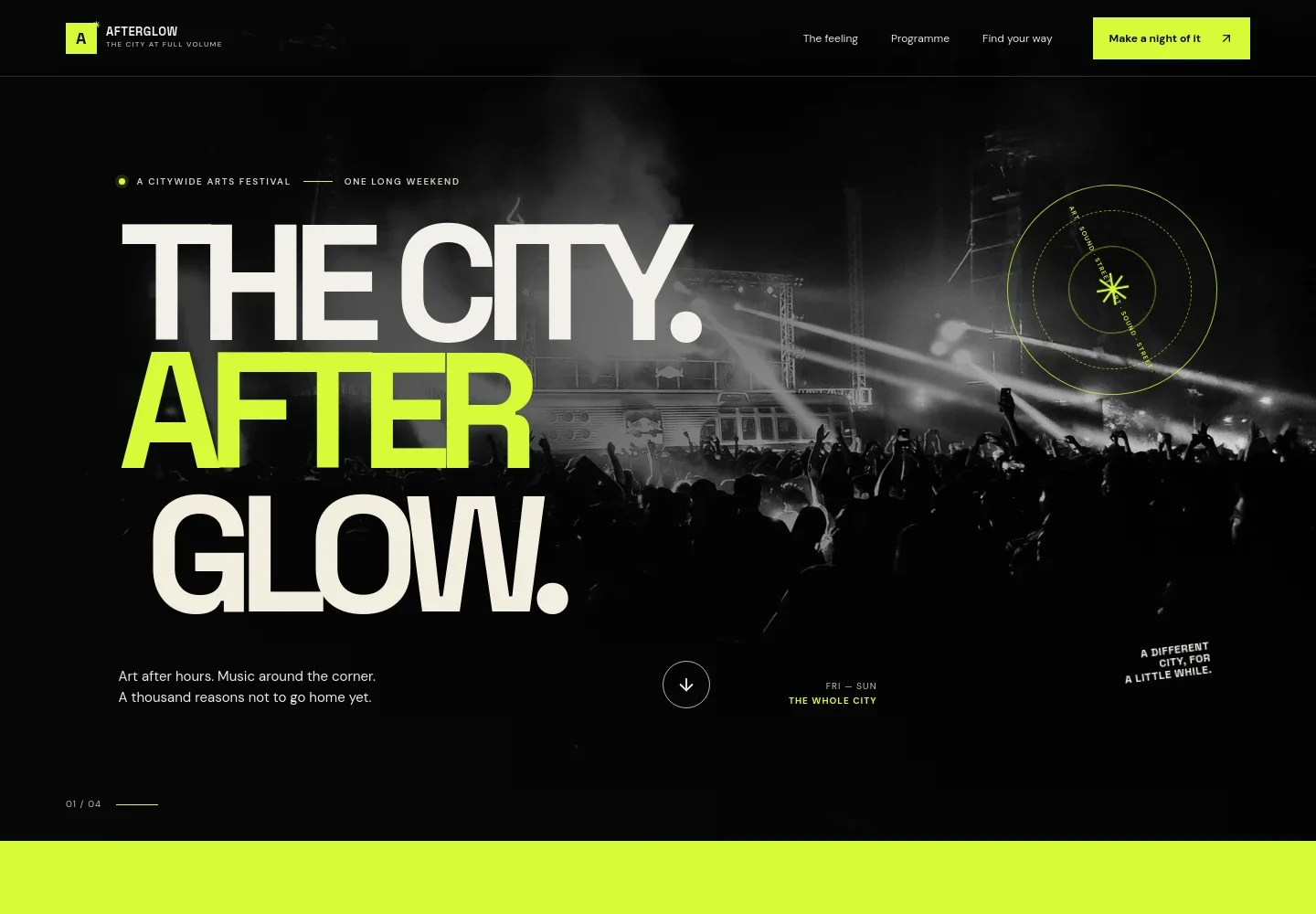
- Festival introduction
- A full-width nighttime crowd image, festival name and concise event details introduce the citywide arts festival and its long-weekend format.
- The festival experience
- A split editorial section explains the feeling of encountering art, music and performances around the city, with a link leading visitors toward the programme.
- Programme strands
- Three visually distinct entries present the programme through sound, outdoor art installations and dance, giving visitors an easy way to browse by interest.
- Illustrated route map
- A stylized map connects labeled festival zones and supports the idea of choosing a starting point and wandering between experiences. It is presented as an illustrative route, not detailed venue directions.
- Programme contact prompt
- A call to get the programme gives visitors a next step, with a note indicating that programme details are coming soon.
- Closing festival message
- A bold closing statement, festival wordmark and return-to-top link bring the page to a clear finish.
How to use this template
Open in Revamp
Click Use this template and sign in or create an account. You’ll start with your own copy of the design, ready to personalize.
Bring your content
Replace the sample text, photos, and logo with your own. Share your content, a document, or an existing website, and ask Revamp to adapt the template to your business.
Refine and publish
Ask Revamp to adjust the colors, layout, or sections, or edit directly on the page. Review desktop and mobile, then publish. You can keep making changes after launch.
Put your website to work
Help visitors discover event details, plan their route and hear about programme updates. Ask Revamp to add or connect tools such as these to support festival communications.
-

Share programme updates
MailchimpBuild an email audience for schedule announcements and festival news. Ask Revamp to connect Mailchimp for newsletter sign-ups.
-

Organize event information
Google SheetsKeep programme and planning details organized for the team. Ask Revamp to connect Google Sheets for event information management.
-

Coordinate dates and schedules
Google CalendarHelp visitors keep track of important festival dates. Ask Revamp to add a Google Calendar option for event reminders.
Frequently asked questions
Is this arts festival template free?
Yes. This premium template is free to use when you select Use this template. The offer is for the template itself.
Can I use my own festival content?
Yes. Ask Revamp to personalize the page with your festival name, programme details, locations, images and visitor information.
Do I need coding skills?
No. You can ask Revamp to personalize the content and design without coding.
Can I change the design?
Yes. Ask Revamp to adjust the colors, typography, images and layout to suit your festival.
Can I keep editing after publishing?
Yes. You can keep making edits after launch by asking Revamp to update the page as your festival information changes.