About this template
Help prospective clients and instructing solicitors understand a chambers' areas of practice, approach to advocacy and how to begin a conversation. The page gives commercial disputes, public and regulatory law, crime and investigations, and employment and reputation matters clear, distinct sections.
A courtroom image and editorial typography establish a formal legal tone, while the approach and people sections explain how the chambers presents its work and counsel. The contact section closes with a direct email call to action. The preview uses illustrative chambers details, so replace them with accurate information for your practice.
Who it’s for
Independent barristers, chambers and legal practices seeking a clear one-page introduction for prospective clients, solicitors and organisations looking for counsel.
What’s included
The page moves from a concise chambers introduction through practice areas and approach to people and contact. Its structured sections help visitors identify relevant legal work and find a clear next step.
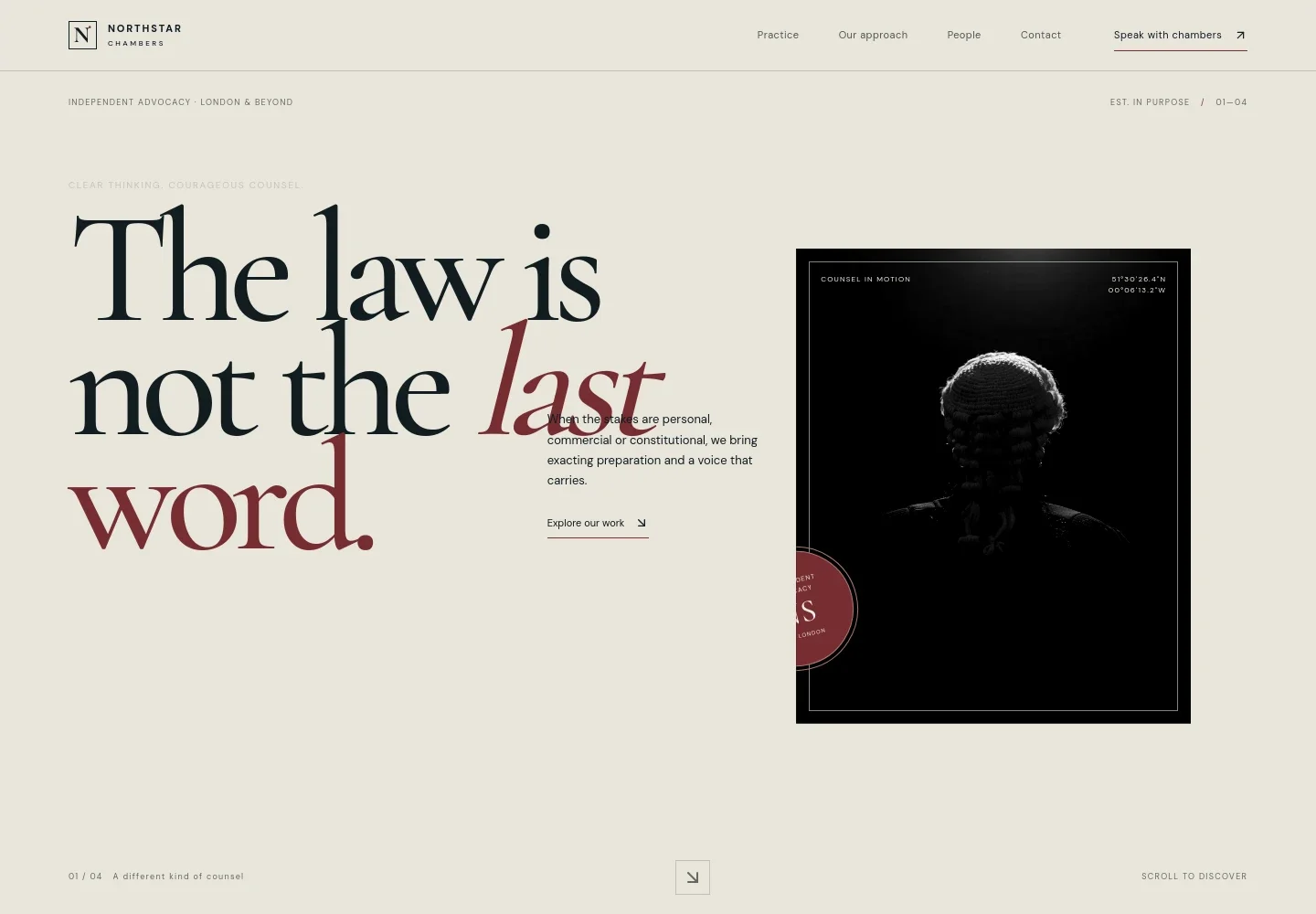
- Chambers introduction
- A prominent headline, independent advocacy positioning, courtroom image and short supporting copy introduce the chambers and direct visitors toward its work.
- Approach
- A point-of-view section describes the value placed on precision, preparation and perspective when legal decisions carry significant personal or organisational stakes.
- Practice areas
- Four separate entries outline commercial disputes, public and regulatory law, crime and investigations, and employment and reputation, each with a short summary and contact link.
- Working method
- A visual sequence presents the stated approach as Listen, Distil and Advance, with brief copy explaining each stage.
- People
- A chambers-focused section introduces the collective approach to briefs and pairs its message with city imagery.
- Contact
- A closing invitation explains what visitors can share to begin a conversation and provides an email link. The displayed contact details are illustrative and should be replaced with the practice's own.
- Footer
- A compact closing area repeats the chambers identity and provides a return-to-top link.
How to use this template
Open in Revamp
Click Use this template and sign in or create an account. You’ll start with your own copy of the design, ready to personalize.
Bring your content
Replace the sample text, photos, and logo with your own. Share your content, a document, or an existing website, and ask Revamp to adapt the template to your business.
Refine and publish
Ask Revamp to adjust the colors, layout, or sections, or edit directly on the page. Review desktop and mobile, then publish. You can keep making changes after launch.
Put your website to work
Help prospective clients make contact and keep enquiries organized. Ask Revamp to add connections with legal practice tools that suit your chambers' working arrangements.
-

Make initial enquiries easier to manage
CalendlyAsk Revamp to add consultation booking with Calendly, so visitors can request a suitable time to speak with chambers.
-

Keep case and client records organized
ClioAsk Revamp to connect Clio for legal client and matter management, supporting a more organized view of enquiries and case information.
-

Coordinate availability with your calendar
Google CalendarAsk Revamp to connect Google Calendar to help coordinate meeting availability and chambers appointments.
Frequently asked questions
Is this template free?
Yes. The premium template is free to use when you select Use this template. This applies to the template itself.
Can I use my own content?
Yes. Ask Revamp to personalize the page with your chambers' name, practice areas, counsel details, images and contact information.
Do I need coding skills?
No. Ask Revamp to personalize the content and design in plain language, without coding.
Can I change the design?
Yes. Ask Revamp to adjust the visual style, layout, imagery and other design details to suit your practice.
Can I keep editing after publishing?
Yes. You can continue asking Revamp to update your site after it launches.