About this template
Help riders compare All-Road, City, and Road bicycles, understand your fitting approach, and find a clear next step to talk with your shop.
The design pairs a large cycling image and concise brand introduction with a three-bike lineup, practical fitting details, a shop-rides section, and contact links. Use it to explain what kinds of rides your bikes suit and how visitors can connect with your business.
Who it’s for
Bicycle shops, independent bike brands, and cycling retailers introducing their bicycle range, fit services, and community rides.
What’s included
The page moves from the feeling and purpose of riding to specific bike options, fitting, group rides, and a direct contact invitation. Its editorial photography and numbered sections give visitors a straightforward route from browsing to asking about a bike or ride.
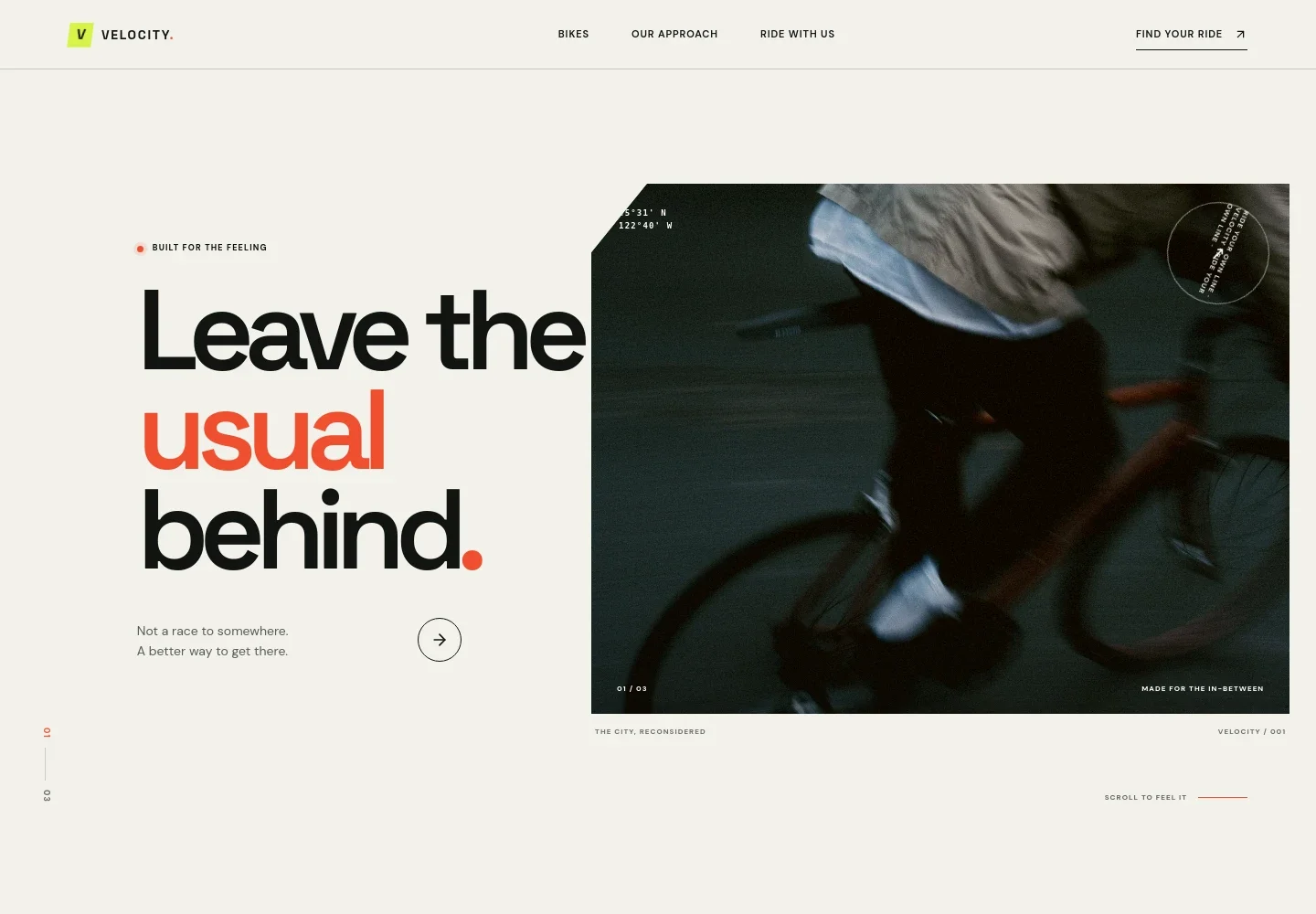
- Cycling hero
- A prominent urban cycling photograph, brand headline, short supporting line, and links that lead visitors into the bike collection.
- Riding approach
- An introduction to the shop's perspective on everyday miles, longer rides, and unplanned detours, with a link to the collection.
- Bicycle lineup
- Three clearly differentiated options: All-Road for pavement and beyond, City for everyday journeys, and Road for open stretches. Each entry includes a short description and a link toward finding a fit.
- Fit and setup approach
- A close-up bicycle detail image accompanies copy about listening to riders, fitting with care, and setting up the bike around how they ride.
- Shop rides
- A dedicated section describes open, no-pressure group rides and invites visitors to ask about the next ride.
- Contact footer
- A closing invitation to get in touch, with space for shop contact details and links back to the main sections.
How to use this template
Open in Revamp
Click Use this template and sign in or create an account. You’ll start with your own copy of the design, ready to personalize.
Bring your content
Replace the sample text, photos, and logo with your own. Share your content, a document, or an existing website, and ask Revamp to adapt the template to your business.
Refine and publish
Ask Revamp to adjust the colors, layout, or sections, or edit directly on the page. Review desktop and mobile, then publish. You can keep making changes after launch.
Put your website to work
Make it easier to arrange a bike-fit conversation, organize shop rides, and follow up with riders. Ask Revamp to add or connect the tools that suit your shop's workflow.
-

Schedule bike-fit consultations
CalendlyGive riders a simple way to choose a time for a fitting or shop conversation. Ask Revamp to add consultation booking with Calendly.
-

Coordinate group ride dates
Google CalendarShare ride dates and help participants keep track of upcoming events. Ask Revamp to connect Google Calendar for shop ride scheduling.
-

Organize rider inquiries
HubSpotKeep track of prospective customers and conversations about bikes or fitting. Ask Revamp to connect HubSpot for contact management.
Frequently asked questions
Is this bicycle website template free?
Yes. This premium template is free to use when you select Use this template. The offer applies to the template, not hosting or other services.
Can I use my own bicycle and shop content?
Yes. Ask Revamp to personalize the text, bicycle details, images, shop information, and contact details for your business.
Do I need coding skills to customize it?
No. Ask Revamp to make content and design changes for you, without coding.
Can I change the design?
Yes. Ask Revamp to adjust the visual style, layout, and sections to better suit your bicycle business.
Can I keep editing after publishing?
Yes. You can keep asking Revamp to update your website after it launches.


