About this template
Help visitors understand how binary options work before they consider them. This design explains the yes-or-no structure, defined expiry and potential loss in direct, measured language.
The page presents an independent educational perspective, with a field guide to contract terms, downside and market context, followed by clear risk notes. Its chart-inspired visuals and restrained editorial layout keep attention on the information rather than promises of results.
Who it’s for
Suitable for financial educators, market research publishers and organizations creating general information about binary options. The template frames the subject as education, not brokerage or investment advice.
What’s included
A complete educational landing page that moves from a market-focused introduction to the instrument, practical learning points and prominent risk information.
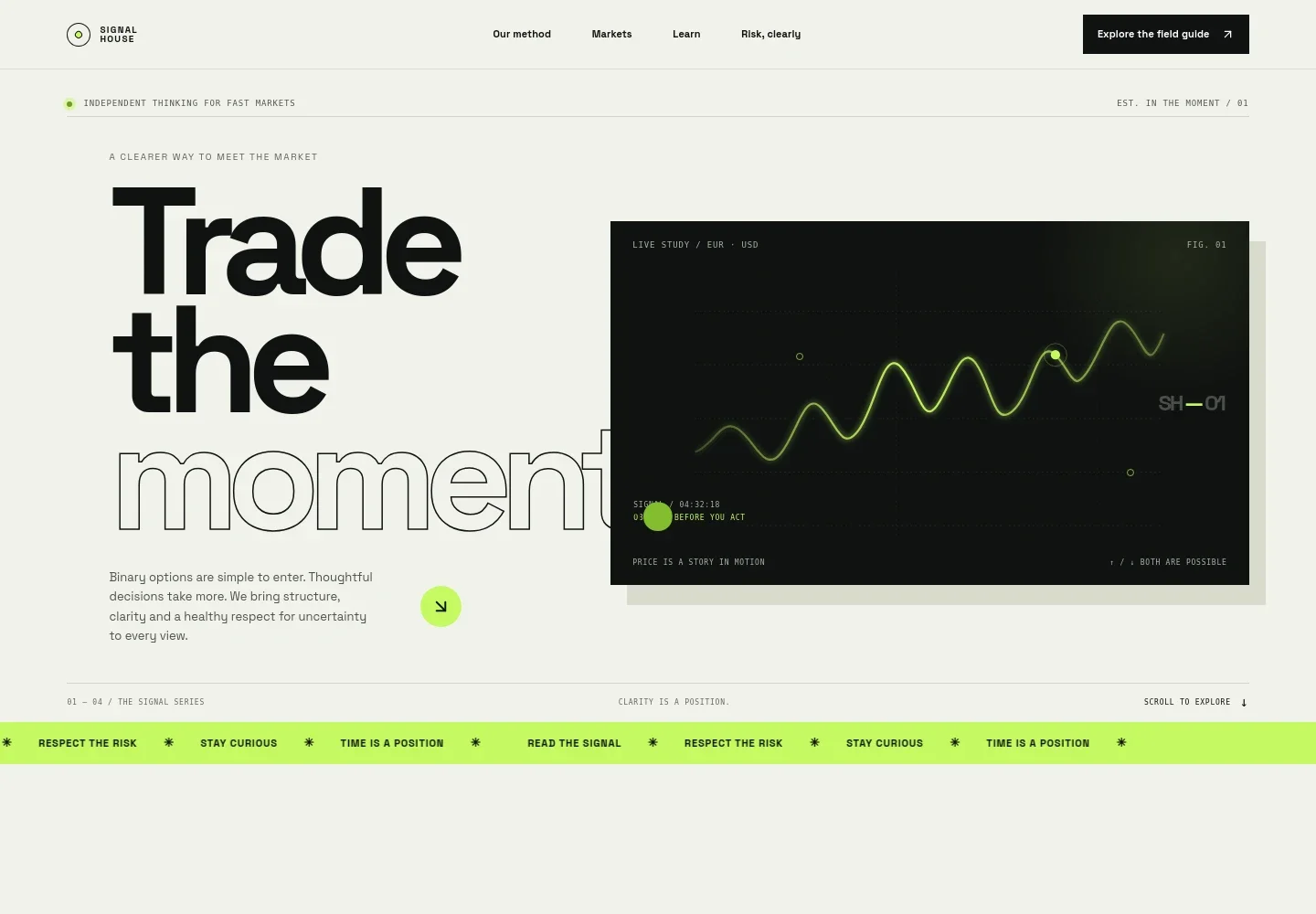
- Market-focused hero
- A bold headline, short introduction and abstract EUR/USD signal chart establish the fast-moving market context and invite visitors to explore the page.
- Point of view and method
- Introduces a measured approach to short-term markets and presents three steps: notice the setup, define the risk and make a deliberate choice.
- How binary options are structured
- Explains the higher-or-lower question, direction and expiry, and the typically all-or-nothing outcome. Supporting notes clarify that visitors do not own the underlying asset and that terms vary by provider and jurisdiction.
- Field guide
- Three learning prompts encourage readers to understand contract terms, consider the amount at risk and check provider and local-rule context.
- Risk notes
- A dedicated section states that the full amount committed can be lost, and advises readers to avoid risking money they cannot afford to lose, be wary of guaranteed-return claims and check local rules.
- Closing and footer
- The closing message encourages visitors to understand the instrument, terms and risks before deciding. The footer identifies the page as illustrative educational content and repeats the risk notice.
How to use this template
Open in Revamp
Click Use this template and sign in or create an account. You’ll start with your own copy of the design, ready to personalize.
Bring your content
Replace the sample text, photos, and logo with your own. Share your content, a document, or an existing website, and ask Revamp to adapt the template to your business.
Refine and publish
Ask Revamp to adjust the colors, layout, or sections, or edit directly on the page. Review desktop and mobile, then publish. You can keep making changes after launch.
Put your website to work
If you publish educational material, Ask Revamp to add tools that help readers find reliable reference information or receive new content.
-

Send readers to official regulatory guidance
U.S. Securities and Exchange CommissionHelp visitors locate jurisdiction-specific information. Ask Revamp to add links to relevant regulator resources, such as the U.S. Securities and Exchange Commission.
-

Share new learning material by email
MailchimpKeep subscribers informed when you publish new educational content. Ask Revamp to add a newsletter signup with Mailchimp.
Frequently asked questions
Is this template free?
Yes. This premium template is free to use through Use this template. Free refers to the template itself, not hosting or other services.
Can I use my own content?
Yes. Ask Revamp to personalize the text, imagery and educational material for your organization and audience.
Do I need coding skills?
No. Ask Revamp to personalize the content and design without coding.
Can I change the design?
Yes. Ask Revamp to adjust the layout, colors, typography and other design details to suit your brand and content.
Can I keep editing after publishing?
Yes. You can keep making changes after launch. Ask Revamp whenever you want to update your content or design.


