About this template
Help prospective clients understand your close-protection approach, the services you offer, and how to start a private conversation. The design presents personal security as discreet and tailored, with clear sections for your principles, preparation, and capabilities.
A full-width photographic hero introduces the service with a calm, editorial tone. The page then moves from your approach to practical service details, ending with a direct contact invitation so visitors can take a clear next step.
Who it’s for
Independent bodyguards, close-protection providers, and security professionals serving executives, families, public figures, or clients who need secure movement and venue preparation.
What’s included
A considered single-page layout guides visitors from your protective approach to specific capabilities and a direct enquiry point.
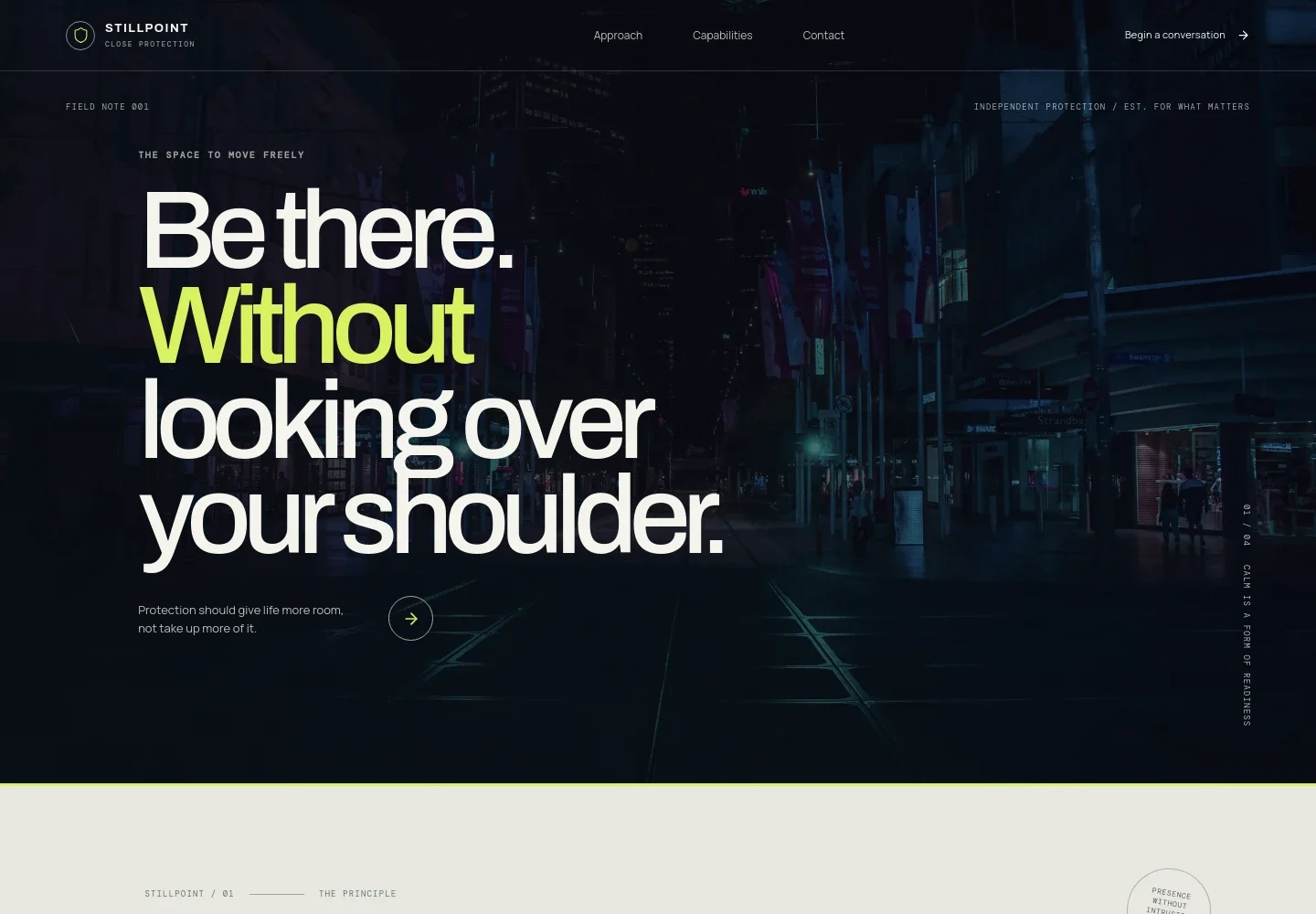
- Hero and navigation
- A large photographic opening introduces close protection in a restrained, personal voice. Navigation links take visitors to the approach, capabilities, and contact sections, with a prominent conversation link.
- Approach
- Explain how you tailor protection to a client's life and work, including the emphasis on proportionate, discreet support and preparation.
- Preparation story
- A photo-led section describes observing the setting, understanding the people and pace, and preparing before the day begins.
- Capabilities
- Three clearly separated service entries cover close protection, secure movement, and advance and venue preparation. Each includes a short explanation and a link to discuss the service.
- Protective principles
- A focused statement section reinforces the design's human-first, discreet approach between the service details and contact information.
- Contact
- A direct enquiry area invites visitors to begin with a conversation and provides an email link. Replace the illustrative contact details with your business information.
- Footer
- The closing area repeats the brand identity, offers a back-to-top link, and displays a short closing principle.
How to use this template
Open in Revamp
Click Use this template and sign in or create an account. You’ll start with your own copy of the design, ready to personalize.
Bring your content
Replace the sample text, photos, and logo with your own. Share your content, a document, or an existing website, and ask Revamp to adapt the template to your business.
Refine and publish
Ask Revamp to adjust the colors, layout, or sections, or edit directly on the page. Review desktop and mobile, then publish. You can keep making changes after launch.
Put your website to work
Make enquiries easier to organize by asking Revamp to add a suitable client-management or scheduling tool to your site.
-

Organize prospective client enquiries
HubSpotKeep track of conversations and follow-ups in one place. Ask Revamp to add HubSpot CRM for managing prospective client enquiries.
-

Let clients request a meeting time
CalendlyGive visitors a straightforward way to request an introductory call. Ask Revamp to add consultation scheduling with Calendly.
Frequently asked questions
Is this template free?
Yes. This premium template is free to use through Use this template. Free refers to the template itself.
Can I use my own content?
Yes. Ask Revamp to personalize the text, images, services, brand details, and contact information for your business.
Do I need coding skills?
No. You can ask Revamp to personalize the content and design without coding.
Can I change the design?
Yes. Ask Revamp to adjust the layout, colors, typography, imagery, or other design details to suit your business.
Can I keep editing after publishing?
Yes. You can keep editing your site after launch by asking Revamp to make changes.


