About this template
Help prospective clients understand your bookkeeping services, how you work, and whether you serve businesses like theirs. The page introduces a clear process, outlines monthly bookkeeping and payroll support, and gives visitors a direct way to start a conversation.
The editorial layout pairs ledger-inspired imagery with numbered process steps and concise service descriptions. Visitors can scan what you handle, see the kinds of businesses you work with, and understand the value of a consistent monthly picture.
Who it’s for
Independent bookkeepers, bookkeeping practices, and accounting professionals serving consultants, creative studios, and small teams.
What’s included
The design guides visitors from your approach to your services and ideal clients, then closes with a clear contact invitation. Its focused sections make bookkeeping support easy to understand without overwhelming prospective clients.
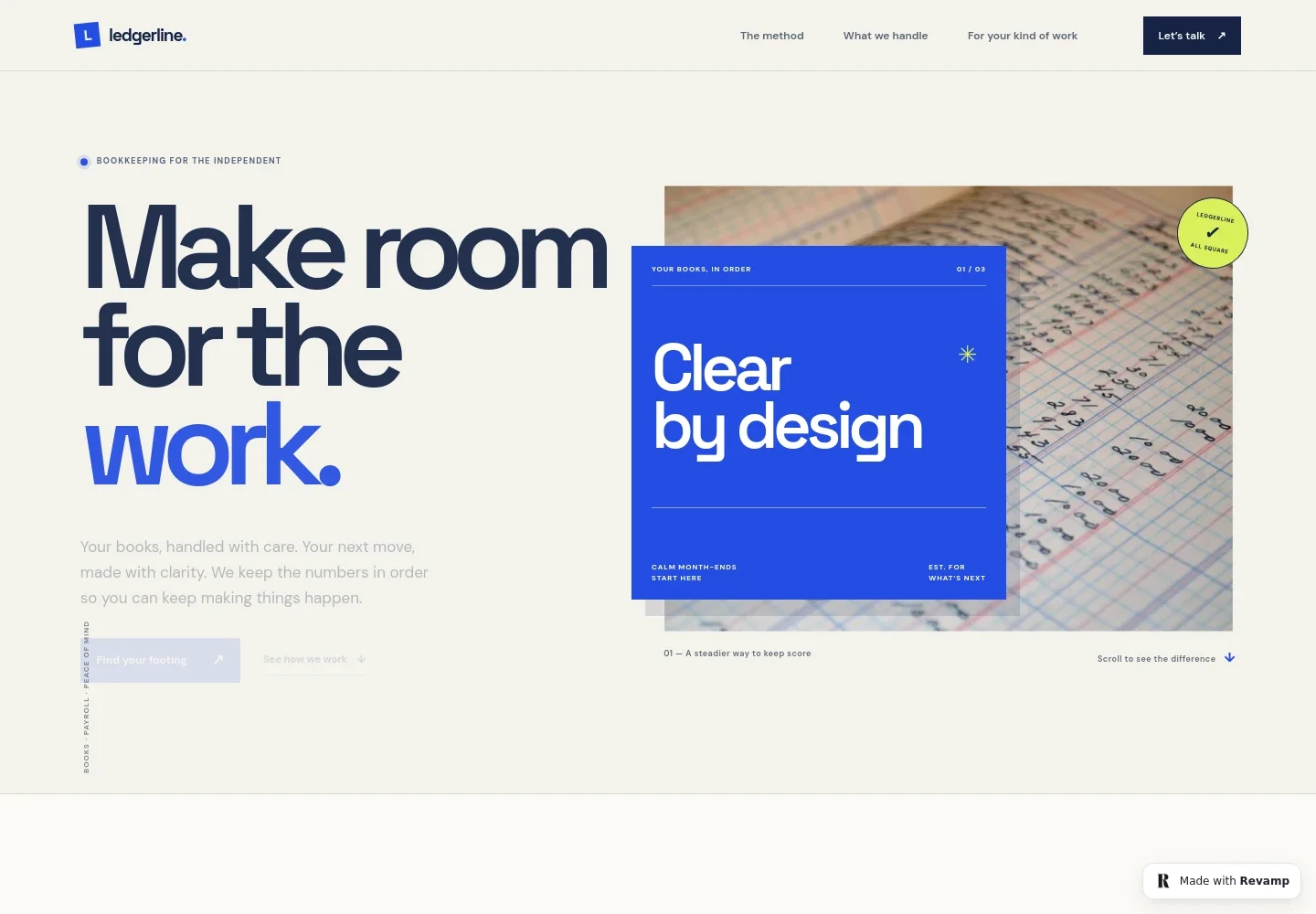
- Bookkeeping hero
- A prominent headline, short introduction, ledger photograph, and two calls to action introduce the service and direct visitors to the method or contact section.
- The method
- A three-step sequence explains gathering records, making sense of transactions, and using a monthly financial picture to move forward.
- Services
- Four service rows describe monthly bookkeeping, payroll support, clean-up and catch-up, and owner-ready reporting, each with a route to inquire.
- Who the service is for
- This section names independent consultants, creative studios, and small teams, then describes common reasons they may want ongoing bookkeeping support.
- Contact invitation and footer
- A closing message invites visitors to discuss their bookkeeping needs and includes an email link, brand name, and back-to-top link.
How to use this template
Open in Revamp
Click Use this template and sign in or create an account. You’ll start with your own copy of the design, ready to personalize.
Bring your content
Replace the sample text, photos, and logo with your own. Share your content, a document, or an existing website, and ask Revamp to adapt the template to your business.
Refine and publish
Ask Revamp to adjust the colors, layout, or sections, or edit directly on the page. Review desktop and mobile, then publish. You can keep making changes after launch.
Put your website to work
Accounting and client-management tools can help organize records and keep client communication in one place. Ask Revamp to add connections that fit your practice.
-

Keep client records and bookkeeping organized
QuickBooks OnlineAsk Revamp to connect QuickBooks Online so clients can find your accounting software and you can explain how it fits your bookkeeping services.
-

Make it easier for clients to schedule a first conversation
CalendlyAsk Revamp to add consultation booking with Calendly so prospective clients can request a time to discuss their books.
-

Manage client work and recurring bookkeeping tasks
KarbonAsk Revamp to connect Karbon to support a more organized client workflow and clear communication around ongoing accounting work.
Frequently asked questions
Is this template free?
Yes. This premium template is free to use when you select Use this template. The offer is for the template itself.
Can I use my own content?
Yes. Ask Revamp to personalize the copy, images, services, contact details, and other page content for your bookkeeping practice.
Do I need coding skills?
No. You can ask Revamp to personalize the content and design without coding.
Can I change the design?
Yes. Ask Revamp to adjust the layout, colors, typography, imagery, or other design details to suit your practice.
Can I keep editing after publishing?
Yes. You can keep asking Revamp to update your website after launch as your services, content, or design needs change.