About this template
Help visitors understand your botanical practice and the ways they can work with you, from indoor plant curation and care to garden planning and hands-on workshops. The layout pairs a clear service overview with an approach section that explains how light, soil and a place’s character inform the work.
A field note on reading the light gives the site an editorial touch, while the closing contact section offers a direct next step for people with an idea, a growing space or a question.
Who it’s for
Independent botanists, plant studios, garden designers and horticultural businesses offering plant care, garden planning or workshops.
What’s included
The design moves from a botanical introduction to your approach, services, a field note and a clear contact invitation. Nature-led photography, numbered section markers and restrained editorial typography give the content a considered, field-journal feel.
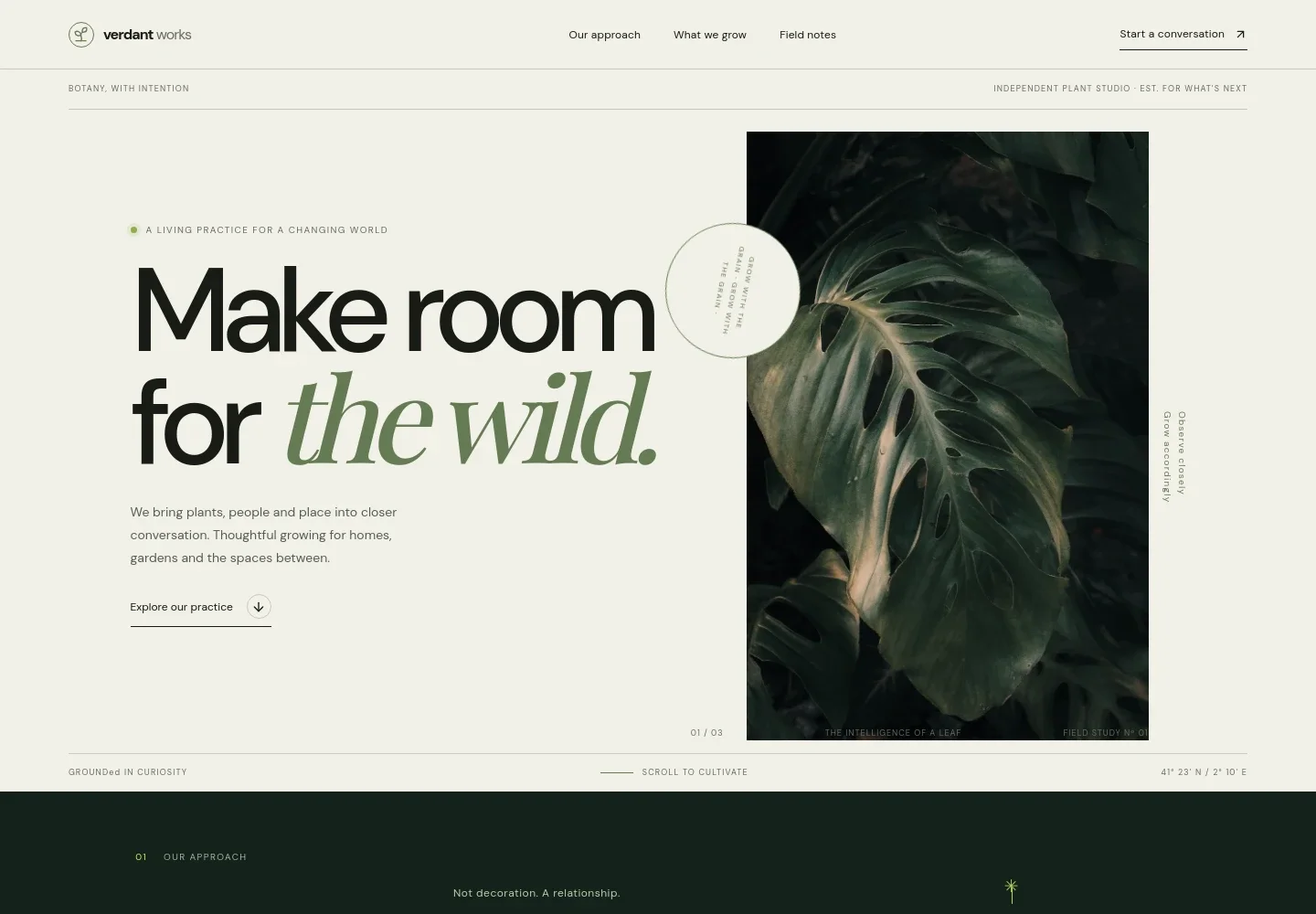
- Botanical hero
- An oversized headline and close-up Monstera image introduce the practice, followed by a short summary and a link to the approach section.
- Our approach
- A concise statement describes working with the living world and paying attention to a space, helping visitors understand the principles behind your botanical work.
- What we grow
- Three numbered service rows explain indoor plant curation and care, garden planning for spaces from balconies to larger plots, and hands-on workshops for teams and communities.
- Field note
- A feature about observing light in a room shows how the site can share useful botanical perspective alongside an image of a leafy greenhouse path.
- Contact invitation
- A welcoming closing section invites visitors to describe what they are growing or planning and provides a direct email link.
- Navigation and footer
- The header links to the approach, services and field notes, with a conversation link. The footer repeats the studio identity and provides a return-to-top link.
How to use this template
Open in Revamp
Click Use this template and sign in or create an account. You’ll start with your own copy of the design, ready to personalize.
Bring your content
Replace the sample text, photos, and logo with your own. Share your content, a document, or an existing website, and ask Revamp to adapt the template to your business.
Refine and publish
Ask Revamp to adjust the colors, layout, or sections, or edit directly on the page. Review desktop and mobile, then publish. You can keep making changes after launch.
Put your website to work
Make it easier to handle inquiries, schedule consultations and keep in touch with clients. Ask Revamp to add connections that suit the way your botanical business works.
-

Book consultations
CalendlyGive prospective clients a simple way to choose a time for a plant or garden consultation. Ask Revamp to add consultation booking with Calendly.
-

Coordinate your schedule
Google CalendarKeep consultations, site visits and workshops organized alongside your calendar. Ask Revamp to connect Google Calendar for scheduling.
-

Manage client inquiries
HubSpotKeep track of prospective clients and follow-up conversations as inquiries come in. Ask Revamp to connect HubSpot for contact management.
-

Share studio updates
MailchimpBuild an email audience for seasonal plant advice, workshop announcements and studio news. Ask Revamp to add a Mailchimp signup.
Frequently asked questions
Is this template free?
Yes. This premium template is free to use when you select Use this template. This applies to the template itself, not hosting or other services.
Can I use my own content?
Yes. Ask Revamp to personalize the text, images, business details and contact information for your botanical practice.
Do I need coding skills?
No. Ask Revamp to make content and design changes in natural language, without coding.
Can I change the design?
Yes. Ask Revamp to adjust the colors, typography, imagery, layout or sections to better suit your studio and its services.
Can I keep editing after publishing?
Yes. You can keep editing after launch. Ask Revamp to update your content or design as your business develops.