About this template
Help prospective clients understand your business process outsourcing services, from customer experience and digital care to order support, data workflows, and everyday back-office operations.
The page pairs a direct capabilities list with a people-focused explanation of how your teams work. Visitors can review your operating approach and principles, then follow a clear contact path to start a conversation.
Who it’s for
Business process outsourcing providers, customer experience teams, and operations firms presenting services to business decision-makers.
What’s included
The page makes your service areas, people-first approach, and next step easy to find, with a layout built around clear capability descriptions and an invitation to discuss a prospective engagement.
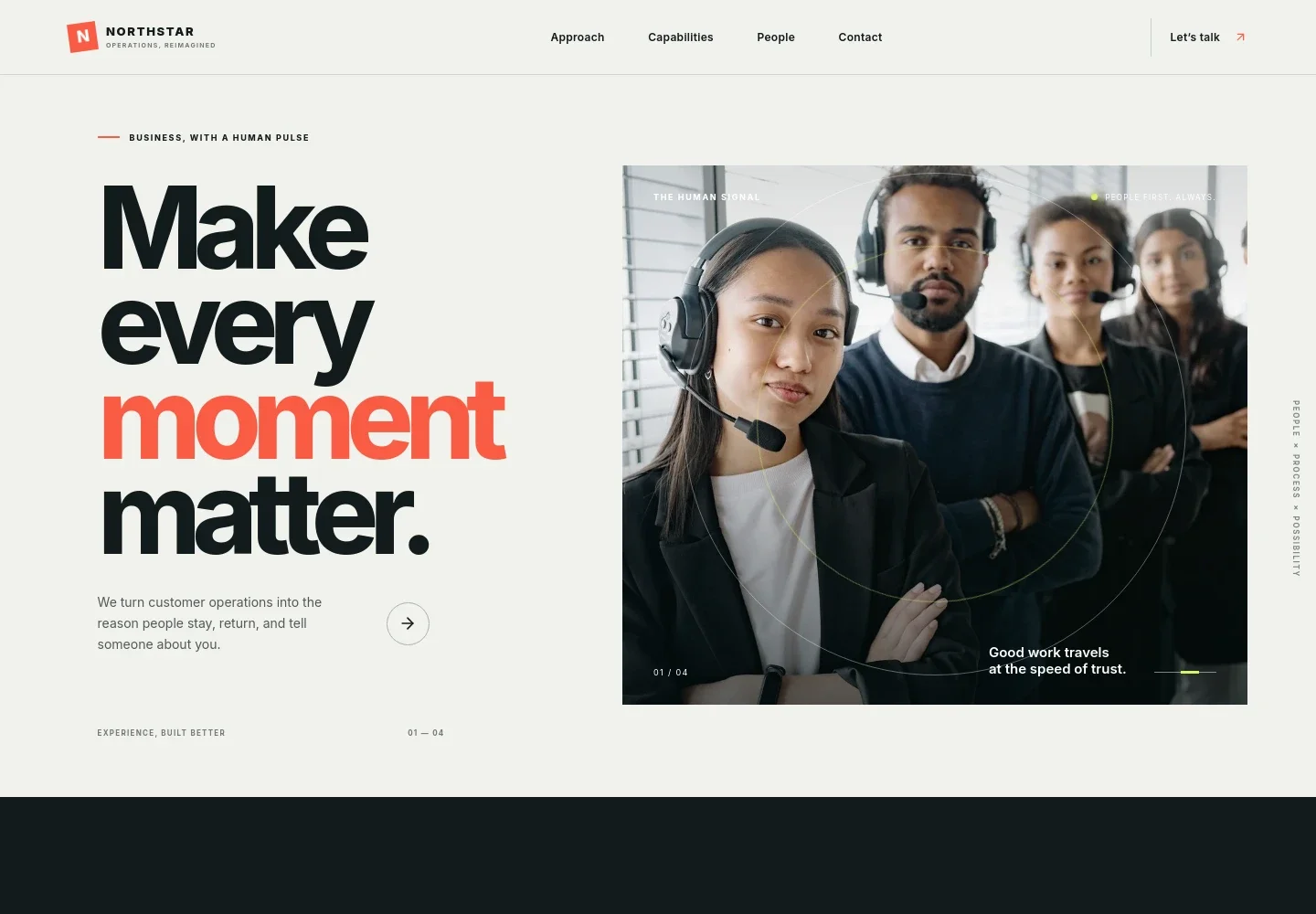
- Hero and contact prompt
- A large headline and supporting copy introduce customer operations, with a prominent link that guides visitors toward the contact section.
- Approach
- A short point-of-view section explains the emphasis on efficiency and customer understanding, giving visitors context for how your service philosophy shapes operations.
- Capabilities
- Three clearly separated service entries cover customer experience, business operations, and digital enablement. Use these descriptions to help buyers identify which needs your BPO team can discuss.
- Operating philosophy
- An image-led section describes listening to customers and using clear operating rhythms, adding context to the capabilities without presenting unsupported performance claims.
- People and principles
- Three principle cards focus on team confidence, ongoing improvement, and partnership. This section helps explain how you work with the people delivering service.
- Contact
- A closing invitation asks visitors to share what their customers and teams need, with a conversation link and a clearly identified illustrative contact address to replace with your own.
How to use this template
Open in Revamp
Click Use this template and sign in or create an account. You’ll start with your own copy of the design, ready to personalize.
Bring your content
Replace the sample text, photos, and logo with your own. Share your content, a document, or an existing website, and ask Revamp to adapt the template to your business.
Refine and publish
Ask Revamp to adjust the colors, layout, or sections, or edit directly on the page. Review desktop and mobile, then publish. You can keep making changes after launch.
Put your website to work
Make it easier to manage client inquiries, coordinate service work, and understand customer interactions. Ask Revamp to add connections to tools your team already uses.
-

Manage prospective client relationships
HubSpotKeep company inquiries and follow-up organized in one CRM. Ask Revamp to connect HubSpot for lead tracking and client relationship management.
-

Coordinate customer support conversations
ZendeskBring customer questions from multiple channels into a shared support workspace. Ask Revamp to connect Zendesk for support ticket management.
-

Organize internal service work
AsanaGive teams a shared place to track operational tasks and handoffs. Ask Revamp to connect Asana for project and workflow coordination.
Frequently asked questions
Is this template free?
Yes. This premium template is free to use when you select Use this template. The template is free; hosting or other services may have separate terms.
Can I use my own content?
Yes. Ask Revamp to personalize the copy, contact details, images, and service descriptions to reflect your BPO business.
Do I need coding skills?
No coding skills are needed. Ask Revamp to make content and design changes in natural language.
Can I change the design?
Yes. Ask Revamp to adjust the visual style, page layout, colors, or other design details to suit your brand.
Can I keep editing after publishing?
Yes. You can keep editing after launch. Ask Revamp to update your content or design as your services and business needs change.