About this template
Help visitors understand your brewery’s point of view, see the beers in rotation, and find out how to connect or visit. The page pairs bold beer photography with concise descriptions of brewing approach and tasting notes.
A prominent lineup presents three example beers with styles, alcohol percentages, flavor descriptions, and tasting notes. A separate brewing section explains an ingredient-led approach, while the visit section gives visitors a clear way to get in touch.
Who it’s for
Independent breweries, craft beer makers, and taprooms that want to introduce their approach, present a beer lineup, and guide visitors toward a visit or inquiry.
What’s included
The design moves from a striking beer-pour hero into the brewery story, brewing approach, beer lineup, and visitor information. Oversized type, warm photography, and clearly organized beer details help visitors quickly grasp the brand and what it makes.
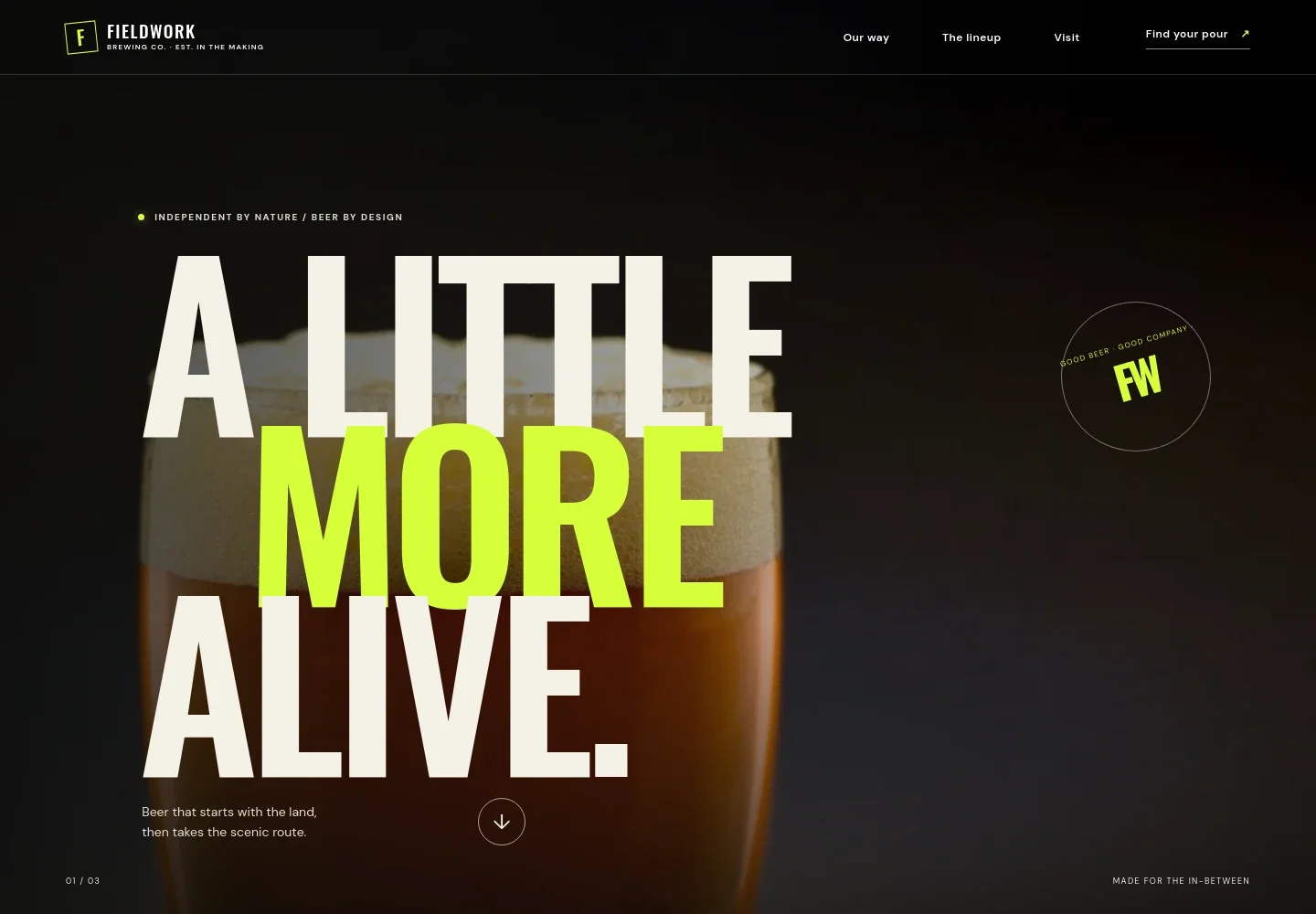
- Hero and navigation
- A full-width beer image, concise brand statement, and links to the brewery story, lineup, and visit section give visitors an immediate sense of the brewery and an easy route through the page.
- Brewery point of view
- A short introductory statement explains the brewery’s character and the moments its beers are made for, with a link leading directly to the lineup.
- Brewing approach
- A brewery-tank photograph accompanies a concise description of ingredient choices and fermentation, followed by three steps covering sourcing, patient brewing, and sharing fresh beer.
- Beer lineup
- Three visually distinct beer entries show a name, style, alcohol percentage, flavor description, and tasting notes alongside illustrated can designs. Each entry links visitors toward the visit section.
- Brand statement
- A beer-pour image and short manifesto reinforce the brewery’s curious, social spirit and lead visitors toward the contact section.
- Visit and contact
- A closing section invites visitors to find the beer where it is poured and includes a contact link. The displayed contact is illustrative, so replace it with your brewery’s details.
- Footer
- The footer repeats the brewery identity, adds a back-to-top link, and closes with a brief brand line.
How to use this template
Open in Revamp
Click Use this template and sign in or create an account. You’ll start with your own copy of the design, ready to personalize.
Bring your content
Replace the sample text, photos, and logo with your own. Share your content, a document, or an existing website, and ask Revamp to adapt the template to your business.
Refine and publish
Ask Revamp to adjust the colors, layout, or sections, or edit directly on the page. Review desktop and mobile, then publish. You can keep making changes after launch.
Put your website to work
Make it easier to coordinate brewery visits, manage customer inquiries, and keep beer announcements in front of interested customers. Ask Revamp to add or connect the tools that fit your operations.
-

Make taproom visits easier to plan
OpenTableGive visitors a direct way to request a table or plan a group visit. Ask Revamp to add reservation requests with OpenTable.
-

Keep beer updates organized
MailchimpCollect sign-ups and share new releases, taproom news, or event announcements. Ask Revamp to connect Mailchimp for brewery updates.
-

Track wholesale and event inquiries
HubSpotKeep messages from retailers, event organizers, and visitors organized in one place. Ask Revamp to connect HubSpot for inquiry management.
Frequently asked questions
Is this template free?
Yes. This premium template is free to use through Use this template. The offer applies to the template, not hosting or other services.
Can I use my own brewery content?
Yes. Ask Revamp to personalize the page with your brewery name, beer descriptions, photographs, contact details, and visitor information.
Do I need coding skills?
No. Ask Revamp to personalize the content and design in plain language, without coding.
Can I change the design?
Yes. Ask Revamp to adjust the colors, typography, imagery, layout, and other design details to suit your brewery.
Can I keep editing after publishing?
Yes. You can keep asking Revamp to update your content and design after your site is live.