About this template
This template helps a broadcast studio explain what it produces and how an idea moves from concept to a shared moment. Visitors can find the studio’s approach, live production and streaming, signal design, original programming, branded films, and hybrid experiences in one clear presentation.
A dark, editorial layout pairs a broadcast control-room image with concise statements, a four-stage signal path, and clearly separated service descriptions. The point-of-view section adds context about the studio’s people-first approach, while the closing contact section gives prospective clients a direct way to start a conversation.
Who it’s for
Independent broadcast studios, live production teams, and creative production companies presenting broadcast, streaming, branded film, or hybrid event services.
What’s included
The page is organized to help prospective clients understand the studio’s perspective, follow its creative process, compare its capabilities, and make contact.
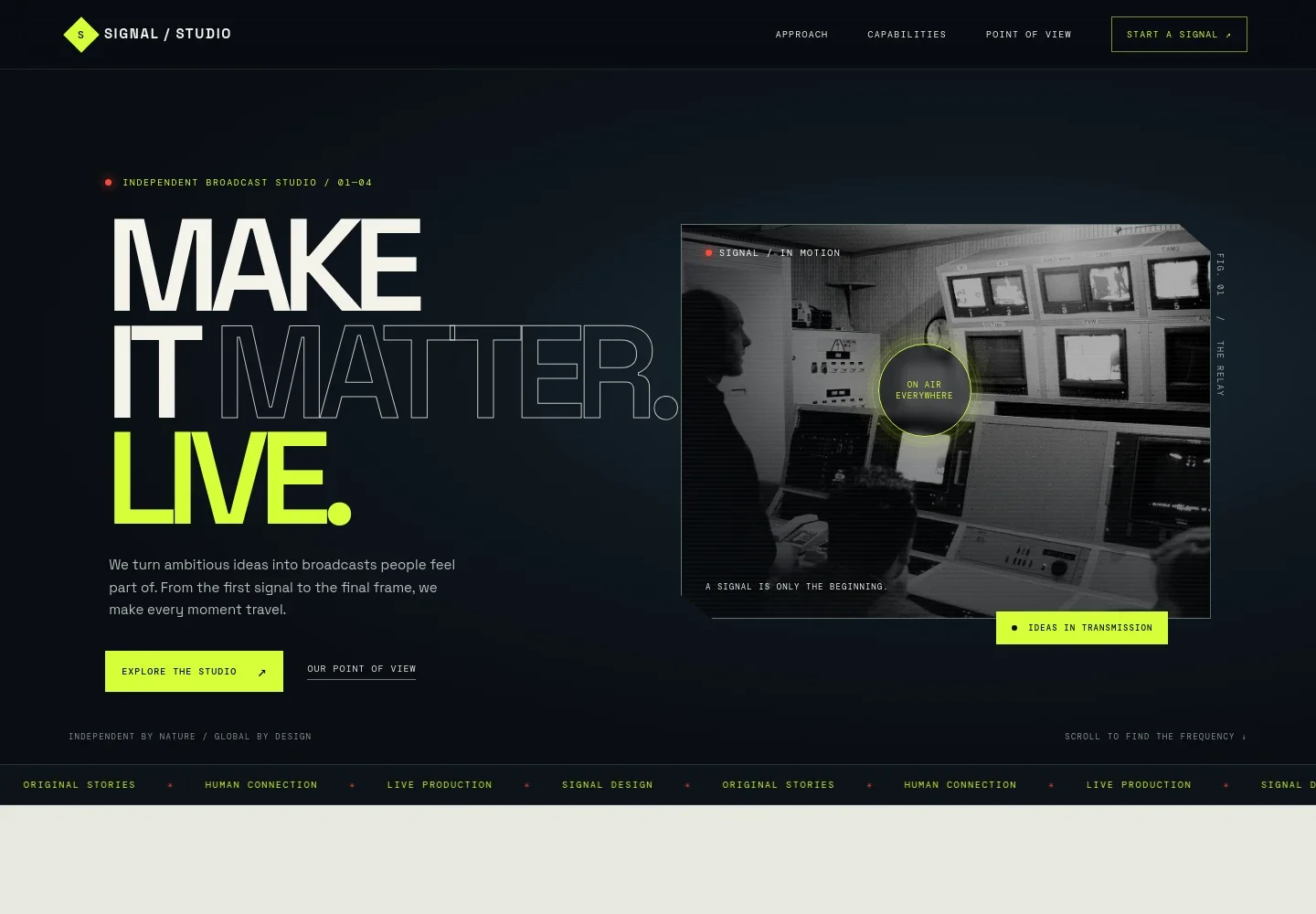
- Studio introduction
- A prominent statement and control-room image introduce the broadcast studio and its focus on turning ideas into broadcasts.
- Approach
- A short point-of-view section explains broadcast as a shared experience, with supporting copy about creating moments that connect audiences.
- Signal path
- A four-part visual sequence moves from the idea to the signal, the moment, and the world, making the studio’s creative journey easy to follow.
- Capabilities
- Four service rows describe multi-camera live production and streaming, visual and sonic signal design, original programming and branded films, and hybrid experiences.
- Point of view
- A manifesto-style section describes the studio’s emphasis on listening, thoughtful production, clear communication, and collaboration.
- Contact
- A closing invitation asks visitors to share the moment they want to make and provides an email contact link.
- Footer
- The footer repeats the studio identity, identifies it as an independent broadcast studio, and offers a back-to-top link.
How to use this template
Open in Revamp
Click Use this template and sign in or create an account. You’ll start with your own copy of the design, ready to personalize.
Bring your content
Replace the sample text, photos, and logo with your own. Share your content, a document, or an existing website, and ask Revamp to adapt the template to your business.
Refine and publish
Ask Revamp to adjust the colors, layout, or sections, or edit directly on the page. Review desktop and mobile, then publish. You can keep making changes after launch.
Put your website to work
Make it easier to coordinate production inquiries, share project details, and manage client follow-up. Ask Revamp to add or connect tools such as:
-

Schedule production consultations
CalendlyGive prospective clients a convenient way to choose a meeting time. Ask Revamp to add consultation booking with Calendly.
-

Organize client inquiries
HubSpotKeep prospective client details and follow-up organized in one place. Ask Revamp to connect HubSpot for inquiry management.
-

Coordinate production schedules
Google CalendarHelp clients and production teams keep meeting dates visible. Ask Revamp to connect Google Calendar for scheduling.
Frequently asked questions
Is this template free?
Yes. This premium template is free to use through Use this template. The template is free; hosting and other services are separate.
Can I use my own content?
Yes. Ask Revamp to personalize the copy, images, studio details, services, and contact information for your business.
Do I need coding skills?
No. Ask Revamp to make content and design changes in natural language, without coding.
Can I change the design?
Yes. Ask Revamp to adjust the visual style, colors, typography, imagery, and layout to better suit your studio.
Can I keep editing after publishing?
Yes. You can keep editing after launch. Ask Revamp to update your content or design as your services and business evolve.


