About this template
Help prospective jumpers understand the experience before they reach the edge. This template introduces the feeling of a bungee jump, shows a jumper in a mountain valley, and explains how the center approaches preparation and personal pace.
The page moves from a full-width canyon hero into the experience, the center’s stated standard of care, and a closing invitation to ask questions. Its editorial typography and large outdoor images give visitors room to picture the setting while keeping practical reassurance in view.
Who it’s for
Bungee jumping centers and outdoor adventure operators looking to introduce their jump experience, set expectations for first-time visitors, and invite questions from prospective guests.
What’s included
A complete landing page structure for explaining a bungee jumping experience, presenting the center’s approach, and giving interested visitors a clear next step.
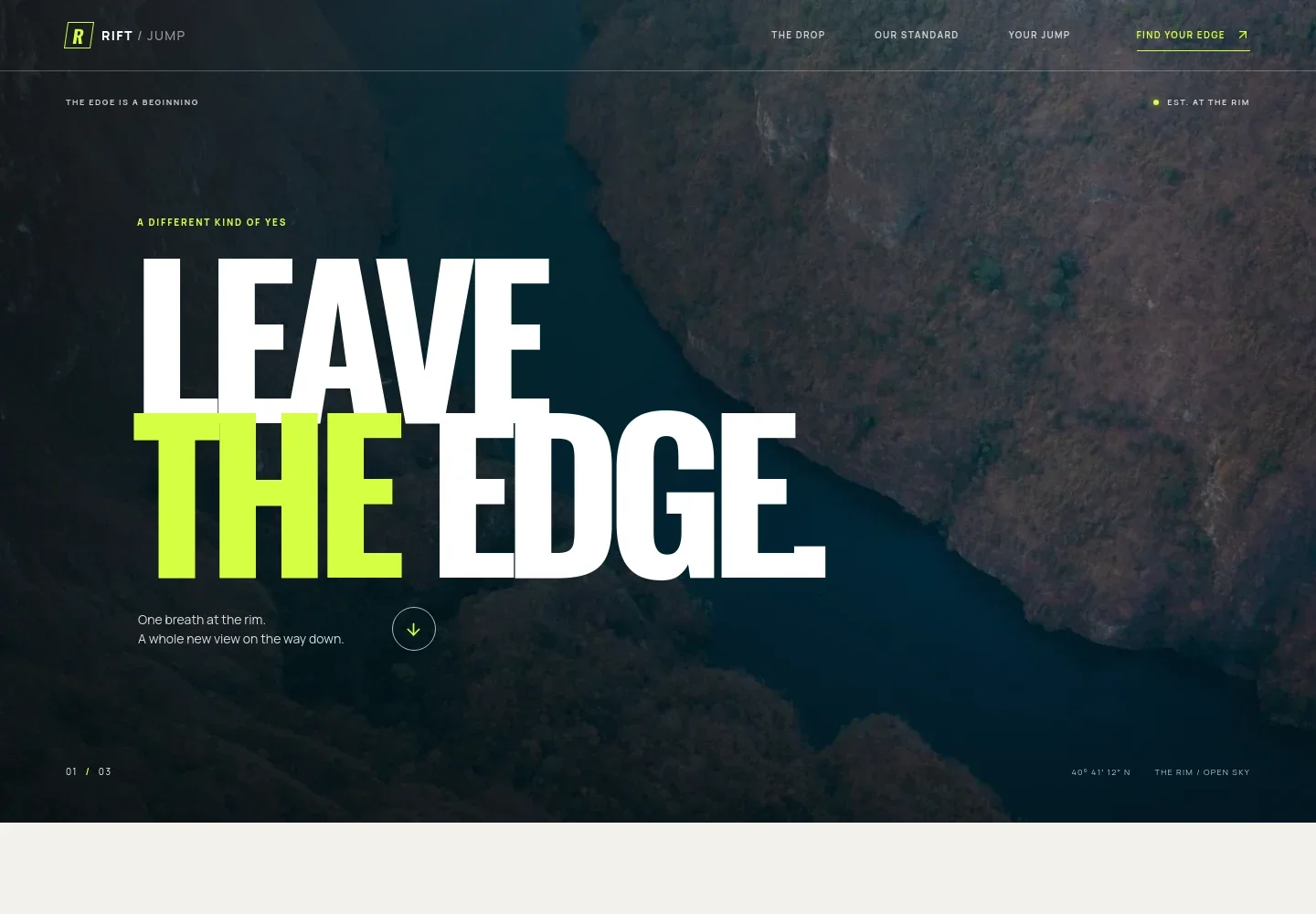
- Canyon hero
- A dramatic canyon image, concise headline, and links to the experience and inquiry sections establish the outdoor setting and guide visitors into the page.
- The drop
- An editorial introduction describes the emotions and atmosphere of a jump, helping visitors imagine the experience without relying on technical claims.
- The feeling of the jump
- A large image of a jumper in a mountain valley is paired with a three-part sequence: the step, the silence, and the laugh.
- Our standard
- Three points explain the template’s stated approach: talking through what happens next, giving visitors time to decide, and highlighting the canyon setting. A close-up gear image reinforces the preparation theme.
- Your jump inquiry
- A closing section welcomes first-time visitors, suggests asking about the day and what to wear, and provides an inquiry link that can be personalized for the business.
- Footer
- A compact footer repeats the center name and tagline and offers a link back to the top of the page.
How to use this template
Open in Revamp
Click Use this template and sign in or create an account. You’ll start with your own copy of the design, ready to personalize.
Bring your content
Replace the sample text, photos, and logo with your own. Share your content, a document, or an existing website, and ask Revamp to adapt the template to your business.
Refine and publish
Ask Revamp to adjust the colors, layout, or sections, or edit directly on the page. Review desktop and mobile, then publish. You can keep making changes after launch.
Put your website to work
Make it easier to manage inquiries and prepare for visitor questions. Ask Revamp to add or connect tools that support your booking and customer communication needs.
-

Manage jump reservations
FareHarborGive visitors a way to request or book a time slot. Ask Revamp to add booking with FareHarbor.
-

Organize customer inquiries
HubSpotKeep track of prospective jumpers and follow-up conversations. Ask Revamp to connect HubSpot for customer relationship management.
-

Coordinate available dates
Google CalendarKeep a clear view of dates your team wants to offer. Ask Revamp to add a Google Calendar booking option.
Frequently asked questions
Is this template free?
Yes. This premium template is free to use through Use this template. The template is free; hosting and other services are separate.
Can I use my own content?
Yes. Ask Revamp to personalize the page with your business name, jump details, images, contact information, and other content.
Do I need coding skills?
No. Ask Revamp to personalize the content and design for your business without coding.
Can I change the design?
Yes. Ask Revamp to adjust the imagery, colors, typography, layout, or other design details to suit your center.
Can I keep editing after publishing?
Yes. You can keep making changes after launch. Ask Revamp to update your content or design as your business needs change.