About this template
Help hungry visitors get a feel for your burger joint, see what is on the menu, and find their way to your location. The design puts a featured burger front and center, then explains the griddle style and introduces signature menu items.
Bold type, punchy food photography, and short, direct copy give the page an energetic neighborhood-burger feel. The menu and visit sections keep practical information easy to find, with a clear invitation to get in touch.
Who it’s for
Burger restaurants, smash burger shops, and casual dining businesses that want to introduce their food, explain what makes their burgers distinctive, and help customers plan a visit.
What’s included
The page leads with a burger image and a clear identity, then takes visitors through the restaurant’s approach, cooking style, menu, and visit information.
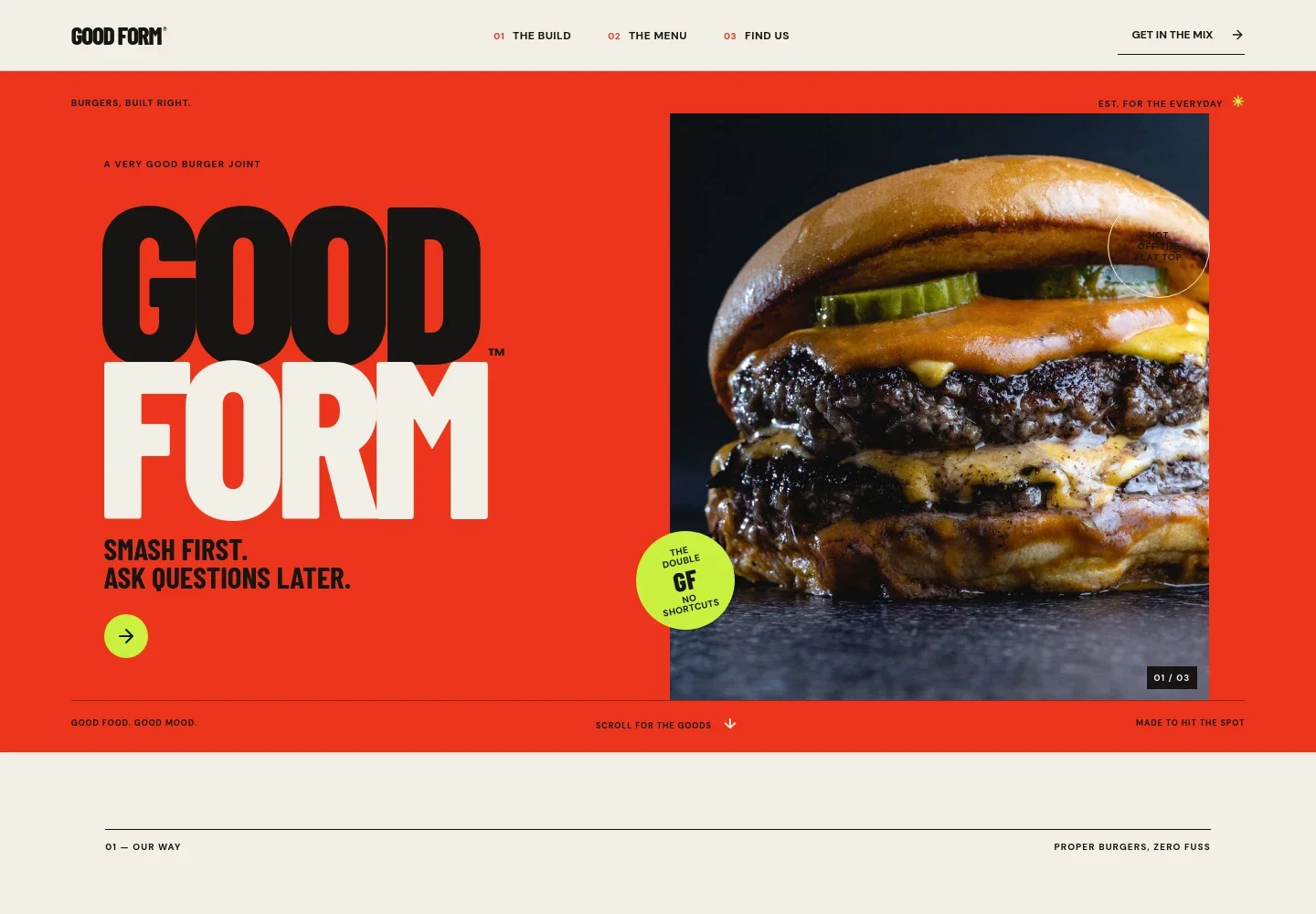
- Hero and restaurant identity
- A prominent double cheeseburger image, oversized GOOD FORM wordmark, and concise burger-focused headlines establish the restaurant’s character immediately.
- Our approach
- A short brand statement describes a focus on simple details such as a hard sear, soft bun, and pickles, supported by a repeated smash, stack, repeat visual motif.
- Burger craft
- A griddle photo and accompanying copy explain the hot-griddle sear, crispy edges, melted cheese, sauce, and soft bun.
- Menu lineup
- Three sample menu entries introduce a double burger, a taller stacked burger, and fries, with descriptions that can be replaced with your current dishes.
- Visit and contact
- A closing section invites guests to come in and say hello, with space for restaurant contact and neighborhood or address details.
How to use this template
Open in Revamp
Click Use this template and sign in or create an account. You’ll start with your own copy of the design, ready to personalize.
Bring your content
Replace the sample text, photos, and logo with your own. Share your content, a document, or an existing website, and ask Revamp to adapt the template to your business.
Refine and publish
Ask Revamp to adjust the colors, layout, or sections, or edit directly on the page. Review desktop and mobile, then publish. You can keep making changes after launch.
Put your website to work
Make it easier for customers to order, find your restaurant, and hear about menu updates. Ask Revamp to add or connect tools that fit the way you serve guests.
-

Take online orders
ToastGive guests a convenient way to order for pickup or delivery. Ask Revamp to add online ordering with Toast.
-

Help customers find you
Google MapsMake your restaurant location and directions easier to access. Ask Revamp to add a Google Maps location.
-

Share menu updates
MailchimpKeep interested customers informed about specials and new menu items. Ask Revamp to connect Mailchimp for email signups and updates.
Frequently asked questions
Is this burger website template free?
Yes. This premium template is free to use through Use this template. Free refers to the template itself.
Can I use my own restaurant content?
Yes. Ask Revamp to personalize the page with your restaurant name, menu items, food photography, contact details, and location information.
Do I need coding skills to customize it?
No coding skills are needed. Ask Revamp to update the content and design in plain language.
Can I change the design?
Yes. Ask Revamp to adjust the colors, typography, imagery, and layout to suit your restaurant.
Can I keep editing the website after publishing?
Yes. You can keep editing after launch. Ask Revamp to make updates as your menu, hours, or restaurant details change.