About this template
Help customers understand how your business cards feel, how they are made, and which details they can choose. This design introduces printing through close-up paper imagery, a card mockup visitors can turn over, and clear explanations of stock, finish, and format.
The page guides visitors from the impression a card makes in person to the choices involved in making one. A three-step making section explains choosing paper, preparing artwork, and printing, followed by a contact prompt for customers ready to discuss their cards.
Who it’s for
Business card printers, print shops, and paper goods studios looking to explain their card options and invite enquiries from professionals, small businesses, and independent creatives.
What’s included
A product-focused page that helps prospective customers picture a business card in hand and understand the paper and print choices before getting in touch.
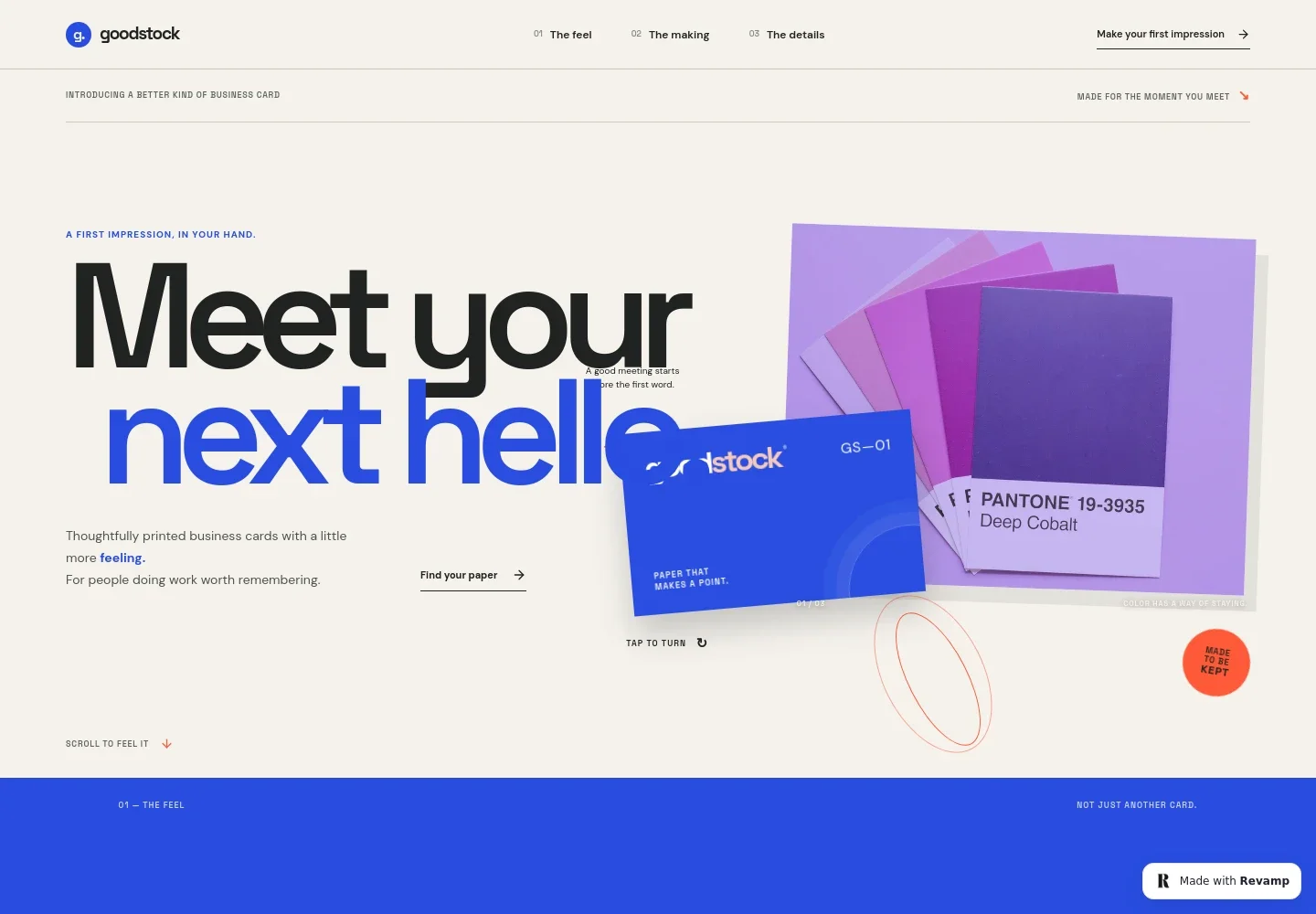
- Business card hero and turn-over mockup
- An expressive opening pairs a large business card message with colorful paper imagery. Visitors can turn the featured card to see both its front and back, while links lead into the page’s paper and product details.
- Why the card matters
- A short editorial section describes the tactile details of passing a card along and frames it as a way to prompt interest in a person’s work.
- How the cards are made
- A printing image and three numbered steps outline paper selection, making the artwork your own, and printing. The copy mentions bringing finished artwork or starting from a simple layout.
- Paper and print details
- A three-part product guide covers paper stock, finishes such as debossing, foil, or colored edges, and card format options including square corners or a softer edge.
- Enquiry call to action
- The closing section invites visitors to talk through their cards, with a contact link and a clearly identified illustrative email address that can be replaced with the business’s own details.
How to use this template
Open in Revamp
Click Use this template and sign in or create an account. You’ll start with your own copy of the design, ready to personalize.
Bring your content
Replace the sample text, photos, and logo with your own. Share your content, a document, or an existing website, and ask Revamp to adapt the template to your business.
Refine and publish
Ask Revamp to adjust the colors, layout, or sections, or edit directly on the page. Review desktop and mobile, then publish. You can keep making changes after launch.
Put your website to work
Make it easier to turn interest into an enquiry and keep track of potential print customers. Ask Revamp to add a suitable contact or follow-up tool to the site.
-

Capture print enquiries
HubSpotCollect customer details and card requirements in one place. Ask Revamp to add an enquiry form connected to HubSpot.
-

Arrange a conversation
CalendlyLet customers choose a time to discuss paper, artwork, or a print project. Ask Revamp to add consultation booking with Calendly.
-

Keep customer enquiries organized
Google SheetsTrack incoming requests and follow-up details in a simple spreadsheet. Ask Revamp to connect an enquiry form with Google Sheets.
Frequently asked questions
Is this template free?
Yes. This premium template is free to use when you select Use this template. The offer applies to the template, not hosting or other services.
Can I use my own content?
Yes. Ask Revamp to personalize the page with your business name, card examples, paper and finish options, contact details, and other content.
Do I need coding skills?
No. You can ask Revamp to personalize the content and design without coding.
Can I change the design?
Yes. Ask Revamp to adjust the colors, imagery, layout, typography, or other design details to suit your print business.
Can I keep editing after publishing?
Yes. You can keep editing the website after launch. Ask Revamp to make updates as your card options, content, or business details change.


