About this template
Help households compare internet options and understand what your company offers. The page introduces fiber internet, live TV, and customer support, with a speed selector that illustrates different tiers.
A visual connection story leads into service details, a customer-focused approach, and practical questions about fiber, choosing a speed, and checking local availability. Replace the illustrative brand and example plan details with your company's own information.
Who it’s for
Cable, broadband, and fiber internet providers that want to explain service options to households and help prospective customers find out what to consider before choosing a plan.
What’s included
The single-page layout moves from a prominent service introduction to internet and entertainment details, customer support messaging, and an FAQ. The sequence helps visitors understand the offer before considering speed and availability.
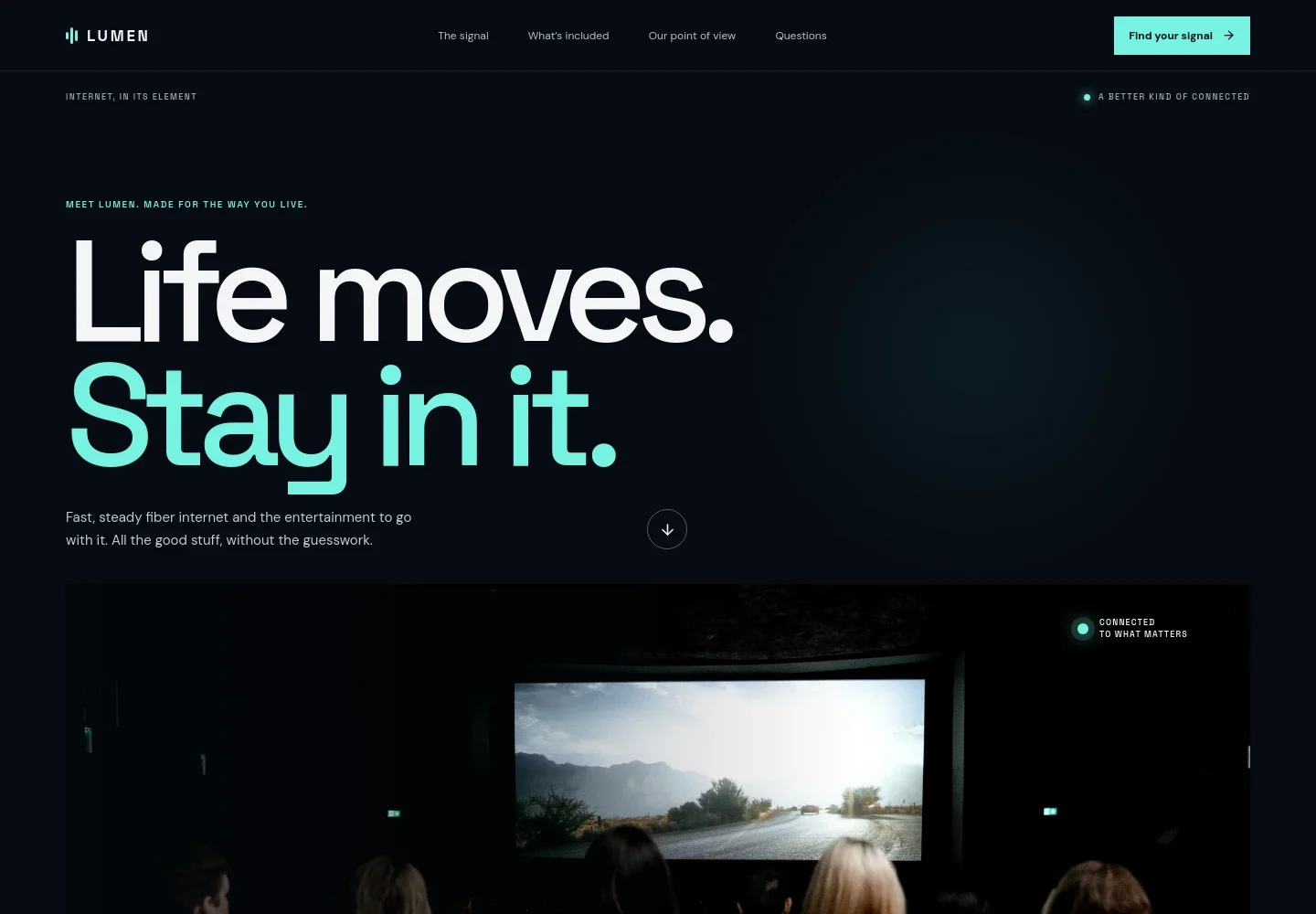
- Hero introduction
- A large headline, service summary, and cinema image introduce internet and entertainment together. Navigation links direct visitors to the service details and FAQs.
- Connection overview
- A short explanation of how a home connects through fiber to everyday online activities is paired with a visual diagram labeling home, fiber, and the things customers do online.
- Internet speed tiers
- Three illustrative speed options, Everyday, All together, and Full throttle, show how a provider could present choices. The design marks these tiers as illustrative, so replace them with accurate plans and availability details.
- Entertainment
- A dedicated section describes live channels and on-demand viewing, with an image and a link to further information.
- Customer experience
- A home-working image accompanies messaging about straightforward setup, accessible support, and clear choices, followed by two brief service principles.
- Frequently asked questions
- Visitors can read answers about fiber versus cable, choosing a speed, checking service availability, and the illustrative nature of the example provider.
- Footer
- The closing area includes the brand, a return-to-top link, and a note that the sample services, speeds, and packages are illustrative.
How to use this template
Open in Revamp
Click Use this template and sign in or create an account. You’ll start with your own copy of the design, ready to personalize.
Bring your content
Replace the sample text, photos, and logo with your own. Share your content, a document, or an existing website, and ask Revamp to adapt the template to your business.
Refine and publish
Ask Revamp to adjust the colors, layout, or sections, or edit directly on the page. Review desktop and mobile, then publish. You can keep making changes after launch.
Put your website to work
Make it easier to turn interest into action. Ask Revamp to add tools for checking serviceability, handling new-customer inquiries, or organizing support requests.
-

Check coverage by address
HubSpotHelp prospective customers confirm whether service is available at their location. Ask Revamp to add an address-availability flow connected to your chosen serviceability platform.
-
Organize customer inquiries
HubSpotKeep sales questions and follow-ups in one customer record. Ask Revamp to connect lead forms with HubSpot CRM.
Frequently asked questions
Is this template free?
Yes. This premium template is free to use when you select Use this template. Free refers to the template itself.
Can I use my own content?
Yes. Ask Revamp to personalize the brand, service descriptions, plan names, speed details, coverage information, imagery, and contact content for your business.
Do I need coding skills?
No. You can ask Revamp to personalize the content and design without coding.
Can I change the design?
Yes. Ask Revamp to adjust the colors, imagery, layout, and other design choices to suit your cable or internet business.
Can I keep editing after publishing?
Yes. You can continue asking Revamp to update your site after launch.


