About this template
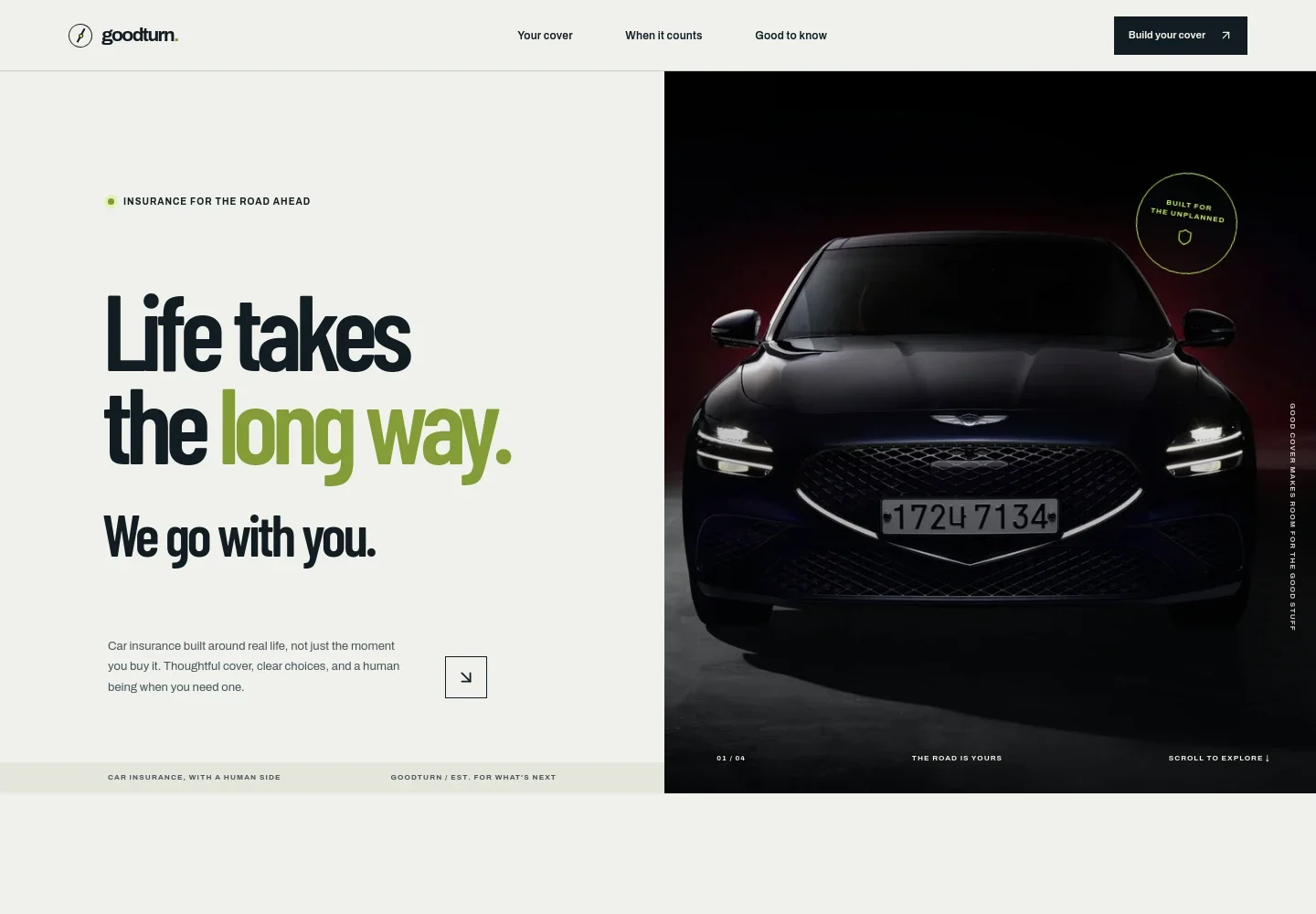
Help drivers compare car insurance cover, understand what each level addresses, and find a clear next step. The design presents comprehensive, third party fire and theft, and third party cover in distinct sections.
A road-focused hero and practical content about cover, claims, and common policy questions give visitors context before they get in touch. The closing contact section invites them to start a conversation about their options.
Who it’s for
For car insurance providers, independent brokers, and insurance teams who need a customer-facing website to explain auto cover and guide prospective policyholders toward an enquiry.
What’s included
The page combines bold car photography and editorial-style headings with clearly separated coverage choices, claims guidance, FAQs, and a contact call to action. This structure helps visitors move from understanding the offer to considering what to do next.
- Car insurance hero
- A prominent car image, concise insurance message, and links into the page introduce the brand and direct visitors toward cover information.
- The Goodturn Way
- A short statement about everyday driving and a supporting road image frame the offer around real-life journeys, with a link to explore cover.
- Coverage options
- Three numbered rows distinguish comprehensive, third party fire and theft, and third party cover, with brief explanations of the types of protection described.
- Claims guidance
- A three-step visual outline shows visitors the stated sequence: tell the insurer what happened, understand the next steps, and stay informed.
- Frequently asked questions
- Accordion-style answers address choosing cover, what to do after an accident, adding another driver, and roadside assistance.
- Contact call to action
- A closing section encourages visitors to compare options and begin an enquiry, with a sample email contact that can be personalized.
- Footer navigation
- Links return visitors to the cover, claims, and question sections, alongside a brief insurance terms note.
How to use this template
Open in Revamp
Click Use this template and sign in or create an account. You’ll start with your own copy of the design, ready to personalize.
Bring your content
Replace the sample text, photos, and logo with your own. Share your content, a document, or an existing website, and ask Revamp to adapt the template to your business.
Refine and publish
Ask Revamp to adjust the colors, layout, or sections, or edit directly on the page. Review desktop and mobile, then publish. You can keep making changes after launch.
Put your website to work
Make it easier to handle enquiries, keep prospective customers informed, and organize follow-up. Ask Revamp to add connections with tools that fit your insurance business.
-

Organize prospective customer enquiries
HubSpotKeep quote enquiries and customer conversations organized in one place. Ask Revamp to connect HubSpot for lead tracking and follow-up.
-

Make time for insurance consultations
CalendlyLet prospective customers request a convenient time to discuss cover. Ask Revamp to add consultation booking with Calendly.
-

Manage enquiry records in a spreadsheet
Google SheetsGive your team a familiar way to review and organize incoming quote requests. Ask Revamp to send enquiry details to Google Sheets.
Frequently asked questions
Is this template free?
Yes. This premium template is free to use through Use this template. The free offer applies to the template itself.
Can I use my own content?
Yes. You can personalize the text, images, coverage information, contact details, and other page content for your business by asking Revamp.
Do I need coding skills?
No coding skills are needed. Ask Revamp to personalize the content and design for your insurance business.
Can I change the design?
Yes. Ask Revamp to adjust the colors, imagery, layout, and other design details to suit your brand.
Can I keep editing after publishing?
Yes. You can continue asking Revamp to update your content and design after your site is published.