About this template
Help prospective clients understand how your financial planning practice brings cash flow, investments, benefits, taxes, and personal priorities into one connected picture. The page introduces an advice-led approach centered on clear decisions and practical next steps.
The design also shows the life events your planning may address, from a career or compensation change to growing a family, approaching retirement, or a business transition. Visitors can see how to begin with a low-pressure conversation.
Who it’s for
Certified financial planners, independent financial advisers, and wealth management professionals who want to explain their planning approach and help prospective clients recognize when advice may be useful.
What’s included
A considered, editorial layout guides visitors from your planning philosophy to the financial topics and life moments you help clients navigate, then points them toward a first conversation.
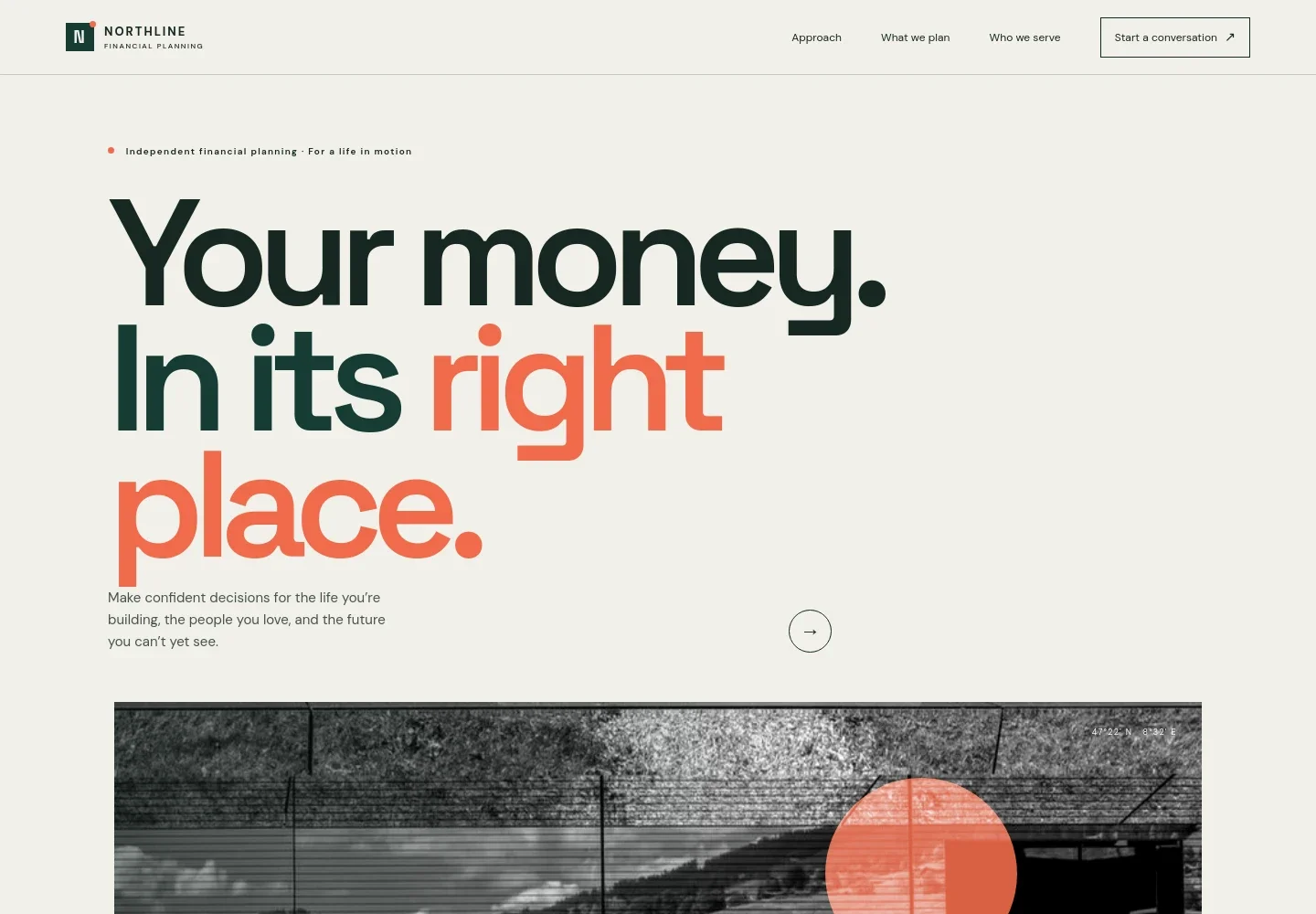
- Hero and navigation
- A clear opening message introduces financial planning for real life, supported by a prominent landscape image and navigation to the approach, planning services, clients, and contact section.
- Planning approach
- Explain how listening, purposeful planning, and adapting as life changes shape your advice. The spacious text layout gives your philosophy room to feel personal and clear.
- What financial planning covers
- Three numbered steps show a practical planning narrative: understand the full financial picture, identify priorities, and make considered next moves. Topics named include cash flow, investments, benefits, and taxes.
- Who you serve
- A list of life moments helps visitors identify with your practice, including career changes, family responsibilities, approaching retirement, and business transitions.
- Start a conversation
- A direct closing invitation explains that the first conversation is useful and low pressure, giving prospective clients a clear next step.
- Footer
- A compact footer carries the practice identity, a short positioning line, and a link back to the top of the page.
How to use this template
Open in Revamp
Click Use this template and sign in or create an account. You’ll start with your own copy of the design, ready to personalize.
Bring your content
Replace the sample text, photos, and logo with your own. Share your content, a document, or an existing website, and ask Revamp to adapt the template to your business.
Refine and publish
Ask Revamp to adjust the colors, layout, or sections, or edit directly on the page. Review desktop and mobile, then publish. You can keep making changes after launch.
Put your website to work
Give clients clearer ways to schedule conversations and organize their financial planning relationship. Ask Revamp to add or connect tools that fit your practice.
-

Make introductory meetings easier to schedule
CalendlyAsk Revamp to add consultation booking with Calendly so prospective clients can request a suitable meeting time.
-

Keep client information and planning work organized
Wealthbox CRMAsk Revamp to connect the website with Wealthbox CRM to support managing client relationships and follow-up.
-

Bring financial planning conversations into one workspace
RightCapitalAsk Revamp to connect the website with RightCapital to support sharing financial plans and coordinating client planning work.
Frequently asked questions
Is this template free?
Yes. This premium template is free to use when you select Use this template. Free refers to the template itself.
Can I use my own content?
Yes. Ask Revamp to personalize the copy, images, practice details, planning topics, and contact information for your business.
Do I need coding skills?
No. You can ask Revamp to personalize the content and design without coding.
Can I change the design?
Yes. Ask Revamp to adjust the visual style, layout, colors, and imagery to suit your financial planning practice.
Can I keep editing after publishing?
Yes. You can keep making changes after launch. Ask Revamp to update your content or design as your practice evolves.