About this template
Help prospective customers understand your cloud offering at a glance. The page introduces compute, data, networking and human support, then uses a workload-routing visual to show how those layers fit together.
Capability summaries and an infrastructure diagram give technical buyers a clear path from platform overview to specific services. Principles and a closing contact section make room to explain your approach and invite a conversation about a team's needs.
Who it’s for
Cloud hosting providers, infrastructure companies and managed cloud teams that need to explain technical services clearly to developers, IT leaders and businesses evaluating a provider.
What’s included
The design pairs a dark, editorial look with direct service explanations, helping visitors move from a broad cloud overview to the platform details and a contact prompt.
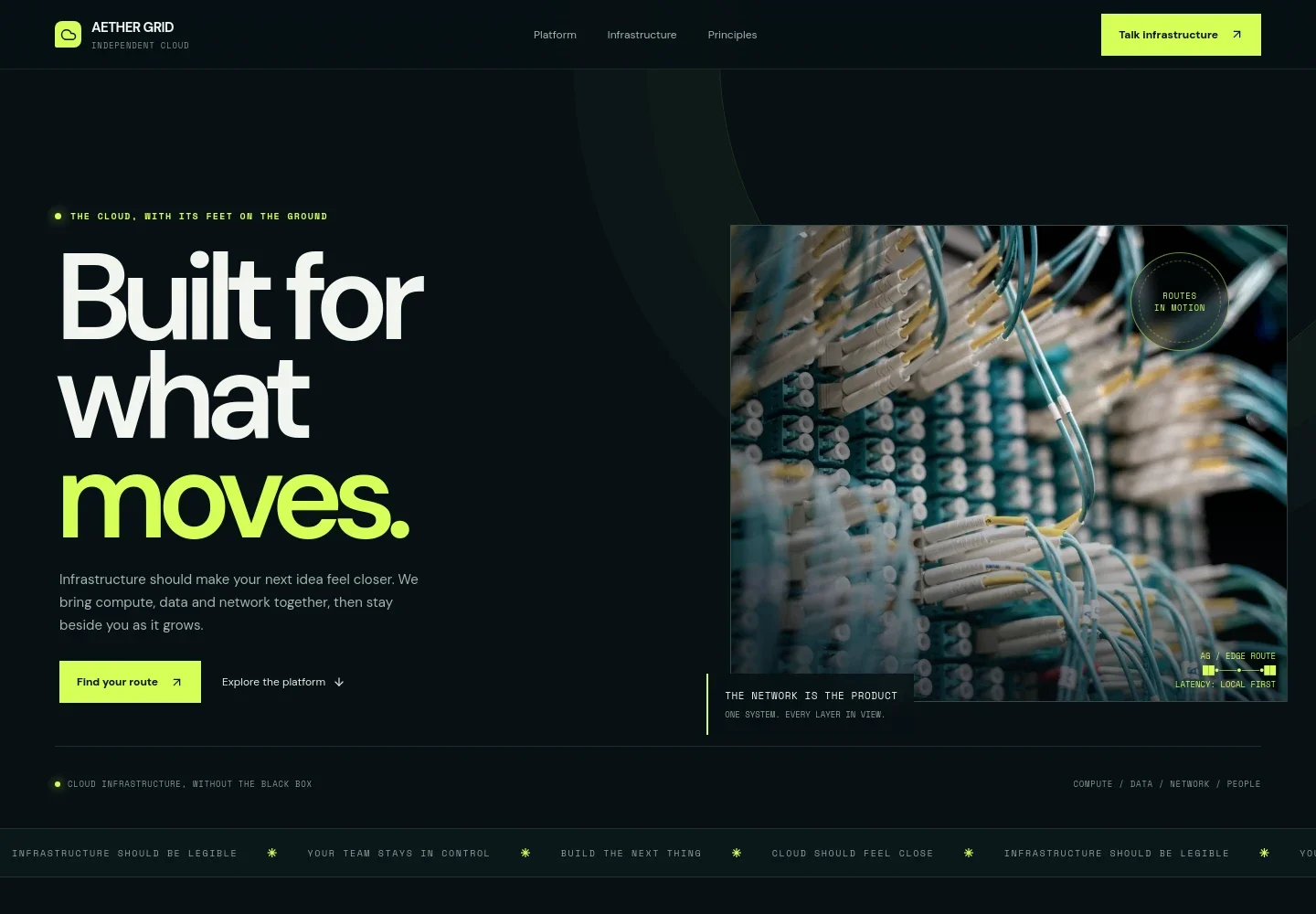
- Hero and navigation
- A prominent infrastructure message sits beside a fiber-optic network image. Navigation links lead to the platform, infrastructure and principles sections, with a contact call to action.
- Platform introduction
- An introductory statement frames the service for teams building and shipping products, setting up the platform explanation that follows.
- Workload routing visual
- A simple origin-to-arrival diagram presents the idea of routing a workload toward its users, with a short caption about workload placement.
- Platform capabilities
- Four linked summaries cover cloud compute, managed Kubernetes, object and block storage, and global networking. Each gives visitors a concise description of the service area.
- Infrastructure layers
- A four-part diagram organizes the offer into compute, data, network and operations, with examples such as virtual machines, object storage, DNS, monitoring and human support.
- Working principles
- This section explains the emphasis on making infrastructure understandable and describes support for architecture questions, migrations and operational challenges.
- Contact prompt and footer
- A closing conversation prompt invites visitors to describe what they are building, followed by contact information and a link back to the top.
How to use this template
Open in Revamp
Click Use this template and sign in or create an account. You’ll start with your own copy of the design, ready to personalize.
Bring your content
Replace the sample text, photos, and logo with your own. Share your content, a document, or an existing website, and ask Revamp to adapt the template to your business.
Refine and publish
Ask Revamp to adjust the colors, layout, or sections, or edit directly on the page. Review desktop and mobile, then publish. You can keep making changes after launch.
Put your website to work
Connect the website to tools that help teams handle technical enquiries, share operational context and coordinate follow-up. Ask Revamp to add the services that fit your sales and support process.
-

Route infrastructure enquiries to your sales team
HubSpotKeep prospective customer conversations organized and make it easier to follow up. Ask Revamp to connect HubSpot for lead management.
-

Give visitors a way to book a technical conversation
CalendlyLet prospective customers choose a time to discuss their infrastructure needs. Ask Revamp to add consultation booking with Calendly.
-

Keep enquiry tracking visible to your team
Google SheetsOrganize incoming requests in a shared spreadsheet for review and follow-up. Ask Revamp to connect Google Sheets.
Frequently asked questions
Is this cloud hosting template free?
Yes. This premium template is free to use through Use this template. The offer applies to the template itself, not hosting or other services.
Can I use my own content?
Yes. Ask Revamp to personalize the copy, images, service details and contact information for your cloud business.
Do I need coding skills?
No. Ask Revamp to make content and design changes in plain language, without coding.
Can I change the design?
Yes. Ask Revamp to adjust the colors, typography, layout and other visual details to suit your brand.
Can I keep editing after publishing?
Yes. You can keep asking Revamp to update the site after launch as your services, messaging or contact details change.


