About this template
Help visitors understand the local cause, the campaign’s approach, and a practical way to take part. This community campaign design centers neighborhood priorities such as safer crossings, shared gardens, and welcoming public spaces.
The page moves from a clear campaign idea to three steps for collective action, then closes with an invitation to start a conversation. Photos of a volunteer planting a tree give the message a grounded, neighborhood-scale feel.
Who it’s for
Built for neighborhood groups, community organizers, advocacy teams, and nonprofit campaign leads who want to explain a local issue and invite residents to share ideas or get involved.
What’s included
The layout gives a community campaign a clear path from its purpose to its practical approach and a direct invitation to join in. Large headlines, warm colors, neighborhood imagery, and concise sections make the message easy to follow.
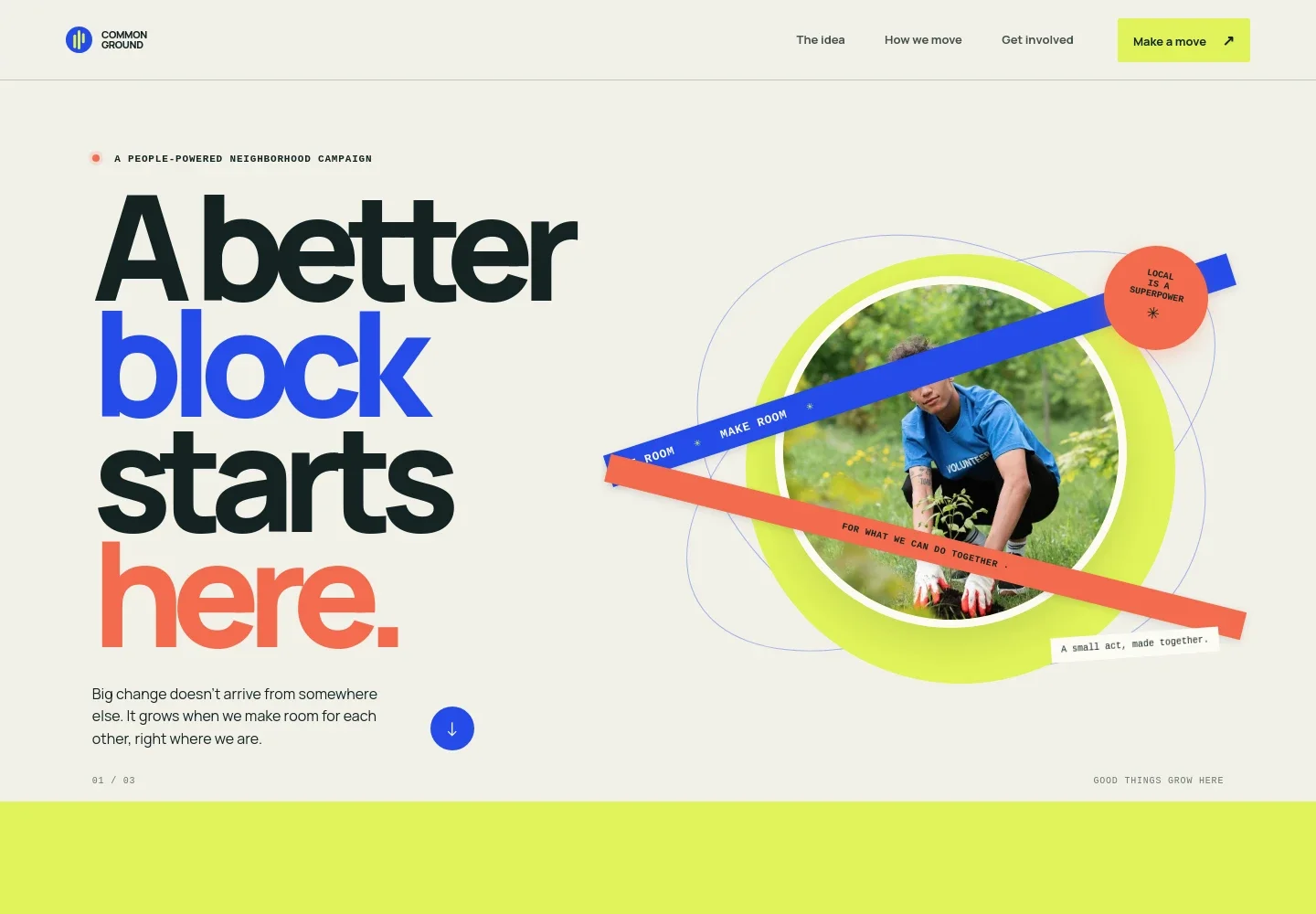
- Campaign introduction
- A prominent headline, short statement about people-powered neighborhood change, and community-action photo establish the campaign’s local focus. Navigation links take visitors to the idea, approach, and involvement sections.
- The idea
- A bold statement introduces shared neighborhood priorities, with examples such as more shade, a safer crossing, and a place to meet. A short visual track reinforces the themes of listening, starting small, and making change together.
- How we move
- Three numbered steps show the campaign’s proposed approach: notice what is missing, bring neighbors into the conversation, and make one useful first move. Each step includes a short explanation.
- Neighborhood field note
- A second community-action image sits beside copy about the power of small local improvements, with examples including a bench, a shared garden, and a conversation about what gets built.
- Get involved
- A closing invitation welcomes a question, an early idea, or simple curiosity, with a start-a-conversation link for visitors ready to reach out.
- Footer
- The closing area repeats the campaign identity, includes a short neighborhood message and illustrative contact details, and provides a back-to-top link.
How to use this template
Open in Revamp
Click Use this template and sign in or create an account. You’ll start with your own copy of the design, ready to personalize.
Bring your content
Replace the sample text, photos, and logo with your own. Share your content, a document, or an existing website, and ask Revamp to adapt the template to your business.
Refine and publish
Ask Revamp to adjust the colors, layout, or sections, or edit directly on the page. Review desktop and mobile, then publish. You can keep making changes after launch.
Put your website to work
Make it easier to share campaign updates, coordinate local activity, and collect community input. Ask Revamp to add or connect tools that fit the way your group works.
-

Share updates with supporters
MailchimpKeep residents informed about campaign news and next steps. Ask Revamp to add an email signup connected to Mailchimp.
-

Coordinate volunteer conversations
CalendlyLet neighbors choose a time to discuss ideas or meet campaign organizers. Ask Revamp to add appointment booking with Calendly.
-

Organize community input
Google SheetsGather suggestions and keep responses organized for campaign planning. Ask Revamp to connect a Google Sheets form workflow for collecting neighborhood ideas.
Frequently asked questions
Is this template free?
Yes. The premium template is free to use when you select Use this template. This applies to the template itself, not hosting or other services.
Can I use my own content?
Yes. Ask Revamp to personalize the campaign name, cause, neighborhood examples, images, contact details, and other page content for your group.
Do I need coding skills?
No. Ask Revamp to personalize the content and design in plain language, without coding.
Can I change the design?
Yes. Ask Revamp to adjust the colors, typography, imagery, layout, and other design details to suit your campaign.
Can I keep editing after publishing?
Yes. You can keep asking Revamp to update the content and design after your site launches.