About this template
Help people understand how you approach computer problems before they bring in a device. The page introduces a careful, conversation-first repair process and explains that diagnosis and options are discussed before work begins.
A focused repairs section covers laptop and desktop issues, hardware diagnosis, and data or software help. A three-step process shows visitors how to describe a problem, receive a diagnosis, and choose what to do next.
The FAQ and contact sections make it easier for customers to prepare for a visit, understand how repair decisions are discussed, and start a conversation about a device.
Who it’s for
Independent computer repair shops and technicians offering laptop or desktop repair, hardware diagnosis, and practical data or software support.
What’s included
The page guides visitors from an overview of the repair approach to specific service areas, a clear three-step process, common questions, and a contact prompt.
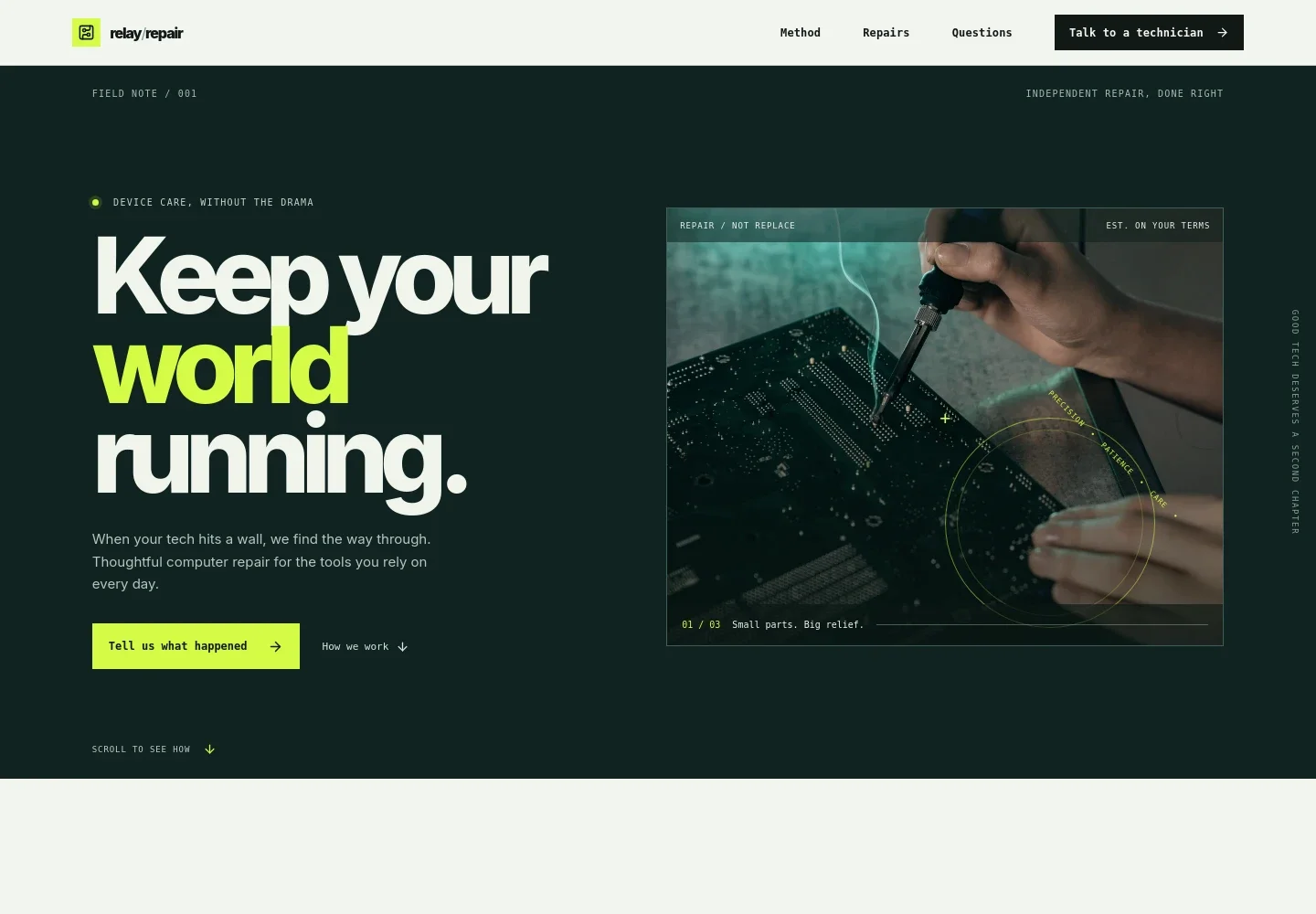
- Repair-focused hero
- Introduces computer repair with a prominent contact prompt and a close-up repair image, helping visitors quickly recognize the service and start describing their issue.
- Repair approach
- Explains the conversation-first approach: inspect the issue, describe the findings and options in plain language, and discuss proposed work before proceeding.
- Repair services
- Lists laptop and desktop repair, hardware diagnosis, and data and software help, with examples such as startup trouble, overheating, damaged ports, screens, batteries, backups, and file transfers.
- Three-step repair process
- Shows visitors how to begin with a description of symptoms, receive a clear diagnosis, and decide whether repair makes sense for them.
- Customer questions
- Answers practical questions about describing a problem, discussing costs and proposed work, and what to bring, including a device and charger if available.
- Contact section
- Closes with an invitation to explain what is happening and an email contact link, giving prospective customers a direct next step.
How to use this template
Open in Revamp
Click Use this template and sign in or create an account. You’ll start with your own copy of the design, ready to personalize.
Bring your content
Replace the sample text, photos, and logo with your own. Share your content, a document, or an existing website, and ask Revamp to adapt the template to your business.
Refine and publish
Ask Revamp to adjust the colors, layout, or sections, or edit directly on the page. Review desktop and mobile, then publish. You can keep making changes after launch.
Put your website to work
Make it easier to manage repair inquiries, schedule visits, and keep track of customer devices. Ask Revamp to add connections to tools that fit your shop's workflow.
-

Organize repair jobs and device records
RepairShoprKeep customer details, device information, and repair job status together. Ask Revamp to connect RepairShopr for repair-shop management.
-

Let customers request a service time
CalendlyGive visitors a straightforward way to request an appointment for a device drop-off or consultation. Ask Revamp to add appointment booking with Calendly.
-

Track customer inquiries and follow-ups
HubSpotKeep prospective customer conversations organized and make follow-up easier. Ask Revamp to connect HubSpot for customer relationship management.
Frequently asked questions
Is this template free?
Yes. This premium template is free to use when you select Use this template. The free offer applies to the template, not hosting or other services.
Can I use my own content?
Yes. Ask Revamp to personalize the page with your repair services, contact details, business information, and other content.
Do I need coding skills?
No. You can ask Revamp to personalize the content and design without coding.
Can I change the design?
Yes. Ask Revamp to adjust the layout, colors, images, and other design details to suit your repair business.
Can I keep editing after publishing?
Yes. You can continue asking Revamp to update your website after it launches.


