About this template
Help visitors understand your gallery’s point of view, see featured exhibition work, and find ways to engage with artists. The design pairs installation and artwork imagery with concise editorial copy, so people can take in the work and its ideas at a glance.
A dedicated program section describes exhibitions, artist conversations, collection guidance, and studio encounters. The closing visit section gives visitors a clear place to find location details, hours, contact information, and social handles.
Who it’s for
For contemporary art galleries, independent exhibition spaces, and cultural platforms that want to present artists, exhibitions, and visitor information in one considered website.
What’s included
The page moves from a striking gallery image and a clear artistic point of view to exhibition details, ways to engage, and practical visitor information. Its generous artwork photography and restrained editorial layout give galleries room to introduce their work without crowding the experience.
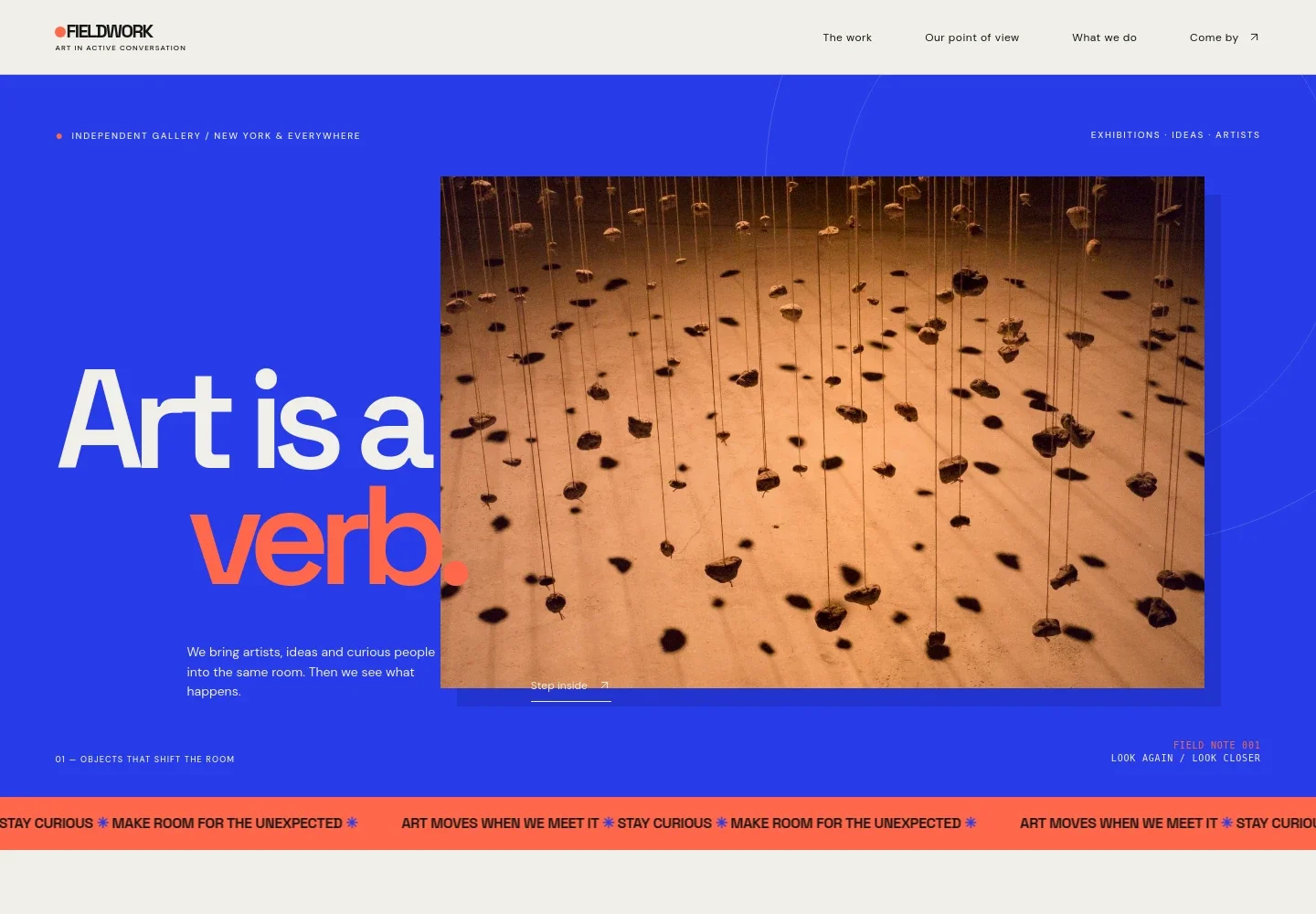
- Gallery introduction
- An image-led opening introduces the gallery’s identity and contemporary art focus, with a short statement and a link leading visitors into the work.
- Featured exhibition
- A prominent artwork image sits alongside an exhibition title, interpretive text, mediums, and program timing, helping visitors understand what is on view.
- Artist practice
- A secondary image and short editorial passage draw attention to studio process, works in progress, and the relationship between artists and visitors.
- Gallery point of view
- A spacious statement section gives the gallery room to explain its beliefs and approach to making contemporary art welcoming and engaging.
- Ways to engage
- A numbered list presents exhibitions, artist conversations, collection guidance, and studio encounters, making the gallery’s program easy to scan.
- Visit and contact
- The final information area organizes location, opening hours, email, and a social handle, with a direct email link for visitors.
How to use this template
Open in Revamp
Click Use this template and sign in or create an account. You’ll start with your own copy of the design, ready to personalize.
Bring your content
Replace the sample text, photos, and logo with your own. Share your content, a document, or an existing website, and ask Revamp to adapt the template to your business.
Refine and publish
Ask Revamp to adjust the colors, layout, or sections, or edit directly on the page. Review desktop and mobile, then publish. You can keep making changes after launch.
Put your website to work
Make it easier for visitors to hear about exhibitions, plan a visit, or follow the gallery’s program. Ask Revamp to add or connect tools such as these to support those next steps.
-

Share exhibition news
MailchimpKeep visitors informed about openings and gallery updates. Ask Revamp to connect Mailchimp for an email newsletter signup.
-

Help visitors plan a visit
CalendlyGive visitors a simple way to request a time to meet or view work. Ask Revamp to add appointment booking with Calendly.
-

Coordinate gallery appointments
Google CalendarKeep appointment requests organized around the gallery calendar. Ask Revamp to connect Google Calendar for scheduling.
Frequently asked questions
Is this template free?
Yes. This premium template is free to use through Use this template. Free refers to the template itself.
Can I use my own gallery content?
Yes. Ask Revamp to personalize the page with your gallery name, exhibition information, artwork images, program details, visitor information, and contact details.
Do I need coding skills?
No. Ask Revamp to personalize the content and design in plain language, without coding.
Can I change the design?
Yes. Ask Revamp to adjust the visual style, layout, colors, typography, or imagery to better suit your gallery.
Can I keep editing after publishing?
Yes. You can keep asking Revamp to update your site after launch as exhibitions, programs, and visitor information change.


