About this template
This template helps a content creator introduce their point of view, explain their creative services, and give potential collaborators a clear way to start a conversation. The design centers on a bold statement and creator-focused imagery, then guides visitors through the studio’s approach and offerings.
Use the service sections to describe work such as positioning and creative direction, identity and content systems, or campaigns and creator partnerships. The contact section closes with an invitation to get in touch, making the page useful for creators and small creative studios seeking client or brand conversations.
Who it’s for
Independent content creators, influencers, filmmakers, and creator-led studios who want to present their creative approach and services to prospective clients or collaborators.
What’s included
The page moves from a strong introduction to the creator’s perspective, working method, services, and contact details. Its editorial typography, image-led sections, and numbered visual cues help visitors follow the story and understand what the creator offers.
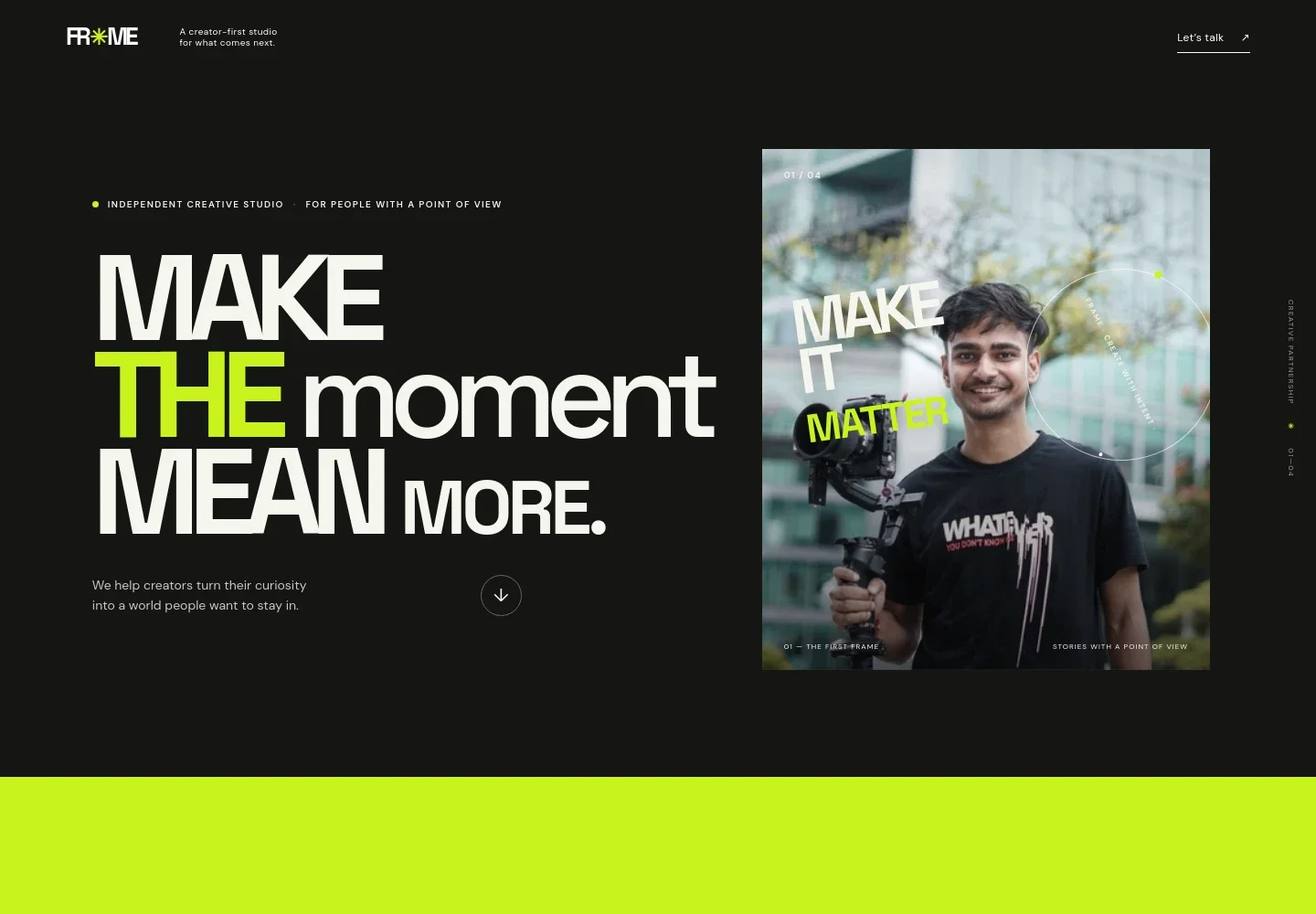
- Creator introduction
- A prominent headline, creator-focused image, and concise introduction establish the studio’s point of view and give visitors an immediate sense of its creative focus.
- Point of view
- A manifesto-style section explains the value the studio places on ideas with substance and work that earns attention, giving visitors context for its approach.
- Creative method
- A section pairs an image of a video-editing timeline with a short explanation of the process, framed as a journey from an initial spark to a clear creative signal.
- Services
- Three service rows describe positioning and creative direction, identity and content systems, and campaigns, films, and creator partnerships. Each includes a brief explanation of the work.
- Closing statement
- A short studio note reinforces the page’s focus on creating work that resonates, providing a visual pause before the contact section.
- Contact and footer
- The closing section invites visitors to share an idea and provides an email link, followed by the studio wordmark and a back-to-top link.
How to use this template
Open in Revamp
Click Use this template and sign in or create an account. You’ll start with your own copy of the design, ready to personalize.
Bring your content
Replace the sample text, photos, and logo with your own. Share your content, a document, or an existing website, and ask Revamp to adapt the template to your business.
Refine and publish
Ask Revamp to adjust the colors, layout, or sections, or edit directly on the page. Review desktop and mobile, then publish. You can keep making changes after launch.
Put your website to work
Make it easier to arrange conversations, manage creator inquiries, and keep an audience in touch. Ask Revamp to add or connect tools that support the way you work.
-

Schedule introductory calls
CalendlyGive prospective clients and collaborators a convenient way to choose a meeting time. Ask Revamp to add consultation booking with Calendly.
-

Organize partnership inquiries
HubSpotKeep track of prospective brand partners and client conversations in one place. Ask Revamp to connect HubSpot for contact and relationship management.
-

Build an email audience
MailchimpGive visitors a way to hear about new work and updates. Ask Revamp to add an email signup connected to Mailchimp.
Frequently asked questions
Is this template free?
Yes. This premium template is free to use when you select Use this template. The template is free; other services may have their own costs.
Can I use my own content?
Yes. Ask Revamp to personalize the page with your own introduction, services, images, contact details, and other content.
Do I need coding skills?
No. Ask Revamp to personalize the content and design for you without coding.
Can I change the design?
Yes. Ask Revamp to adjust the colors, typography, imagery, layout, or other design details to suit your creative brand.
Can I keep editing after publishing?
Yes. You can keep asking Revamp to update your content and design after the site launches.


