About this template
Help organizations understand how your training connects to the work people do every day. The design presents a practice-led approach, using real workplace conversations, decisions, and change as the starting point for learning.
Dedicated program rows explain offerings in leadership, team effectiveness, and change and culture. A clear method section, workshop photography, and direct invitations to start a conversation help prospective clients see your approach and decide what to discuss.
Who it’s for
Corporate trainers, learning and development consultants, leadership facilitators, and organizational development professionals serving businesses and teams.
What’s included
The page moves from your learning philosophy to practical examples of where you work, then gives prospective clients a clear next step. Its editorial typography, workshop imagery, and numbered sections support a people-focused corporate training practice.
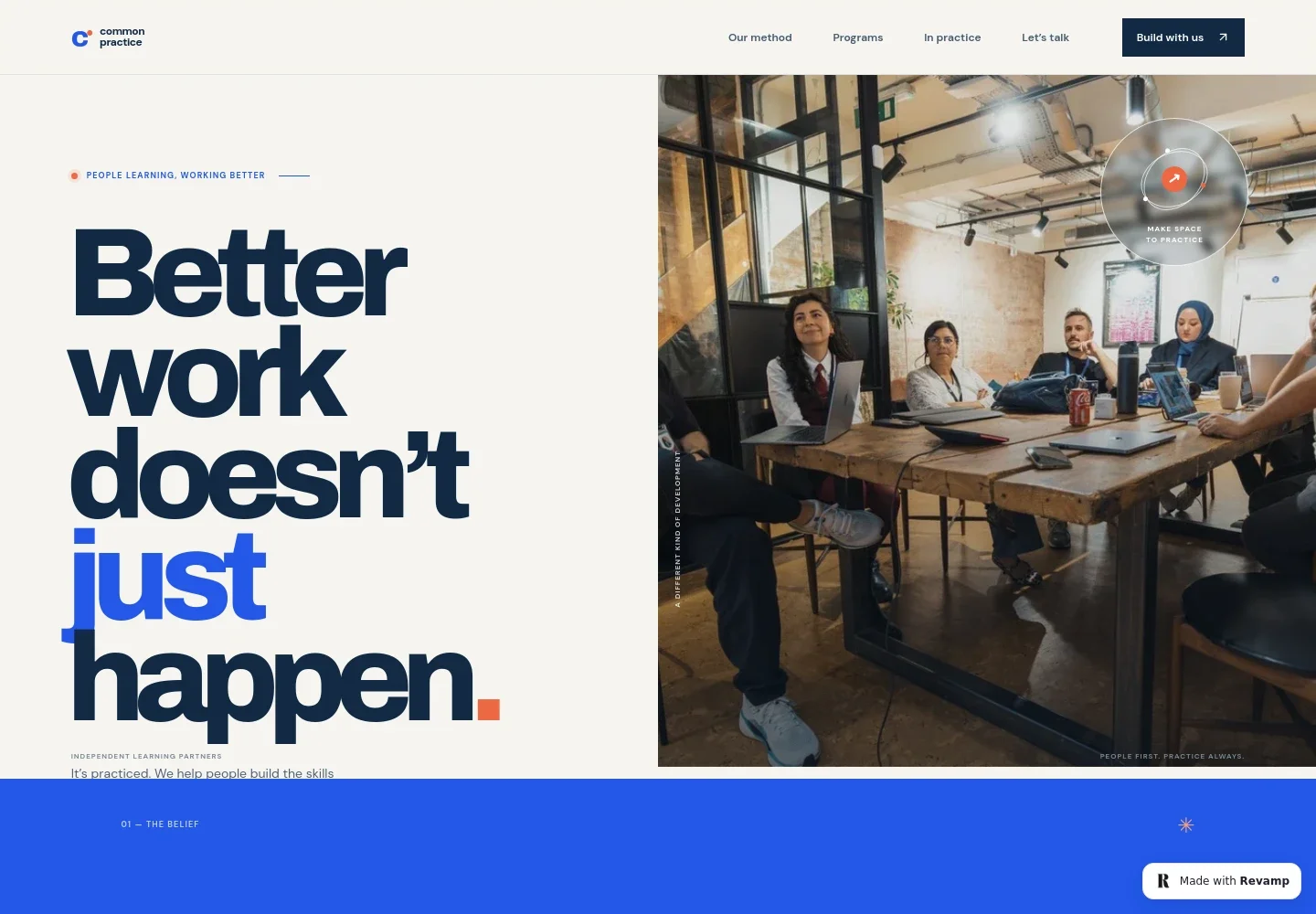
- Training-focused hero
- A prominent headline, supporting introduction, and collaborative workshop image establish a practical, people-first approach to workplace learning.
- Learning philosophy
- A two-column section explains the belief that knowing is different from doing, and describes learning through trying, reflecting, and practicing.
- Learning in practice
- A participant image accompanies copy about working on real workplace challenges, such as difficult conversations, decisions, and leading change.
- Program areas
- Three clearly separated offerings cover leadership, team collaboration, and turning strategy into everyday behavior, with a short description for each.
- Start a conversation
- A closing section invites visitors to bring a workplace challenge and contact the training provider to discuss a practical place to begin.
How to use this template
Open in Revamp
Click Use this template and sign in or create an account. You’ll start with your own copy of the design, ready to personalize.
Bring your content
Replace the sample text, photos, and logo with your own. Share your content, a document, or an existing website, and ask Revamp to adapt the template to your business.
Refine and publish
Ask Revamp to adjust the colors, layout, or sections, or edit directly on the page. Review desktop and mobile, then publish. You can keep making changes after launch.
Put your website to work
Support inquiries, client relationships, and training administration with tools suited to a corporate learning business. Ask Revamp to add or connect the tools that fit your process.
-

Make introductory calls easier to arrange
CalendlyGive prospective clients a way to choose a time for an initial training conversation. Ask Revamp to add consultation booking with Calendly.
-

Keep prospect follow-up organized
HubSpotTrack prospective organizations and follow-up conversations in one place. Ask Revamp to connect HubSpot for contact and relationship management.
-

Coordinate sessions with your work calendar
Google CalendarHelp visitors find suitable times for training discussions while keeping scheduling aligned with your calendar. Ask Revamp to add scheduling with Google Calendar.
Frequently asked questions
Is this template free?
Yes. This premium template is free to use when you select Use this template. Free refers to the template itself.
Can I use my own content?
Yes. Ask Revamp to personalize the page with your training services, program details, writing, images, and contact information.
Do I need coding skills?
No. You can ask Revamp to personalize the content and design without coding.
Can I change the design?
Yes. Ask Revamp to adjust the layout, colors, typography, imagery, or other design details to suit your training business.
Can I keep editing after publishing?
Yes. You can keep asking Revamp to update your content and design after the site launches.