About this template
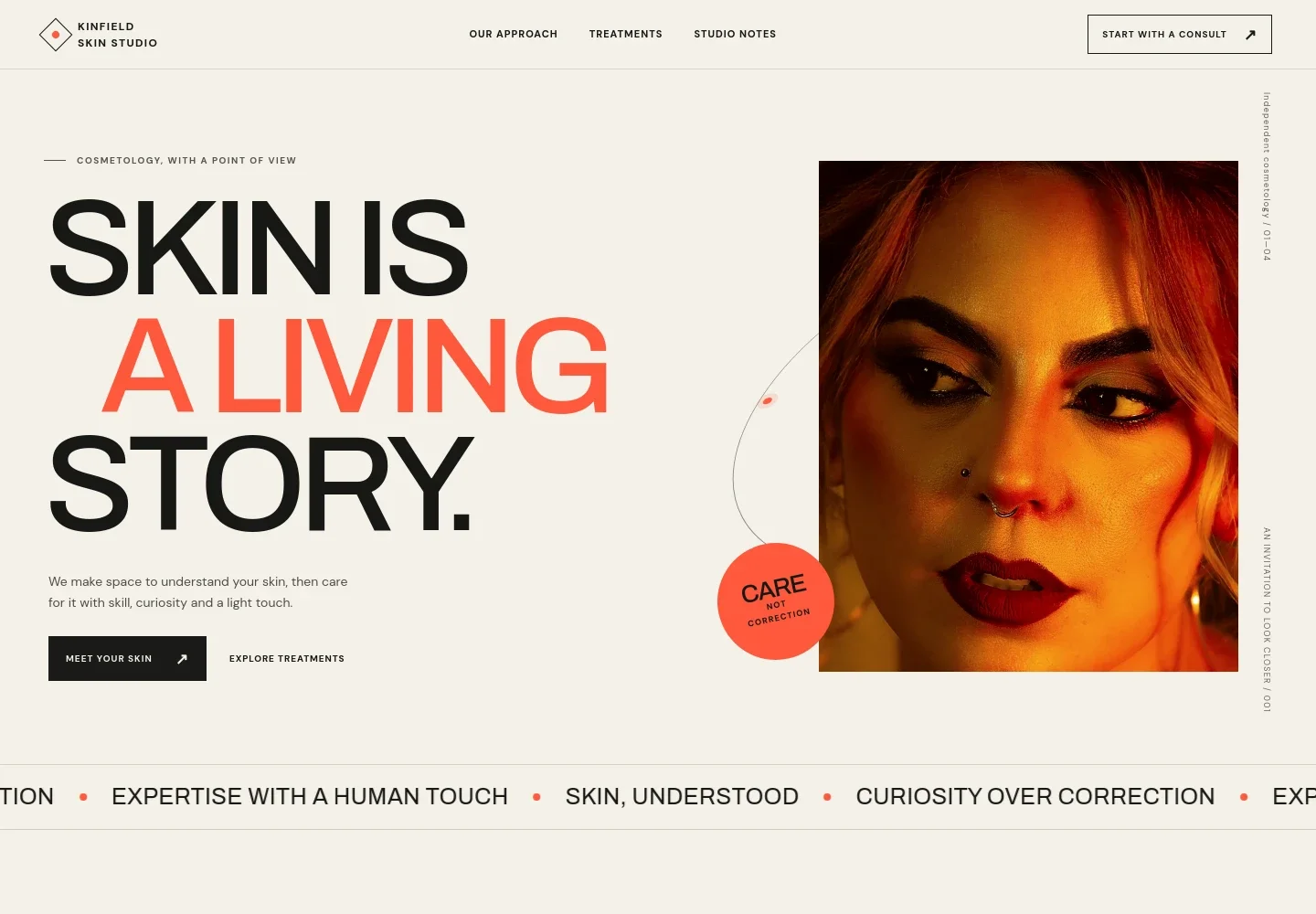
Help prospective clients understand your skin care approach, see the treatments you offer, and find a clear first step. The design introduces a cosmetology studio through an editorial portrait, warm visual details, and direct language about care that responds to each person's skin.
Visitors can read about your approach, review four sample services, and find guidance for a first visit. The contact area gives them a way to ask a question or request a time to talk, alongside space for studio details.
Who it’s for
For cosmetologists, estheticians, facialists, and makeup professionals who want to explain their services and approach to prospective clients.
What’s included
The page moves from your point of view on skin care to your method, treatments, and practical information for a first visit. Its editorial layout gives each part room to be understood without crowding the service details.
- Studio introduction
- An editorial portrait, concise statement about skin care, and links guide visitors toward your approach or treatments.
- Approach
- A dedicated section explains a listening-led approach to skin care and frames care as something adapted to changing needs.
- Method
- A treatment image and the Listen, Assess, Adapt sequence show how the studio begins by understanding the client's concerns before choosing a next step.
- Treatments
- Four service rows describe skin mapping, a reset facial, barrier care, and makeup lessons or event looks, giving visitors a concrete view of the sample offer.
- Studio belief
- A short statement about skin and self-image reinforces the studio's care philosophy between the treatment list and visit information.
- Before you visit
- An introductory note helps new clients understand what they can bring to a first conversation, followed by contact and studio-detail areas.
- Footer
- The closing area repeats the studio identity and provides a return link and email contact.
How to use this template
Open in Revamp
Click Use this template and sign in or create an account. You’ll start with your own copy of the design, ready to personalize.
Bring your content
Replace the sample text, photos, and logo with your own. Share your content, a document, or an existing website, and ask Revamp to adapt the template to your business.
Refine and publish
Ask Revamp to adjust the colors, layout, or sections, or edit directly on the page. Review desktop and mobile, then publish. You can keep making changes after launch.
Put your website to work
Appointment and client-management tools can help organize inquiries, bookings, and client details. Ask Revamp to add a connection that fits how your studio works.
-

Manage appointments and client records
VagaroKeep appointment scheduling and client information organized in one place. Ask Revamp to add booking and client-management workflows with Vagaro.
-

Coordinate bookings and follow-up
BoulevardGive clients a way to request appointments and help your team track their visits. Ask Revamp to add appointment booking and client management with Boulevard.
-

Let clients choose a consultation time
CalendlyMake it easier for prospective clients to find a suitable time to talk. Ask Revamp to add consultation booking with Calendly.
Frequently asked questions
Is this cosmetology website template free?
Yes. This premium template is free to use when you select Use this template. The offer applies to the template itself.
Can I use my own content?
Yes. Ask Revamp to personalize the page with your studio name, services, images, contact details, and other business content.
Do I need coding skills?
No coding skills are needed. Ask Revamp to personalize the content and design for your business.
Can I change the design?
Yes. Ask Revamp to adjust the layout, colors, imagery, and other design details to suit your studio.
Can I keep editing after publishing?
Yes. You can keep editing after launch. Ask Revamp to update your content or design as your business changes.