About this template
Show couples, event hosts, and venue teams what your band sounds like and how you shape a night. This design introduces the band, sets out the flow of a performance, and gives visitors a clear way to ask about a date.
The visual direction pairs oversized concert-style headlines and stage-inspired graphics with a dark palette, an energetic accent color, and a live performance photo. Its sections move from the band's sound to the setlist approach, live-planning details, common questions, and an enquiry prompt.
Who it’s for
Cover bands and party bands booking weddings, private celebrations, and other live events. The layout also suits band managers who want to present the act, describe its repertoire and approach, and invite booking enquiries.
What’s included
The visible page combines a bold, gig-inspired introduction with practical information about the band's music and event approach, then leads visitors toward an enquiry.
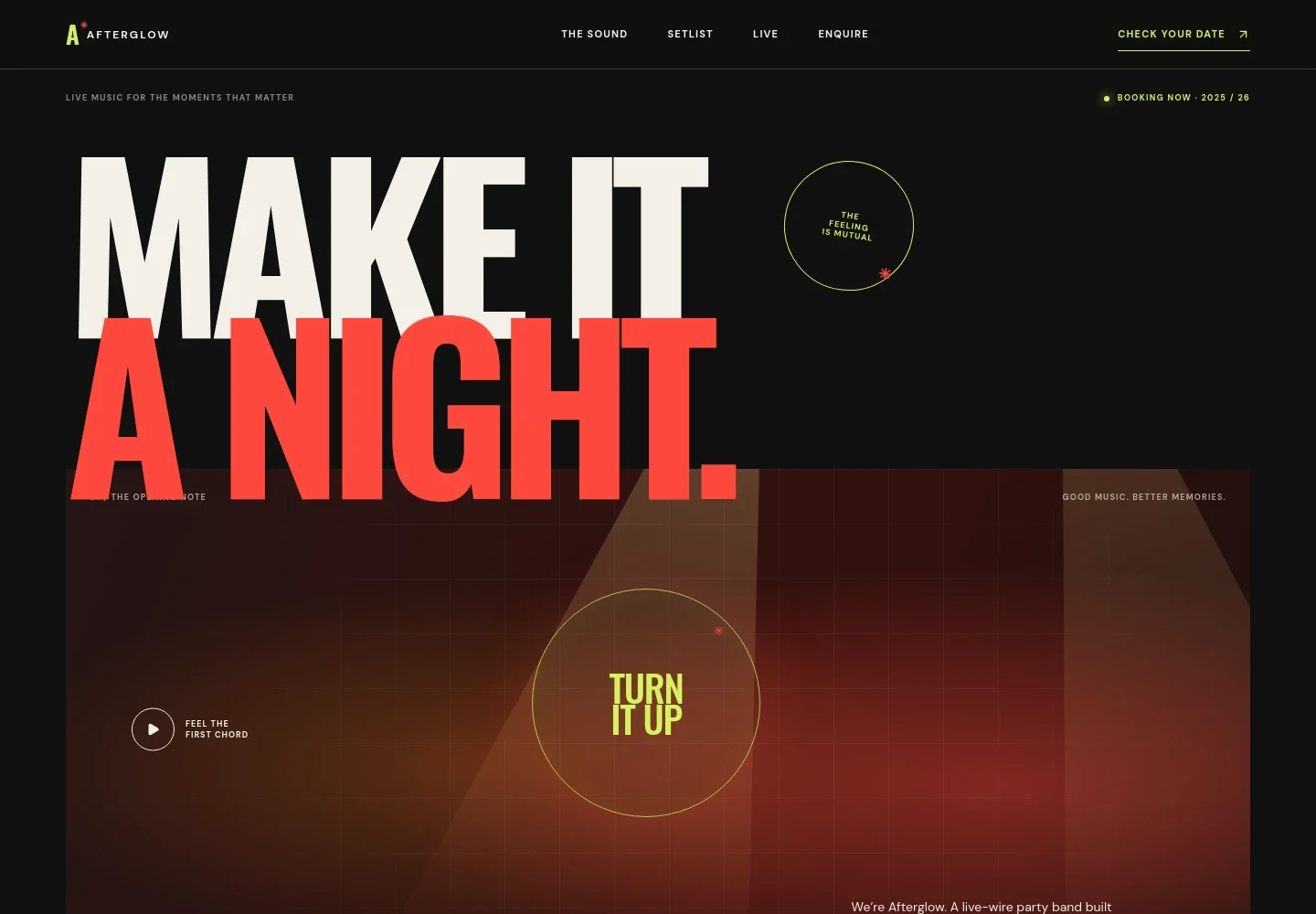
- Band introduction
- A large headline, stage-inspired hero graphics, booking note, and short band introduction establish the live-event focus. The opening also identifies weddings, private parties, and travel as part of the example band's positioning.
- The sound
- An editorial introduction explains the band's party-oriented sound and the role of familiar songs, with a link leading visitors to the setlist section.
- Setlist journey
- Four stages describe how the music can move from warm-up grooves through singalong anthems to a closing high. A repertoire note invites visitors to share must-play songs.
- Live approach
- A performance photo sits beside three points about discussing the event, shaping the set to the room, and keeping planning communication clear.
- Common questions
- Accordion answers cover event types, song requests, travel, and how to ask about availability.
- Enquiry
- A prominent closing invitation asks visitors to share details about their event and start a conversation about dates, plans, and songs.
How to use this template
Open in Revamp
Click Use this template and sign in or create an account. You’ll start with your own copy of the design, ready to personalize.
Bring your content
Replace the sample text, photos, and logo with your own. Share your content, a document, or an existing website, and ask Revamp to adapt the template to your business.
Refine and publish
Ask Revamp to adjust the colors, layout, or sections, or edit directly on the page. Review desktop and mobile, then publish. You can keep making changes after launch.
Put your website to work
Make booking enquiries easier to manage by asking Revamp to add scheduling or client-management tools that suit the way your band handles event leads.
-

Offer a clear time to talk
CalendlyAsk Revamp to add consultation booking with Calendly so prospective clients can request a conversation about their event.
-

Keep event leads organized
HubSpotAsk Revamp to add lead tracking with HubSpot to help organize enquiries and follow-up with couples and event planners.
Frequently asked questions
Is this template free?
Yes. This premium template is free to use when you select Use this template. The offer is for the template itself.
Can I use my own content?
Yes. Ask Revamp to personalize the page with your band name, photos, music details, event information, and enquiry contact.
Do I need coding skills?
No. Ask Revamp to make content and design changes in natural language, without coding.
Can I change the design?
Yes. Ask Revamp to adjust the colors, typography, imagery, layout, or other design details to suit your band.
Can I keep editing after publishing?
Yes. You can keep asking Revamp to update your site after it has launched.
How can visitors ask about a date?
The template includes an enquiry section with a contact link. Visitors can be prompted to share their date, location, and event plans.


