About this template
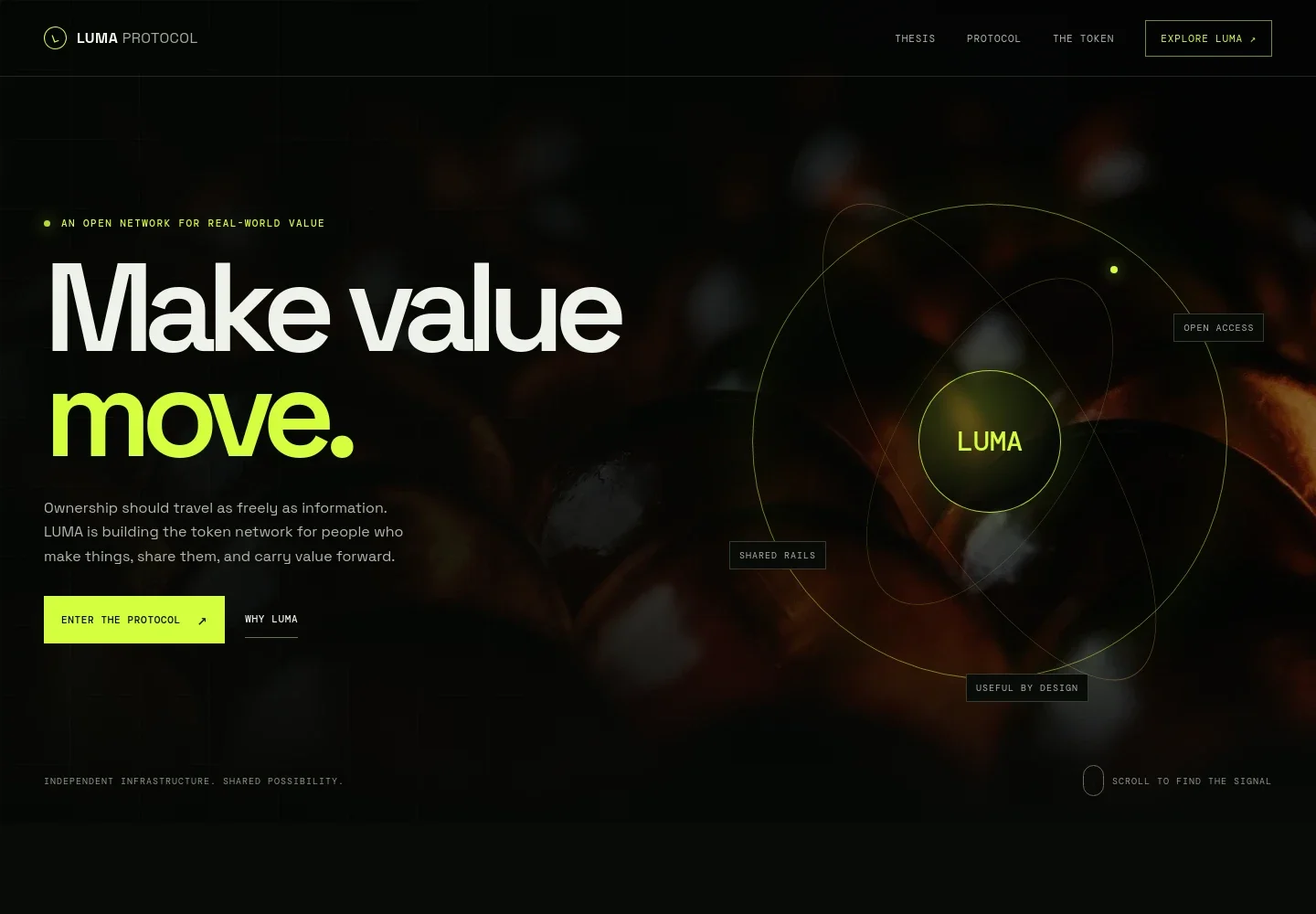
Help visitors understand a token project's purpose, guiding principles, protocol structure, and stated token role. The design presents these ideas in clear sections, from a concise introduction to a considered explanation of the network.
A dark visual palette, amber accents, and abstract network imagery give the page a distinct crypto identity. The layout pairs concise headings and principle cards with more detailed protocol and token sections, then offers visitors a measured path to learn more.
Who it’s for
Crypto founders, token teams, protocol builders, and Web3 communicators introducing a project to potential users, developers, and community members.
What’s included
The page guides visitors from the project’s core idea through its protocol, token, and suggested next steps for learning. Its editorial structure suits projects that need to explain complex concepts without leading with trading claims.
- Project introduction
- A full-width hero introduces the network’s central idea, supported by abstract token imagery, a short overview, and links to the protocol and project thesis.
- Thesis and principles
- An opening explanation frames the project’s point of view, followed by three principles that make its stated approach easier to scan.
- Protocol architecture
- A three-part section presents the network’s base, participation rules, and utility as distinct layers, with space to explain how each is intended to contribute.
- Token role
- A dedicated section introduces the token’s stated purpose and lists governance, protocol utility, and support for a shared economy as areas of participation.
- Project point of view
- A prominent statement and supporting text convey the project’s perspective on access and clear explanations.
- Learn and get in touch
- The closing section offers a measured sequence for reviewing the concept, technical documentation, and risks, alongside a contact link for questions.
- Navigation and footer
- Section links give visitors direct routes to the thesis, protocol, token, and introductory information.
How to use this template
Open in Revamp
Click Use this template and sign in or create an account. You’ll start with your own copy of the design, ready to personalize.
Bring your content
Replace the sample text, photos, and logo with your own. Share your content, a document, or an existing website, and ask Revamp to adapt the template to your business.
Refine and publish
Ask Revamp to adjust the colors, layout, or sections, or edit directly on the page. Review desktop and mobile, then publish. You can keep making changes after launch.
Put your website to work
Help visitors move from learning about a token project to following its updates, reading its documentation, or contacting the team. Ask Revamp to add or connect tools such as:
-

Publish project updates
MailchimpKeep interested readers informed about announcements and project news. Ask Revamp to add a newsletter signup connected to Mailchimp.
-

Let visitors book a conversation
CalendlyGive prospective partners or community members a clear way to schedule time with the team. Ask Revamp to add meeting booking with Calendly.
-

Organize project inquiries
HubSpotKeep track of conversations with potential partners and contributors. Ask Revamp to connect inquiry forms with HubSpot.
Frequently asked questions
Is this template free?
Yes. This premium template is free to use through Use this template. The offer is for the template itself, not hosting or other services.
Can I use my own content?
Yes. Ask Revamp to personalize the project name, token details, protocol explanations, imagery, links, and contact information with your content.
Do I need coding skills?
No. Ask Revamp to personalize the content and design in plain language, without coding.
Can I change the design?
Yes. Ask Revamp to adjust the colors, imagery, typography, layout, and other design details to suit your project.
Can I keep editing after publishing?
Yes. You can keep asking Revamp to update your content and design after the site is published.


