About this template
Help designers and other visual thinkers find useful starting points for their work. This template presents a curated index of type, visual references, and working tools in three distinct collections.
A clear navigation, numbered collection rows, and a field-notes feature guide visitors from browsing resources to understanding the point of view behind the index. The editorial layout suits independent curators, design studios, and creative publications that want to organize resources with care.
Who it’s for
Independent designers, art directors, design studios, educators, and publishers building a curated directory of typography, visual references, or creative tools.
What’s included
The page brings resource discovery and editorial perspective together, with three browsable collections, a field-notes feature, and a closing statement about the index.
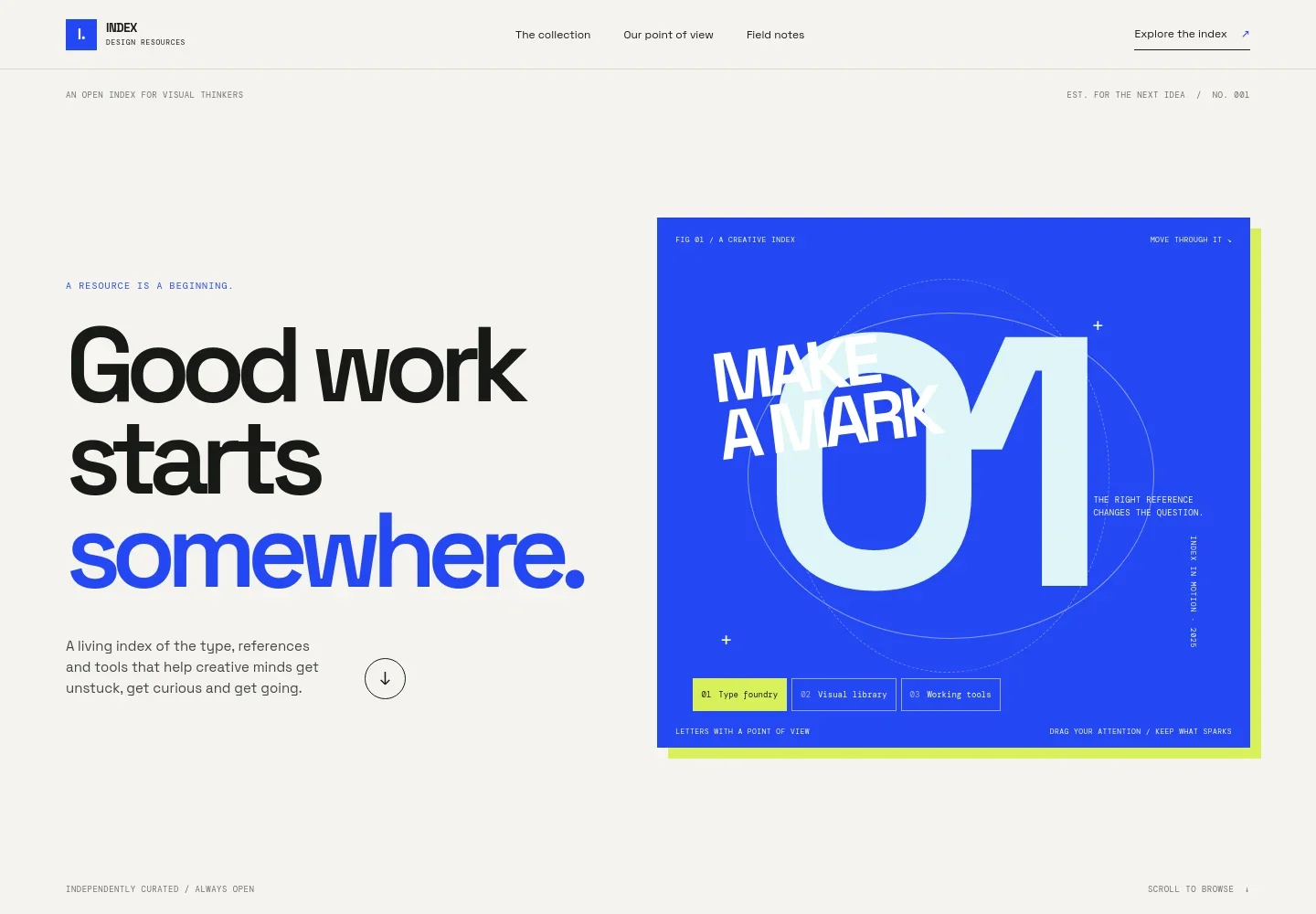
- Hero and interactive index specimen
- Introduces the resource index with a prominent headline and a visual specimen containing tabs for Type foundry, Visual library, and Working tools. Visitors can see the three categories at a glance and follow a link into the collection.
- Point of view
- Explains why the index is arranged as a considered starting place rather than an endless feed, giving visitors context for the curation.
- Three resource collections
- Numbered rows detail Type foundry, Visual library, and Working tools, with examples such as type specimens, identity systems, useful utilities, templates, and open-source finds.
- Field note feature
- Pairs a creative desk photograph with a short editorial note about noticing and using references, adding a personal point of view between the collection and closing sections.
- Closing note and footer
- Reiterates who the index is for and its focus on useful, carefully selected resources, followed by a back-to-top link and illustrative contact details.
How to use this template
Open in Revamp
Click Use this template and sign in or create an account. You’ll start with your own copy of the design, ready to personalize.
Bring your content
Replace the sample text, photos, and logo with your own. Share your content, a document, or an existing website, and ask Revamp to adapt the template to your business.
Refine and publish
Ask Revamp to adjust the colors, layout, or sections, or edit directly on the page. Review desktop and mobile, then publish. You can keep making changes after launch.
Put your website to work
Make a curated design resource index easier to maintain and share. Ask Revamp to add tools for collecting submissions, organizing research, or sending editorial updates.
-

Collect new resource suggestions
AirtableGive visitors a straightforward way to send resource ideas for your consideration. Ask Revamp to add a submission form connected to Airtable.
-

Organize research and editorial planning
NotionKeep resource notes and upcoming field notes organized in one workspace. Ask Revamp to connect your planning process with Notion.
-

Send new additions to subscribers
MailchimpLet interested readers hear about new resources and field notes by email. Ask Revamp to add a newsletter signup connected to Mailchimp.
Frequently asked questions
Is this template free?
Yes. This premium template is free to use through Use this template. Hosting or other services may have separate costs.
Can I use my own content?
Yes. Ask Revamp to personalize the page with your resource categories, links, editorial notes, images, and brand details.
Do I need coding skills?
No. Ask Revamp to personalize the content and design in natural language. You do not need to code.
Can I change the design?
Yes. Ask Revamp to adjust the layout, colors, typography, and other design details to suit your index.
Can I keep editing after publishing?
Yes. You can keep editing the content and design after launch by asking Revamp to make changes.