About this template
Present a digital art practice through a bold opening artwork, a clear account of your creative services, and selected visual studies. The layout helps prospective clients understand the kind of images and worlds you make, how you approach a brief, and how to start a conversation.
The design pairs vivid art imagery with editorial typography and concise project descriptions. Sections for art direction, campaign worlds, generative image-making, digital experiences, and creative approach give you room to explain both the work and the thinking behind it.
Who it’s for
Independent digital artists, art directors, image-makers, and creative studios seeking to present selected work and explain their practice to prospective collaborators or clients.
What’s included
A complete studio-style presentation with a featured art composition, selected work, a three-part approach section, and a contact area.
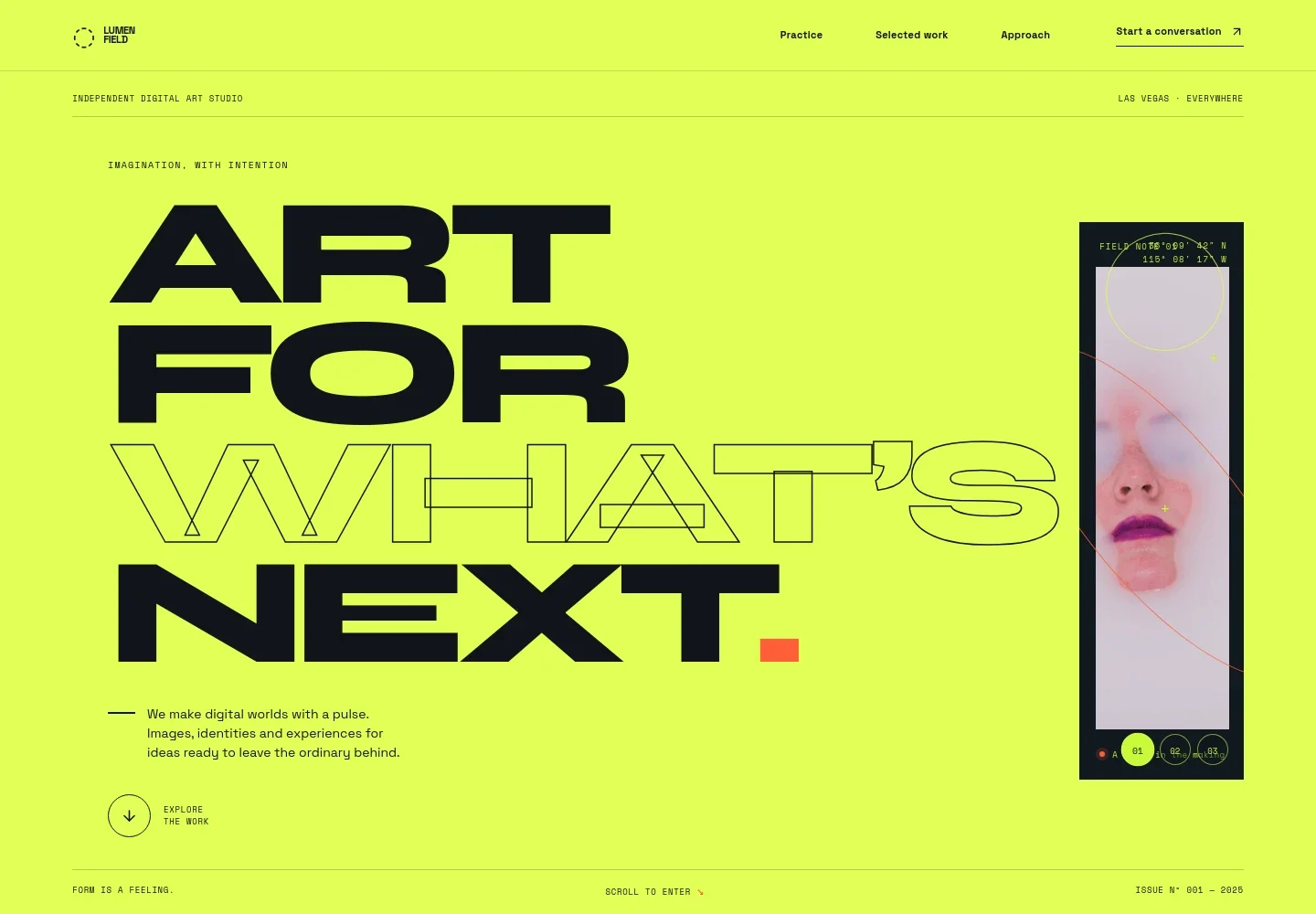
- Artwork-led hero
- A prominent digital artwork sits beside the studio introduction, with a three-choice artwork control and links that guide visitors into the selected work.
- Practice and services
- An introduction explains the creative practice and pairs it with a service ribbon naming art direction, campaign worlds, generative image, and digital experiences.
- Selected visual studies
- A featured study and a second artwork are presented with titles and short descriptions, giving artists space to show images alongside the ideas behind them.
- Creative approach
- Three numbered steps describe listening to a brief, developing a visual world, and shaping work for use across a campaign or other formats.
- Contact and footer
- A closing invitation and email link make it easy to begin a conversation. The footer repeats the studio identity and provides a return-to-top link.
How to use this template
Open in Revamp
Click Use this template and sign in or create an account. You’ll start with your own copy of the design, ready to personalize.
Bring your content
Replace the sample text, photos, and logo with your own. Share your content, a document, or an existing website, and ask Revamp to adapt the template to your business.
Refine and publish
Ask Revamp to adjust the colors, layout, or sections, or edit directly on the page. Review desktop and mobile, then publish. You can keep making changes after launch.
Put your website to work
Make it easier to handle inquiries, schedule conversations, and keep prospective clients informed. Ask Revamp to add or connect tools that suit your studio's workflow.
-

Schedule introductory calls
CalendlyOffer prospective clients a simple way to choose a time for a project conversation. Ask Revamp to add consultation booking with Calendly.
-

Organize client inquiries
HubSpotKeep prospective client details and follow-ups together as inquiries come in. Ask Revamp to connect HubSpot for contact management.
-

Send studio updates
MailchimpShare new work or occasional studio news with an interested audience. Ask Revamp to add an email signup connected to Mailchimp.
Frequently asked questions
Is this template free?
Yes. This premium template is free to use when you select Use this template. This applies to the template itself.
Can I use my own content?
Yes. Ask Revamp to personalize the artwork, project descriptions, services, studio details, and contact information with your own content.
Do I need coding skills?
No. You can ask Revamp to personalize the content and design without coding.
Can I change the design?
Yes. Ask Revamp to adjust the visual style, layout, colors, typography, or imagery to suit your digital art practice.
Can I keep editing after publishing?
Yes. You can continue asking Revamp to update your content and design after launch.


