About this template
Help prospective clients understand your studio’s point of view, from audience listening and cultural insight to stories shaped for brands. The design presents an independent creative media studio focused on work with meaning, not just more content.
A clear sequence introduces the studio’s approach, shows how its creative method begins before production, and lays out capabilities across brand worlds, original stories, social creative, and audience intelligence. The editorial typography, numbered sections, and image-led feature give the page a distinctive media-studio feel.
Who it’s for
Designed for independent media studios, creative agencies, and production teams presenting brand strategy, original storytelling, social content, or audience research to prospective business clients.
What’s included
The page moves visitors from the studio’s perspective to its approach, capabilities, and contact details. Its editorial layout gives each part of the offer room to be understood before a visitor starts a conversation.
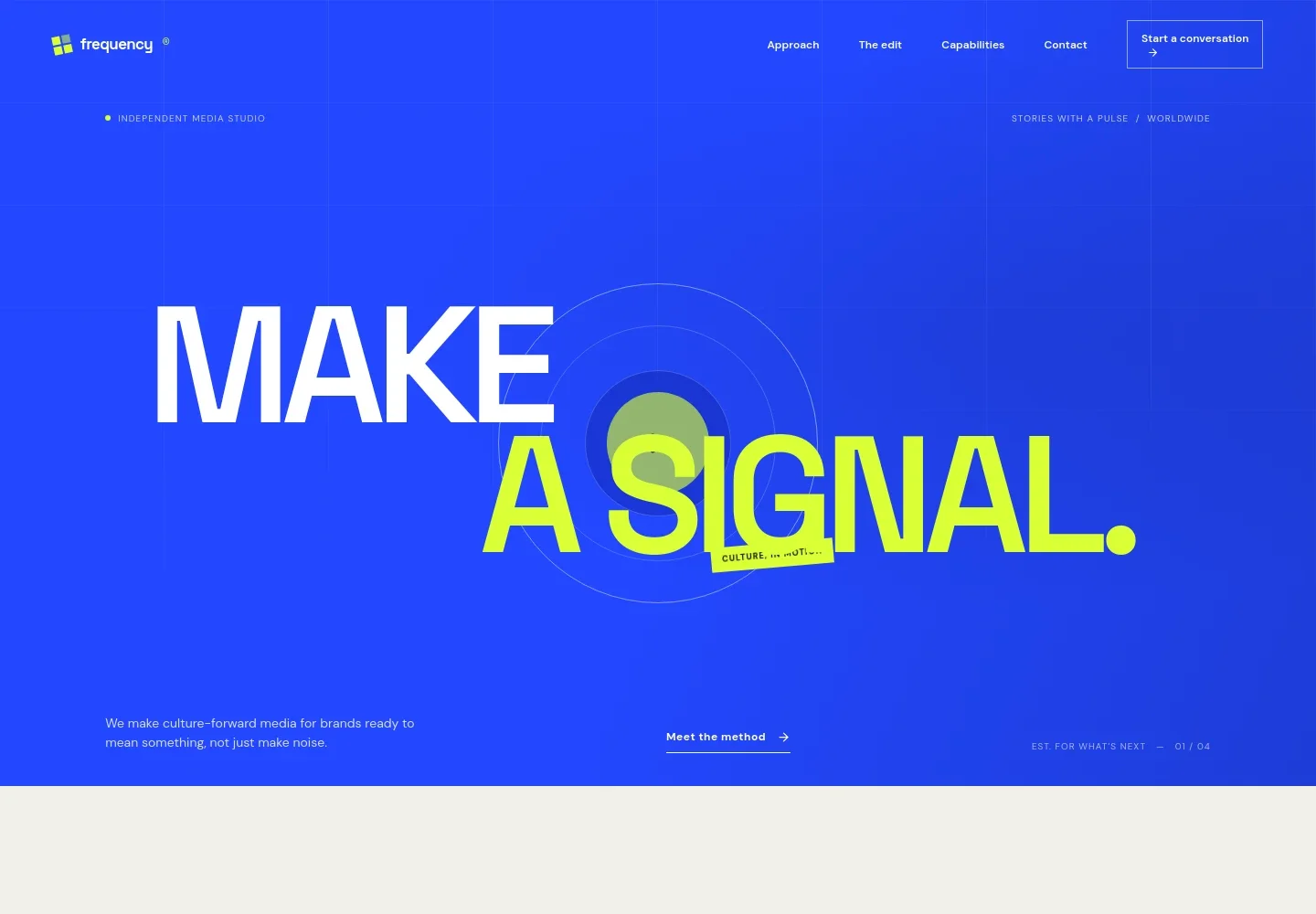
- Studio introduction
- A bold headline, short positioning statement, and links to the approach and contact sections introduce the studio and its focus on culture-forward media.
- Point of view
- A manifesto-style section explains the studio’s belief that meaningful work starts with audience connection, supported by three concise principles.
- The creative method
- A numbered, image-led feature describes listening to audiences and cultural signals before deciding what to make, with a link onward to capabilities.
- Capabilities
- Four service rows outline brand worlds, original stories, social by design, and audience intelligence, with concise details for each.
- Working principles
- Three principles explain the studio’s focus on people, distinctive creative form, and carrying a story into ongoing conversation.
- Contact invitation
- A closing prompt invites visitors to discuss a story or project and provides an email link, which can be personalized for the business.
- Navigation and footer
- Section links help visitors move between the approach, capabilities, and contact information, with a compact footer repeating key destinations.
How to use this template
Open in Revamp
Click Use this template and sign in or create an account. You’ll start with your own copy of the design, ready to personalize.
Bring your content
Replace the sample text, photos, and logo with your own. Share your content, a document, or an existing website, and ask Revamp to adapt the template to your business.
Refine and publish
Ask Revamp to adjust the colors, layout, or sections, or edit directly on the page. Review desktop and mobile, then publish. You can keep making changes after launch.
Put your website to work
Keep project inquiries, client relationships, and campaign planning organized as your studio grows. Ask Revamp to add or connect the tools that fit your workflow.
-

Organize prospective client conversations
HubSpotTrack inquiries and manage follow-up in one place. Ask Revamp to connect HubSpot for contact and pipeline management.
-

Make it easier to schedule an introduction
CalendlyLet prospective clients request a meeting time. Ask Revamp to add consultation booking with Calendly.
-

Coordinate campaign publishing
HootsuitePlan social posts and review publishing activity across channels. Ask Revamp to connect Hootsuite for social media management.
Frequently asked questions
Is this template free?
Yes. This premium template is free to use through Use this template. Hosting or other services may have separate costs.
Can I use my own content?
Yes. Ask Revamp to personalize the copy, images, studio details, capabilities, and contact information for your business.
Do I need coding skills?
No. You can ask Revamp to personalize the content and design without coding.
Can I change the design?
Yes. Ask Revamp to adjust the visual style, colors, typography, imagery, or page sections to suit your studio.
Can I keep editing after publishing?
Yes. You can keep asking Revamp to update your website after launch as your services, work, or contact details change.