About this template
Help visitors understand your drawing practice, the kinds of commissions you take on, and how to start a conversation. The page introduces portrait commissions, live drawing for gatherings and events, and illustration for editors, artists, and brands.
The design pairs a large drawing-led introduction with an explanation of your approach, a three-part account of the drawing process, a clear practice list, and a gallery of selected studies. This gives prospective clients both a sense of your work and a straightforward next step.
Who it’s for
Independent drawing artists and illustrators who want to present portrait commissions, live drawing, or bespoke illustration to prospective clients, event organizers, editors, and brands.
What’s included
A complete portfolio-style page that introduces an artist's point of view, describes drawing services, shows selected work, and invites prospective clients to make contact.
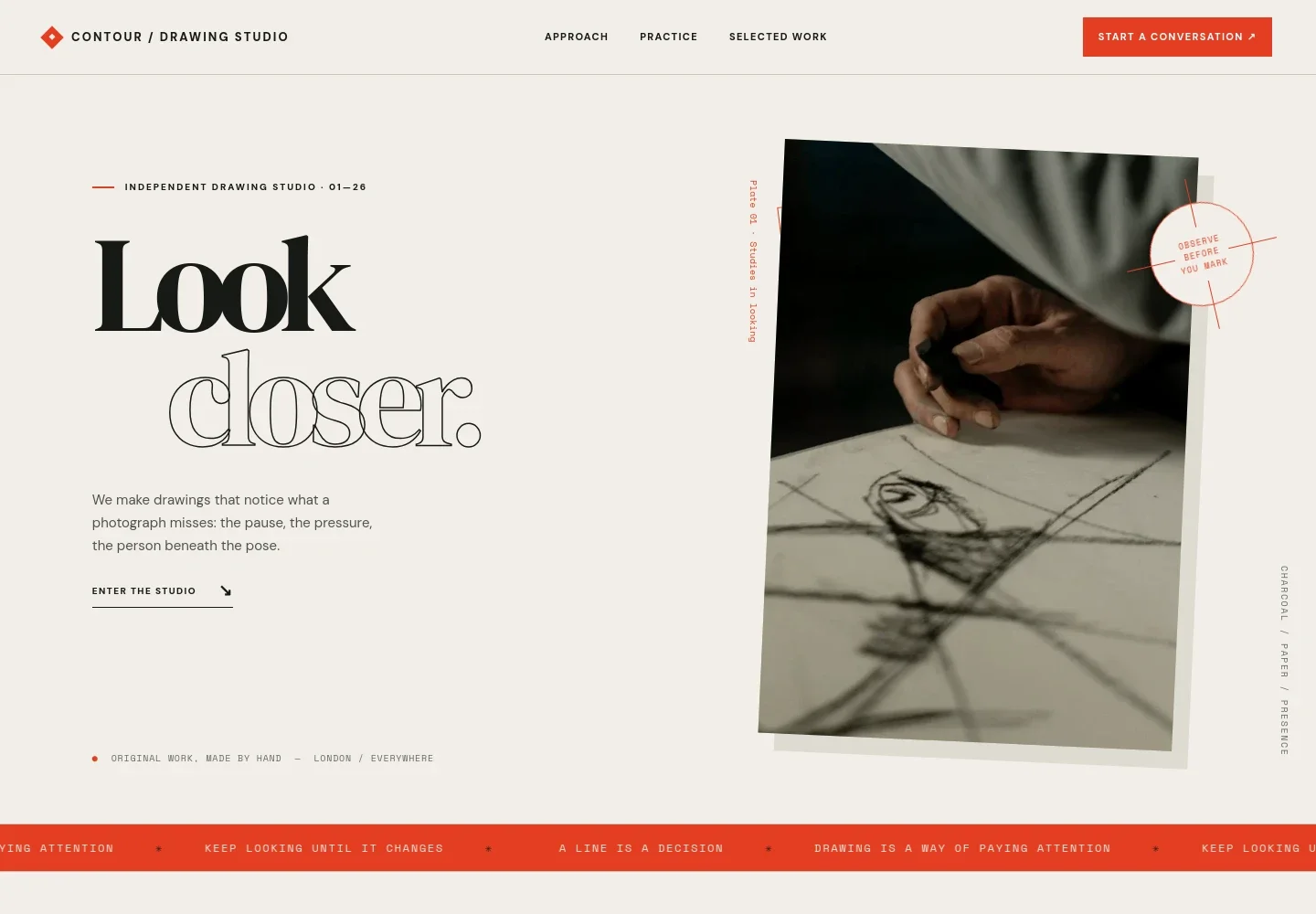
- Drawing-led introduction
- A prominent headline, short statement about the artist's approach, and close view of a drawing in progress establish the practice at a glance.
- Point of view
- A concise statement explains the emphasis on observation, likeness, and the details that give a drawing a sense of presence.
- How a drawing becomes
- Three steps describe listening to the subject, observing through studies, and developing a finished line. An accompanying image shows ink and pen studies on paper.
- The practice
- Separate entries explain portrait commissions, live drawing at gatherings and celebrations, and illustration or image-making for editors, artists, and brands.
- Selected work
- A visual gallery presents drawing studies with captions identifying the work and materials, including ink on paper and a graphite portrait study.
- Start a conversation
- A closing invitation encourages visitors to share an idea, audience, or subject, with an email link as the contact route.
How to use this template
Open in Revamp
Click Use this template and sign in or create an account. You’ll start with your own copy of the design, ready to personalize.
Bring your content
Replace the sample text, photos, and logo with your own. Share your content, a document, or an existing website, and ask Revamp to adapt the template to your business.
Refine and publish
Ask Revamp to adjust the colors, layout, or sections, or edit directly on the page. Review desktop and mobile, then publish. You can keep making changes after launch.
Put your website to work
Make it easier to manage commission inquiries, schedule conversations, and keep track of prospective clients. Ask Revamp to add or connect the tools that suit your working process.
-

Schedule commission conversations
CalendlyLet prospective clients choose a time to discuss a portrait or illustration. Ask Revamp to add consultation booking with Calendly.
-

Keep client inquiries organized
HubSpotTrack prospective clients and follow-up across commission inquiries. Ask Revamp to connect HubSpot for contact management.
-

Collect commission payments
StripeGive clients a convenient way to pay for commissioned work. Ask Revamp to add payment collection with Stripe.
Frequently asked questions
Is this template free?
Yes. This premium template is free to use through Use this template. This applies to the template itself, not hosting or other services.
Can I use my own content?
Yes. Ask Revamp to personalize the page with your artist statement, drawing samples, commission details, contact information, and other content.
Do I need coding skills?
No coding skills are needed. Ask Revamp to personalize the content and design in plain language.
Can I change the design?
Yes. Ask Revamp to adjust the page's layout, colors, typography, imagery, or other design choices to fit your practice.
Can I keep editing after publishing?
Yes. You can keep editing after launch. Ask Revamp to update your content or design as your work and services develop.


