About this template
Help prospective students understand your drumming approach and find a comfortable way to begin. The page introduces beginner-friendly one-to-one sessions, lessons for players with some experience, and opportunities to play with a friend or in a small group.
A bold, music-led design pairs a dramatic drum image with clear descriptions of your teaching philosophy and session options. Its relaxed language is suited to instructors who want to welcome curious beginners and returning players without making lessons feel intimidating.
Who it’s for
Independent drum teachers, drumming instructors, and small studios offering individual lessons, beginner introductions, or sessions for duos and small groups.
What’s included
The page moves visitors from your teaching approach to the available sessions, then closes with a direct invitation to get in touch.
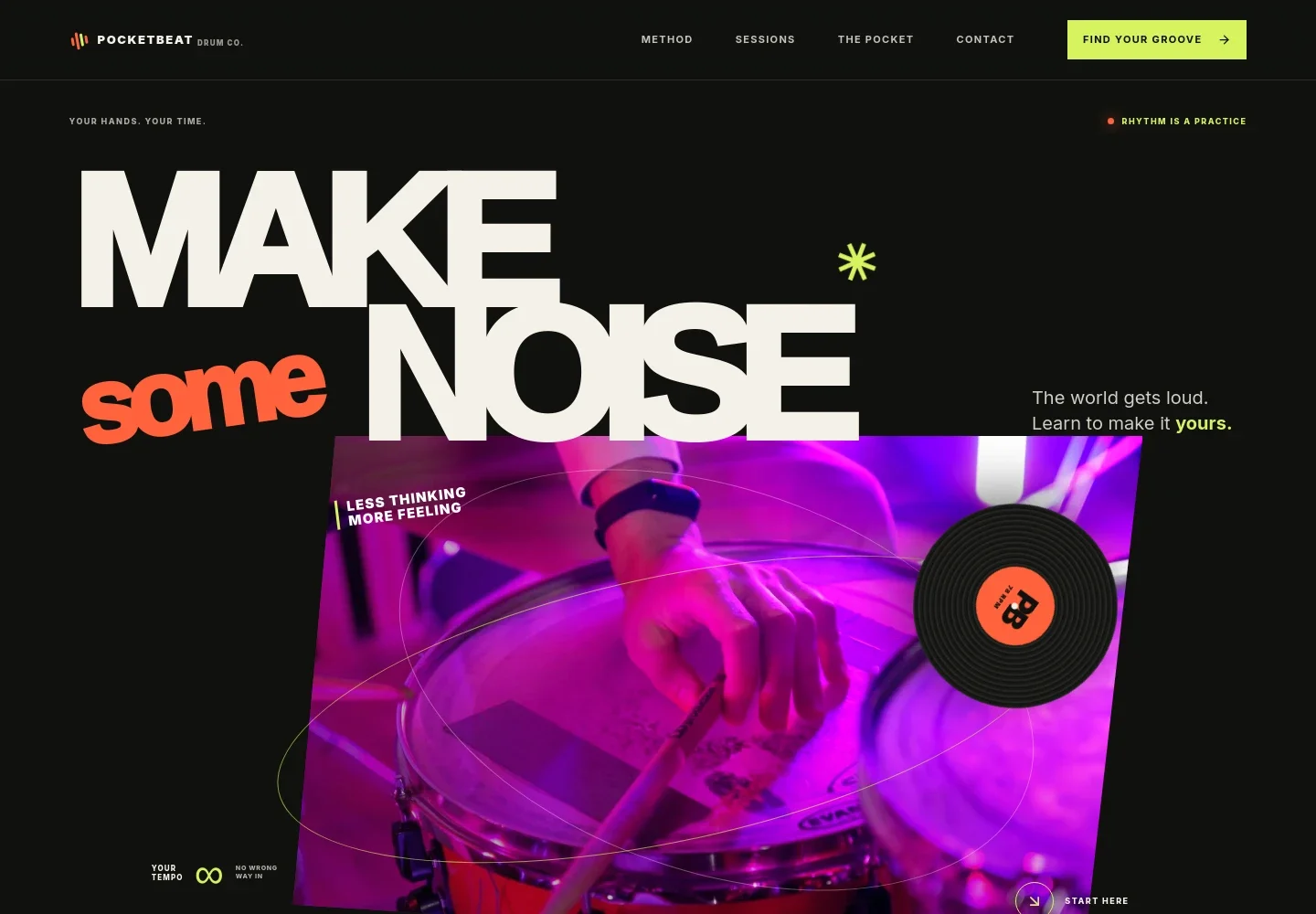
- Drumming introduction
- A large headline, vivid drummer image, and short welcome establish an energetic but approachable tone, with a prominent link guiding visitors into the page.
- Teaching approach
- Explain who your lessons are for and why making music can begin without prior experience or a particular reason to learn.
- Learning sequence
- A four-part visual sequence, Listen, Try, Find it, Feel it, gives visitors a simple picture of the learning approach.
- Session options
- Present a first one-to-one introduction, ongoing rhythm and coordination practice, and the option to play with a bandmate or friend in a duo or small group.
- Closing invitation
- A short encouragement to begin leads into a contact area where visitors can share what they are looking for and start a conversation by email.
How to use this template
Open in Revamp
Click Use this template and sign in or create an account. You’ll start with your own copy of the design, ready to personalize.
Bring your content
Replace the sample text, photos, and logo with your own. Share your content, a document, or an existing website, and ask Revamp to adapt the template to your business.
Refine and publish
Ask Revamp to adjust the colors, layout, or sections, or edit directly on the page. Review desktop and mobile, then publish. You can keep making changes after launch.
Put your website to work
Make it easier to manage lesson inquiries and scheduling. Ask Revamp to add connections with tools commonly used for appointments and client communication.
-

Let students choose a lesson time
CalendlyAsk Revamp to add appointment booking with Calendly so prospective students can request a convenient time for an introductory lesson.
-

Keep lesson inquiries organized
HubSpotAsk Revamp to connect HubSpot to organize prospective-student inquiries and follow-up conversations.
-

Track lesson availability
Google CalendarAsk Revamp to add Google Calendar scheduling so students can see available lesson times and keep bookings on a calendar.
Frequently asked questions
Is this template free?
Yes. This premium template is free to use when you select Use this template. Free refers to the template itself.
Can I use my own content?
Yes. Ask Revamp to personalize the page with your studio name, teaching approach, lesson options, images, and contact details.
Do I need coding skills?
No. Ask Revamp to personalize the content and design in plain language, without coding.
Can I change the design?
Yes. Ask Revamp to adjust the colors, imagery, layout, or other design details to suit your teaching business.
Can I keep editing after publishing?
Yes. You can keep asking Revamp to update your content and design after launch.


