About this template
Give listeners a clear introduction to your dubstep project, its sound, and the latest release. The design pairs a dramatic stage image and artist statement with a featured track, live performance details, and a direct booking contact.
Dark, high-contrast visuals, oversized type, and frequency-inspired graphics create a focused identity for bass music. Distinct Signal, Releases, Live, and Contact sections help visitors move from discovering your sound to asking about a performance.
Who it’s for
Independent dubstep artists, electronic music producers, DJs, and music projects looking to present their sound, releases, live sets, and booking contact.
What’s included
The page is organized around the key questions a listener or promoter may have: what the project sounds like, what it has released, how it performs, and how to get in touch.
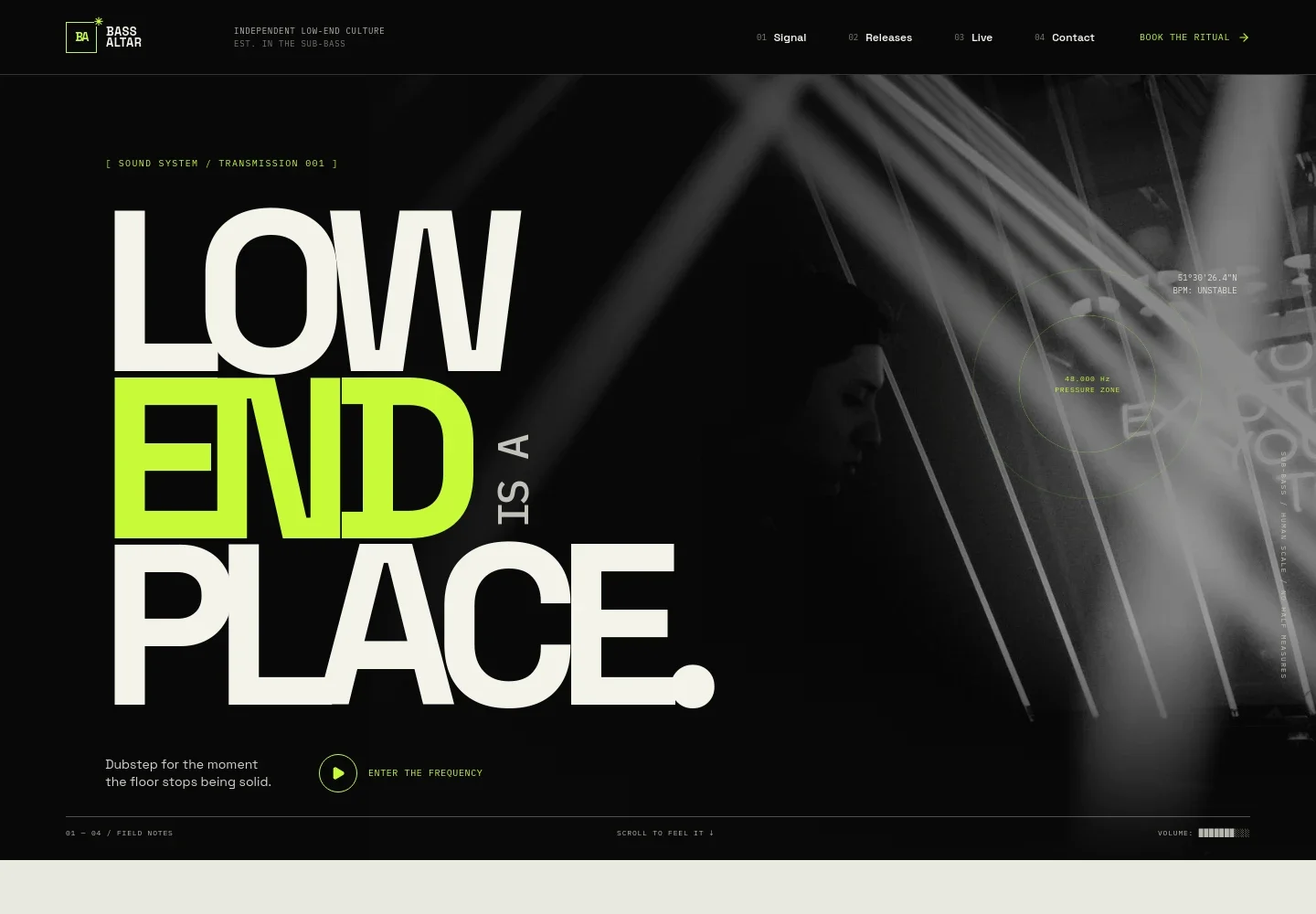
- Artist identity and navigation
- A Bass Altar wordmark, independent low-end culture tagline, and numbered navigation establish the project identity and link directly to Signal, Releases, Live, and Contact.
- Hero
- A full-width underground performance image, bold artist statement, short dubstep description, and link to the release section introduce the sound and set the visual tone.
- Signal
- An artist statement describes the project's low-end approach, broken drums, and elastic subs. A frequency ruler and link toward the live section reinforce the music-focused concept.
- Featured release
- A prominent AFTER THE IMPACT release presentation combines illustrated record artwork, track details, a short description, and a listen control.
- Live performance
- A studio image and performance description present the set as adaptable to intimate sound systems and festival-scale rooms, with a link to booking inquiries.
- Contact and booking
- A closing contact section invites booking, collaboration, and sound system inquiries, with a direct email link and a prompt to describe the room.
How to use this template
Open in Revamp
Click Use this template and sign in or create an account. You’ll start with your own copy of the design, ready to personalize.
Bring your content
Replace the sample text, photos, and logo with your own. Share your content, a document, or an existing website, and ask Revamp to adapt the template to your business.
Refine and publish
Ask Revamp to adjust the colors, layout, or sections, or edit directly on the page. Review desktop and mobile, then publish. You can keep making changes after launch.
Put your website to work
Make it easier for listeners to hear the music, follow new releases, and keep in touch. Ask Revamp to add links or connect tools that suit your artist workflow.
-

Give listeners a place to stream
SpotifyDirect visitors to your releases and artist profile. Ask Revamp to add Spotify links or an embedded Spotify player.
-

Collect fans' email addresses
MailchimpBuild a mailing list for release announcements and show news. Ask Revamp to add a Mailchimp signup form.
-

Organize booking inquiries
CalendlyOffer promoters a simple way to request a conversation about a date. Ask Revamp to add consultation booking with Calendly.
Frequently asked questions
Is this template free?
Yes. This premium template is free to use when you select Use this template. The template itself is free; hosting and other services may have separate costs.
Can I use my own music, images, and artist details?
Yes. Ask Revamp to personalize the page with your artist name, music, release artwork, photography, booking details, and contact information.
Do I need coding skills?
No. Ask Revamp to personalize the content and design for your music project without coding.
Can I change the design?
Yes. Ask Revamp to adjust the colors, imagery, typography, layout, or other design details to fit your artist identity.
Can I keep editing after publishing?
Yes. You can keep editing your site after launch. Ask Revamp to update your releases, performance information, contact details, or design as your project changes.


