About this template
Help homeowners, contractors, and property managers understand how to choose a roll-off dumpster for a renovation, construction job, or cleanout. The page introduces the rental process, shows example 10, 20, and 30 cubic-yard options, and explains practical considerations for delivery and loading.
A prominent quote call to action gives visitors a clear next step, while the project-focused photography and direct section labels make the information easy to scan.
Who it’s for
Dumpster rental and roll-off container businesses serving homeowners, contractors, renovation teams, and property managers.
What’s included
The design guides visitors from choosing a container size to understanding placement and materials, then points them toward a quote request. Its clear project steps and practical guidance suit customers who need to make a rental decision while keeping a job moving.
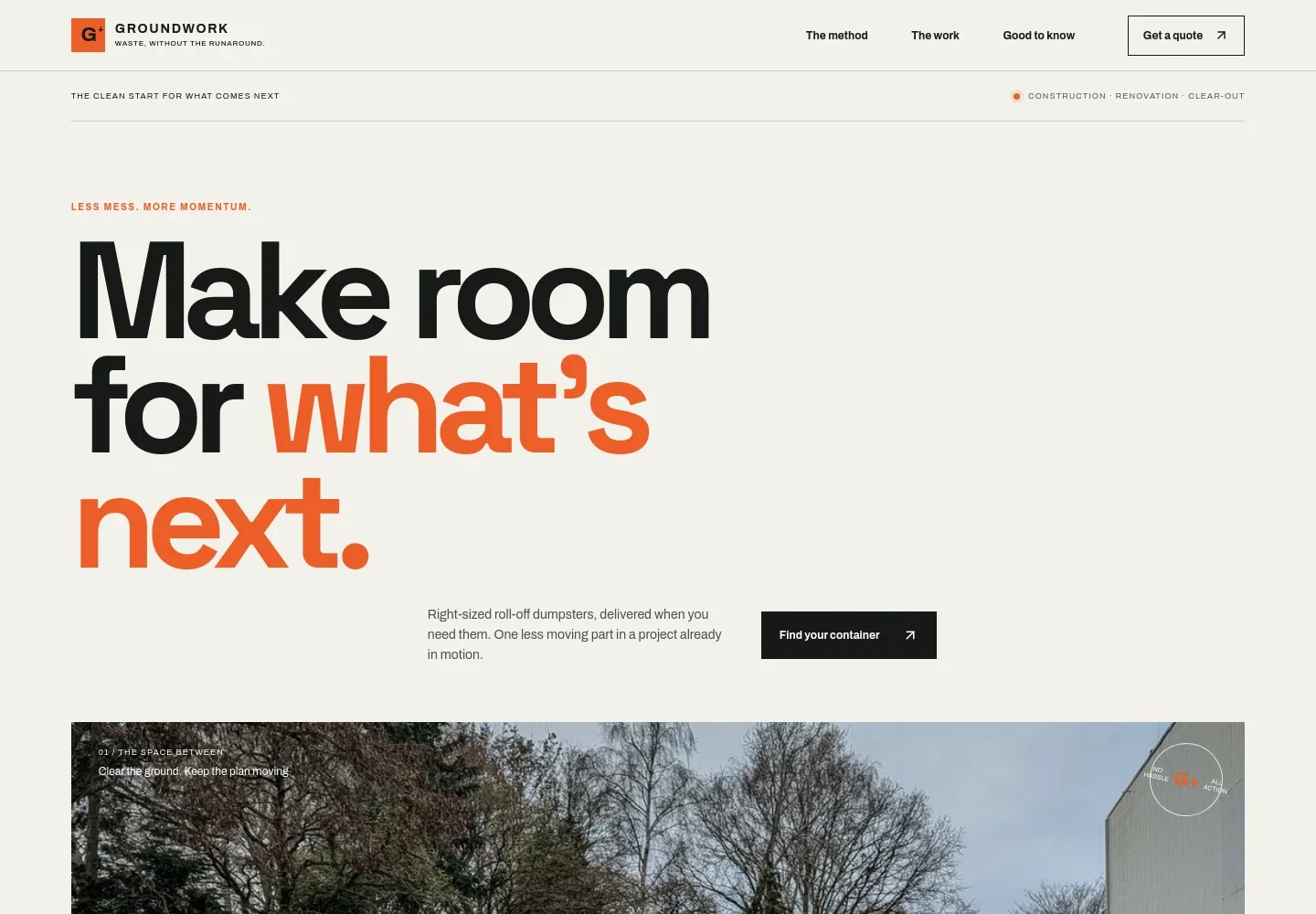
- Hero and quote calls to action
- A bold headline introduces right-sized roll-off dumpsters for active projects. Prominent links invite visitors to find a container or request a quote.
- Three-step rental process
- Explains how customers can choose a container, arrange delivery and placement, then request pickup when they are ready.
- Dumpster size guide
- Presents illustrative 10, 20, and 30 cubic-yard options alongside example jobs, from small cleanouts to major renovations. The section notes that local inventory, dimensions, permitted materials, and placement needs should be confirmed.
- Project-focused service introduction
- Pairs construction imagery with copy about considering size, access, and timing before delivery, helping visitors connect the rental to their job.
- Rental and delivery details
- Answers common questions about acceptable materials, placement, fill level, and choosing a size, giving visitors useful points to consider before requesting a quote.
- Contact and service area
- A final quote prompt invites visitors to describe their project. The page also shows placeholder contact details and marks the service area as illustrative, ready for business-specific updates.
How to use this template
Open in Revamp
Click Use this template and sign in or create an account. You’ll start with your own copy of the design, ready to personalize.
Bring your content
Replace the sample text, photos, and logo with your own. Share your content, a document, or an existing website, and ask Revamp to adapt the template to your business.
Refine and publish
Ask Revamp to adjust the colors, layout, or sections, or edit directly on the page. Review desktop and mobile, then publish. You can keep making changes after launch.
Put your website to work
Make quote inquiries easier to organize and follow up on. Ask Revamp to add a business tool that fits how you handle incoming rental requests.
-

Organize quote inquiries
HubSpotKeep prospective customer details and follow-ups together. Ask Revamp to connect HubSpot for managing dumpster rental leads.
-

Track quote requests in a spreadsheet
Google SheetsReview inquiry details and project information in a familiar sheet. Ask Revamp to connect Google Sheets for organizing quote requests.
Frequently asked questions
Is this template free?
Yes. This premium template is free to use when you select Use this template. Free refers to the template itself.
Can I use my own business content?
Yes. Ask Revamp to personalize the text, images, business details, service area, container options, and contact information for your company.
Do I need coding skills?
No. Ask Revamp to personalize the content and design without coding.
Can I change the design?
Yes. Ask Revamp to adjust the colors, typography, imagery, layout, and other design details to suit your business.
Can I keep editing after publishing?
Yes. You can keep making changes after launch. Ask Revamp to update your content or design as your business needs change.