About this template
Help students and families understand how your education guidance can bring clarity to school and university choices. The design introduces a student-led approach, explains the advisory services, and gives visitors a clear way to begin a conversation.
A considered process section shows how listening, researching options, and planning next steps fit together. The editorial layout pairs generous typography with student and educator photography, giving detailed guidance room to read without losing a personal tone.
Who it’s for
Independent education consultants and advisors who support students and families with school or university searches, application planning, and education decisions.
What’s included
The page takes visitors from the consultancy’s approach to its services, process, and first conversation. Its sections are suited to explaining personal guidance and making it easy for prospective families to enquire.
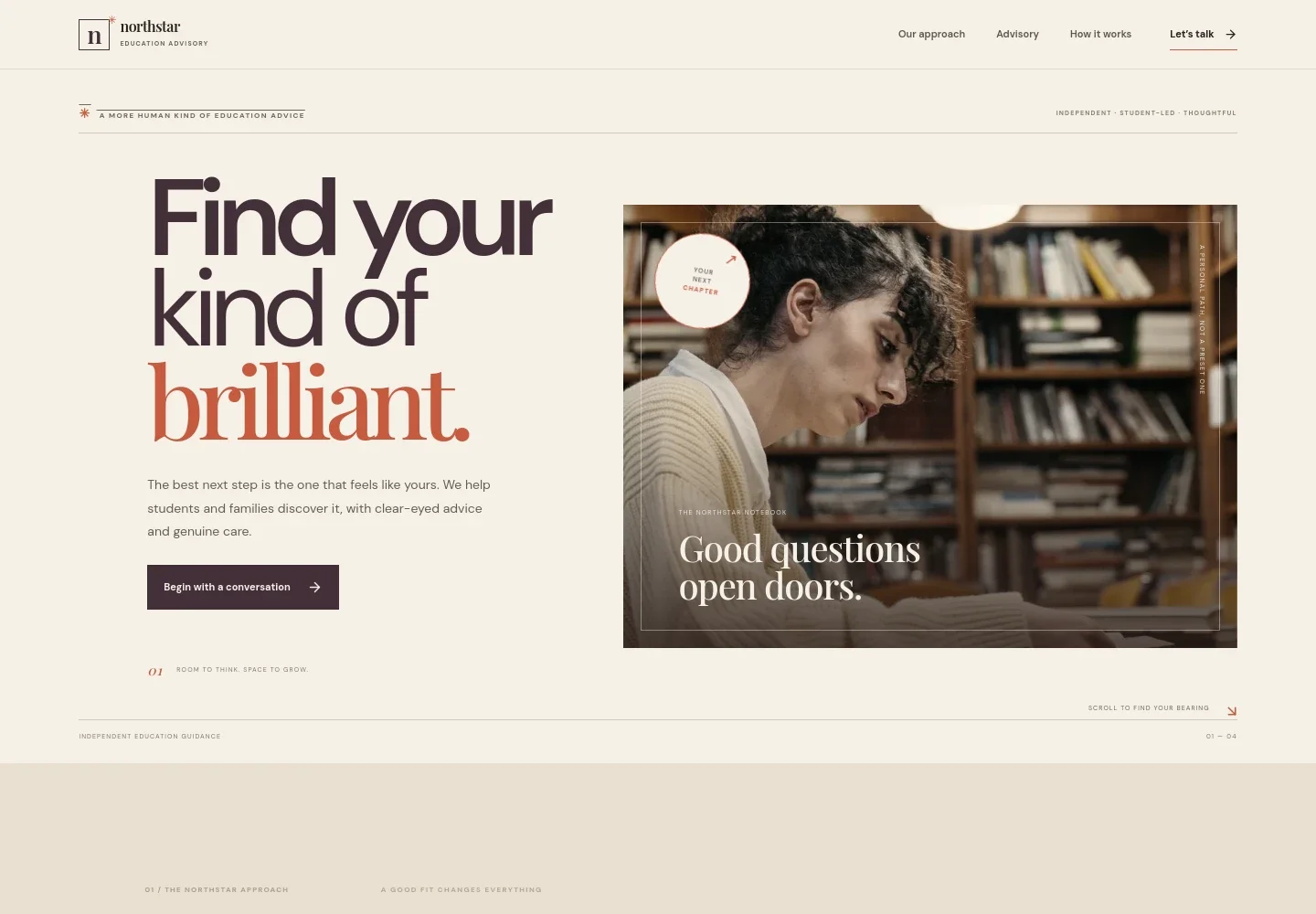
- Opening and introduction
- A prominent headline, concise statement of the consultancy’s student- and family-focused guidance, student library photograph, and conversation link quickly orient visitors.
- Approach
- Explains the focus on finding an educational setting suited to the individual, rather than presenting a single definition of success or a standard route.
- Advisory services
- Three clearly separated service descriptions cover school and university searches, application planning, and family decision support, helping visitors identify the guidance relevant to them.
- How the process works
- A student-and-educator photo accompanies three steps: listening to hopes and priorities, researching and weighing options, and moving forward with a practical plan.
- Contact
- A focused enquiry section invites families to share what they are considering or where they feel uncertain, with an email link to start a conversation.
- Navigation and footer
- Navigation links take visitors to the approach, advisory services, process, and contact sections. The footer returns to the top and identifies the education advisory brand.
How to use this template
Open in Revamp
Click Use this template and sign in or create an account. You’ll start with your own copy of the design, ready to personalize.
Bring your content
Replace the sample text, photos, and logo with your own. Share your content, a document, or an existing website, and ask Revamp to adapt the template to your business.
Refine and publish
Ask Revamp to adjust the colors, layout, or sections, or edit directly on the page. Review desktop and mobile, then publish. You can keep making changes after launch.
Put your website to work
Streamline prospective-family enquiries and keep consultation scheduling organized. Ask Revamp to add or connect tools such as:
-

Schedule introductory consultations
CalendlyGive families a convenient way to choose a time for an initial conversation. Ask Revamp to add consultation booking with Calendly.
-

Organize family enquiries
HubSpotKeep prospective families and follow-up conversations organized in one place. Ask Revamp to connect HubSpot for managing enquiry records.
-

Coordinate consultation calendars
Google CalendarKeep consultation availability visible alongside your schedule. Ask Revamp to add Google Calendar booking coordination.
Frequently asked questions
Is this template free?
Yes. This premium template is free to use via Use this template. Free refers to the template itself.
Can I use my own content?
Yes. Ask Revamp to personalize the page with your consultancy’s name, services, approach, contact details, and imagery.
Do I need coding skills?
No. You can ask Revamp to personalize the content and design without coding.
Can I change the design?
Yes. Ask Revamp to adjust the layout, colors, typography, imagery, or other design details to suit your consultancy.
Can I keep editing after publishing?
Yes. You can keep editing your site after launch. Ask Revamp to update the content or design as your consultancy changes.