About this template
Help students and families understand education financing choices, from scholarships and grants to federal student aid and private education loans. The page lays out a practical sequence for mapping costs, comparing options, and considering repayment before borrowing.
A prominent student image, clear section numbering, and direct navigation make the information easier to follow. Visitors can move from the financing approach to the options and common questions, then use the contact section to start a conversation.
Who it’s for
Education finance providers, student loan advisers, and financial professionals who help students and families understand funding options.
What’s included
The design organizes education financing information into a clear visitor journey: understand the approach, plan for costs, compare funding routes, review common questions, and get in touch.
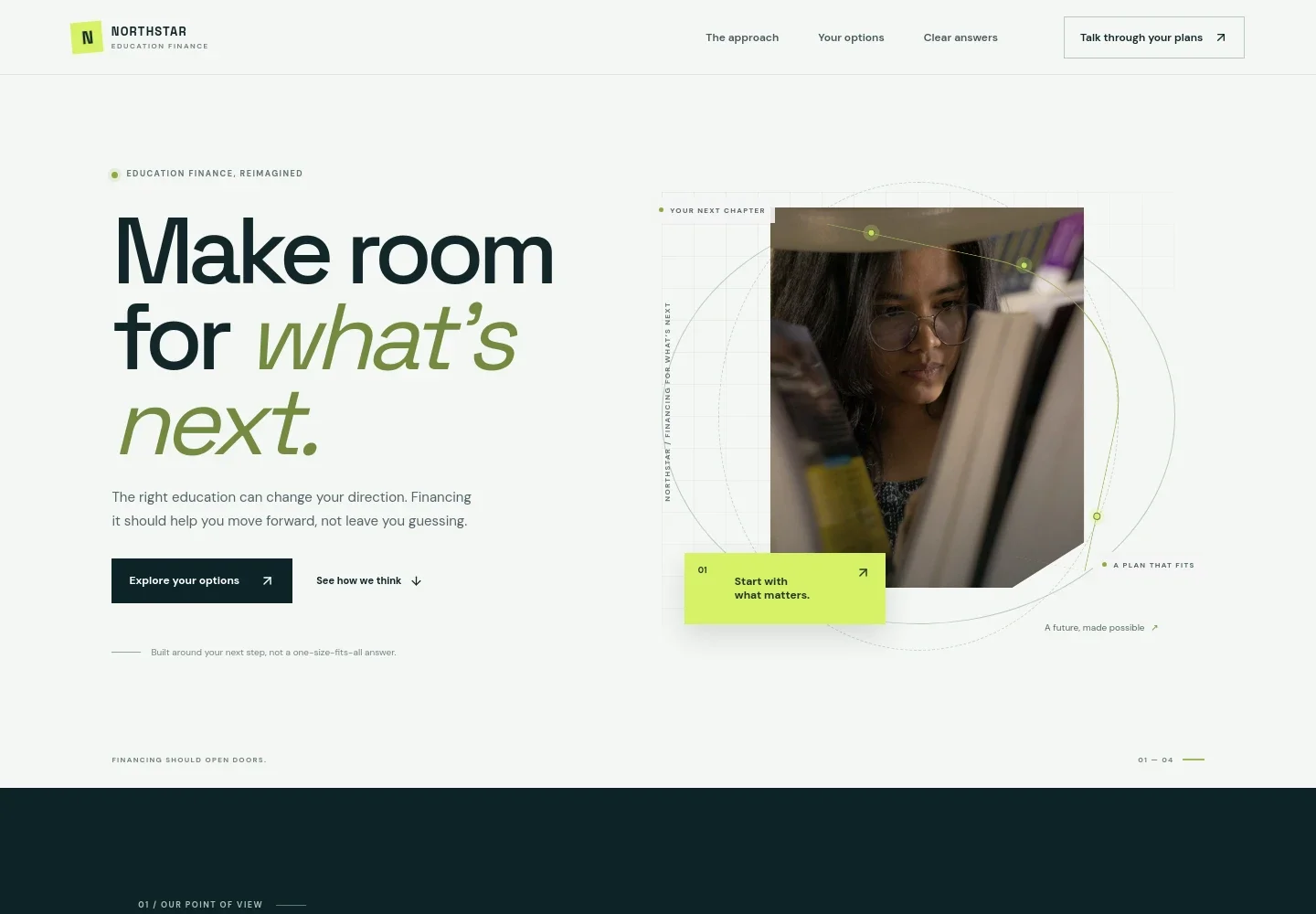
- Education finance hero
- Introduces the financing service with a student image, a concise message about planning for what comes next, and links to explore options or understand the approach.
- Approach and point of view
- Explains why tuition is only part of the decision and introduces a focus on understanding the full commitment and comparing routes.
- Three-step planning sequence
- Shows visitors how to map education costs, compare federal and private borrowing with school-based aid, and review repayment terms before deciding.
- Education funding options
- Presents scholarships and grants, federal student aid, and private education loans in separate rows, with brief context for each.
- Student life feature
- Pairs a campus photo with copy about financing different stages of study, from a first semester to graduate programs and study abroad.
- Common financing questions
- Addresses how much to borrow, whether to use a cosigner, which loan terms to compare, and where to begin.
- Contact call to action
- Closes with an invitation to bring questions and start a conversation, followed by contact details and footer navigation.
How to use this template
Open in Revamp
Click Use this template and sign in or create an account. You’ll start with your own copy of the design, ready to personalize.
Bring your content
Replace the sample text, photos, and logo with your own. Share your content, a document, or an existing website, and ask Revamp to adapt the template to your business.
Refine and publish
Ask Revamp to adjust the colors, layout, or sections, or edit directly on the page. Review desktop and mobile, then publish. You can keep making changes after launch.
Put your website to work
Help visitors move from learning about funding to taking a useful next step. Ask Revamp to add or connect tools that support inquiries and follow-up.
-

Organize prospective student inquiries
HubSpotKeep conversations and follow-up details organized in one place. Ask Revamp to connect HubSpot for managing prospective student inquiries.
-

Make it easier to schedule consultations
CalendlyLet students or families find a convenient time to talk through financing questions. Ask Revamp to add consultation booking with Calendly.
-

Track financing conversations and next steps
Google SheetsKeep an organized record of inquiries and follow-up actions. Ask Revamp to connect Google Sheets for tracking prospective student conversations.
Frequently asked questions
Is this education loan template free?
Yes. The premium template is free to use when you select Use this template. This applies to the template itself, not hosting or other services.
Can I use my own content?
Yes. Ask Revamp to personalize the text, images, brand name, contact details, and financing information for your business.
Do I need coding skills?
No. You can ask Revamp to personalize the content and design without coding.
Can I change the design?
Yes. Ask Revamp to adjust the visual style, layout, colors, images, and other design details to suit your brand.
Can I keep editing after publishing?
Yes. You can keep asking Revamp to update the content and design after your site is published.