About this template
Help homeowners and businesses understand your electrical services, from lighting plans and panel upgrades to commercial fit-outs, maintenance, EV charging and smart controls. The page leads with a clear introduction and directs visitors to service details and contact options.
The design pairs practical service information with prominent project imagery and a straightforward explanation of the working approach. An FAQ section helps visitors prepare for an initial conversation, while calls to action make it easy to get in touch.
Who it’s for
Electricians and electrical contractors serving residential, commercial or mixed-use customers, including businesses that want to explain lighting, upgrades, maintenance and future-ready electrical work.
What’s included
The page is organized to help prospective customers quickly see the types of electrical work offered, understand how projects are approached and find a clear next step.
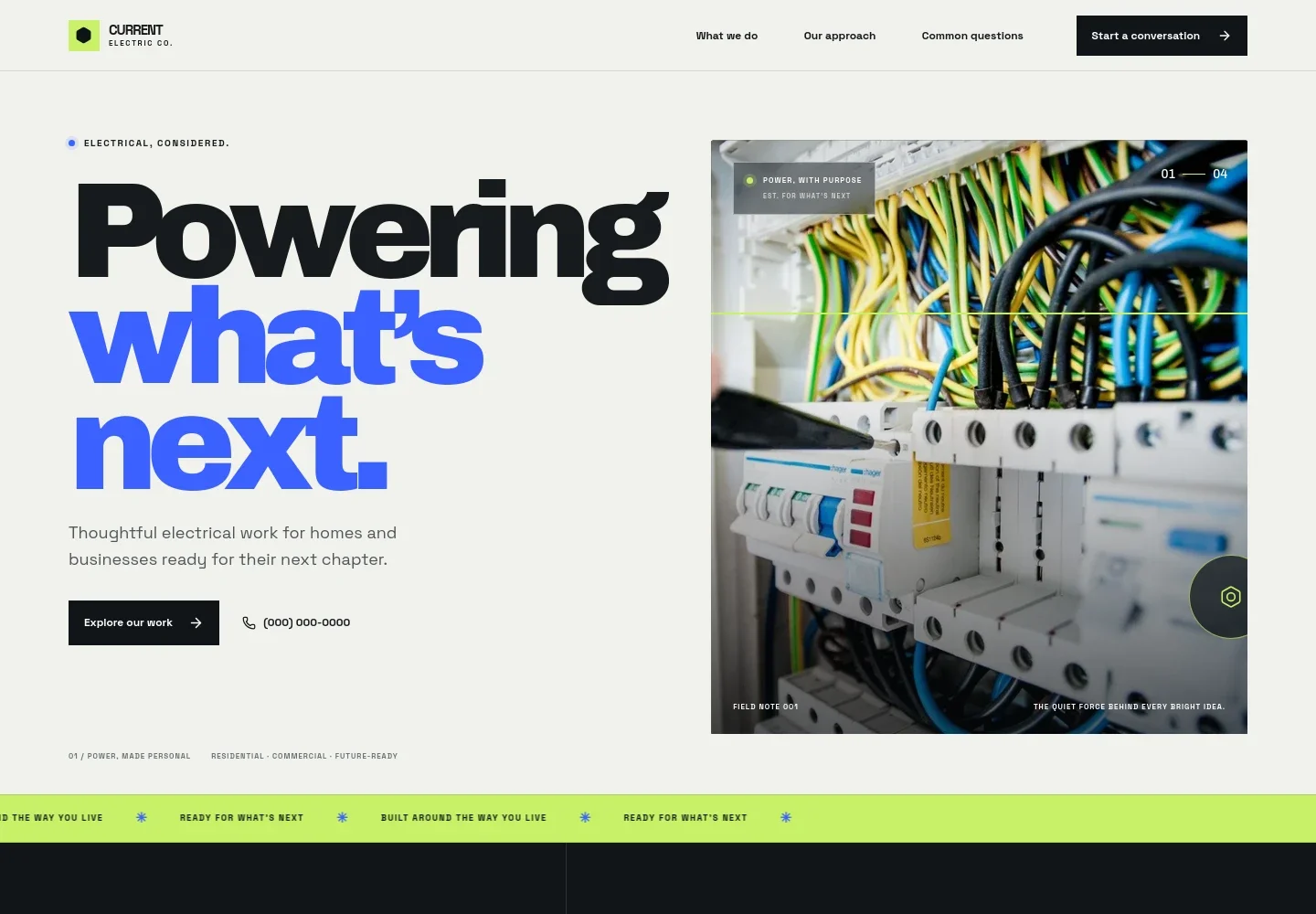
- Hero and contact links
- A prominent introduction presents residential, commercial and future-ready electrical work, with links to service details and direct contact by phone.
- Electrical work overview
- Three service rows describe home improvements such as lighting plans and panel upgrades, commercial fit-outs and maintenance, and options including EV charging and smart controls.
- Approach and lighting feature
- Dedicated content explains the value of thoughtful electrical work, plain-language recommendations and lighting planned around a space. Supporting photography gives the residential lighting discussion a visual focus.
- Project communication points
- A short numbered list highlights listening before recommending, explaining options clearly and leaving the space neat and ready.
- Common questions
- Visitors can read guidance on what to prepare before reaching out, discussing an early-stage project and whether the business works with homes and businesses.
- Contact call to action
- The closing section invites visitors to describe a project and provides email and phone contact links, followed by a simple branded footer.
How to use this template
Open in Revamp
Click Use this template and sign in or create an account. You’ll start with your own copy of the design, ready to personalize.
Bring your content
Replace the sample text, photos, and logo with your own. Share your content, a document, or an existing website, and ask Revamp to adapt the template to your business.
Refine and publish
Ask Revamp to adjust the colors, layout, or sections, or edit directly on the page. Review desktop and mobile, then publish. You can keep making changes after launch.
Put your website to work
Make it easier to respond to enquiries, schedule site visits and keep track of electrical projects. Ask Revamp to add connections with tools that fit the way your business works.
-

Book consultations and site visits
CalendlyGive prospective customers a convenient way to choose a time for an initial conversation or site visit. Ask Revamp to add appointment booking with Calendly.
-

Keep customer and job details organized
HubSpotTrack customer conversations and follow-up needs in one place. Ask Revamp to connect your enquiry process with HubSpot.
-

Plan and coordinate scheduled work
Google CalendarKeep upcoming visits and project dates visible to your team. Ask Revamp to connect scheduling with Google Calendar.
Frequently asked questions
Is this template free?
Yes. This premium template is free to use when you select Use this template. The offer applies to the template itself.
Can I use my own content?
Yes. Ask Revamp to personalize the page with your business name, services, photos, contact details and other content.
Do I need coding skills?
No. You can ask Revamp to personalize the content and design without coding.
Can I change the design?
Yes. Ask Revamp to adjust the page's colors, typography, imagery and layout to suit your business.
Can I keep editing after publishing?
Yes. You can continue making changes after launch. Ask Revamp to update your content or design as your business needs change.