About this template
Help businesses understand your email hosting offer, from custom-domain addresses and secure webmail to delivery setup and privacy. The page gives visitors a clear path from your service principles to the plans that may fit their needs.
A technical signal illustration introduces the email routing concept, while the protocol section explains domain setup, message delivery and encrypted connections in plain language. Plan descriptions distinguish individual use, small teams and more tailored setups.
Who it’s for
Independent email hosting providers and business email services that want to explain their approach, outline individual and team options, and invite prospective customers to discuss their setup.
What’s included
The design moves from a custom-domain email promise to an explanation of how the service works, then presents plan types and a direct contact option. Its sectioned layout helps visitors scan the service principles, technical approach and next steps.
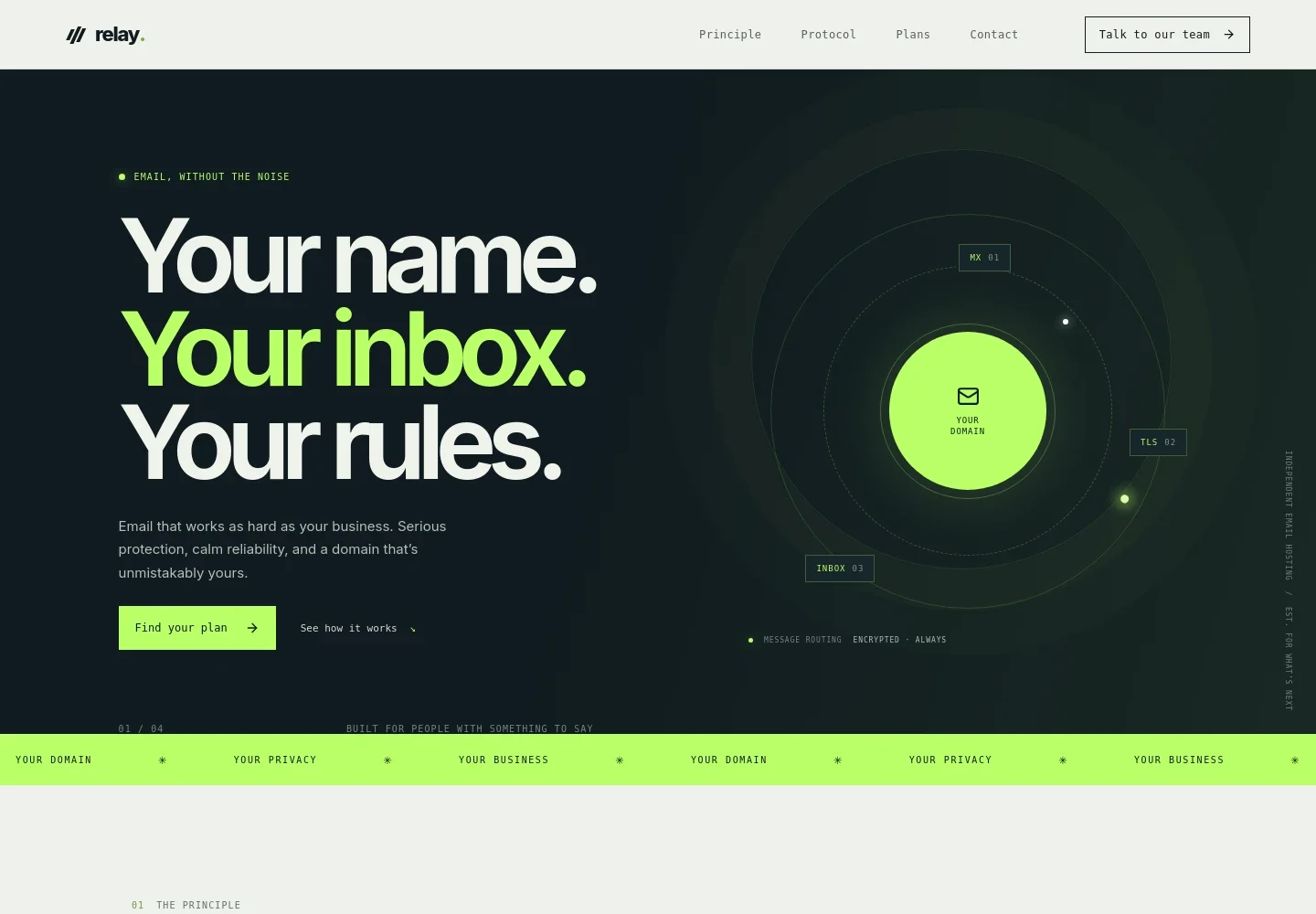
- Hero and email signal illustration
- Introduces domain-based email hosting with a prominent message and calls to view plans or learn how the service works. An animated-style network graphic labels MX, TLS and inbox stages.
- Service principle
- Explains the focus on dependable, private email and straightforward setup, with a concise set of service values.
- Email setup protocol
- Presents three steps: connecting a domain, setting up message delivery, and protecting messages in transit while helping control unwanted mail.
- Plan options
- Shows Solo, Studio and Custom plan types with descriptions of their intended customers and visible features, including custom domains, team mailboxes, admin controls, migration guidance and flexible configuration.
- Contact invitation
- Encourages visitors to describe their needs and start a conversation about choosing an email setup. The example email address is identified as illustrative.
How to use this template
Open in Revamp
Click Use this template and sign in or create an account. You’ll start with your own copy of the design, ready to personalize.
Bring your content
Replace the sample text, photos, and logo with your own. Share your content, a document, or an existing website, and ask Revamp to adapt the template to your business.
Refine and publish
Ask Revamp to adjust the colors, layout, or sections, or edit directly on the page. Review desktop and mobile, then publish. You can keep making changes after launch.
Put your website to work
Help customers move from considering email hosting to managing their domains, support questions and customer conversations. Ask Revamp to add or connect business tools that suit your service.
-

Keep domain records organized
CloudflareGive your team a central place to manage DNS records and domain settings. Ask Revamp to add a Cloudflare domain-management link for customers or staff.
-

Organize customer conversations
HubSpotTrack prospective customer questions and follow-ups in one place. Ask Revamp to connect HubSpot CRM to the contact flow.
-

Make time for setup discussions
CalendlyLet prospective customers request a time to discuss domains, migration or team requirements. Ask Revamp to add consultation booking with Calendly.
Frequently asked questions
Is this template free?
Yes. The premium template is free to use when you select Use this template. This applies to the template itself.
Can I use my own content?
Yes. Ask Revamp to personalize the copy, plans, contact details and other page content for your email hosting business.
Do I need coding skills?
No. You can ask Revamp to personalize the page without coding.
Can I change the design?
Yes. Ask Revamp to change the design, such as the colors, visual style or section presentation, to suit your brand.
Can I keep editing after publishing?
Yes. You can keep asking Revamp to update your content and design after the site launches.


