About this template
Help museums, artists, brands, and cultural organizations understand how your exhibition studio connects ideas with places and audiences. The design introduces your point of view, presents selected work as three visitor-focused chapters, and explains the services behind an exhibition from initial story to on-site delivery.
Editorial typography, vivid gallery imagery, and a circular aperture motif give the page a distinctive cultural-studio feel. Visitors can move from your approach to examples of exhibition experiences, review your service areas, and reach a clear contact invitation.
Who it’s for
Independent exhibition studios, museum and gallery teams, cultural producers, and exhibition designers looking to present their approach and services to potential collaborators.
What’s included
The page takes visitors from the studio’s perspective to examples of exhibition experiences, a practical service overview, and a contact invitation.
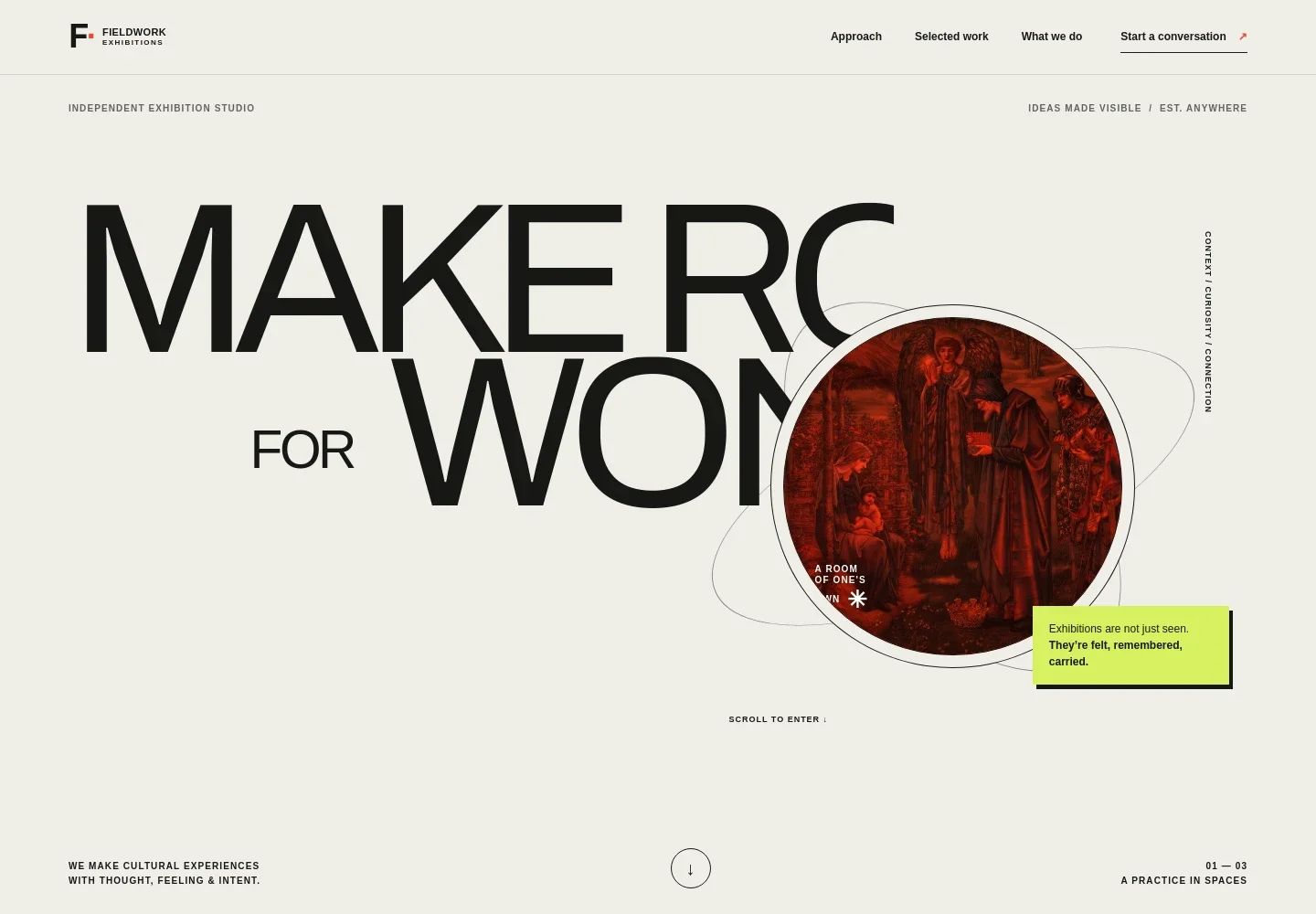
- Studio introduction
- A bold hero identifies the business as an independent exhibition studio, followed by a concise statement about creating cultural experiences with thought, feeling, and intent.
- Approach
- The point-of-view section explains how an exhibition can bring an idea, a place, and people together, helping prospective partners understand the studio’s perspective.
- Selected work in three chapters
- Three image-led fieldnotes describe the visitor journey through a threshold, an encounter, and an afterimage. Use this sequence to frame project examples around how an exhibition feels and stays with its audience.
- Services
- A numbered service list covers strategy and story, experience and space, and production and delivery, with descriptions that clarify the work behind each area.
- Contact invitation
- A closing section invites visitors to start a conversation and provides an email contact area that can be personalized with the studio’s details.
How to use this template
Open in Revamp
Click Use this template and sign in or create an account. You’ll start with your own copy of the design, ready to personalize.
Bring your content
Replace the sample text, photos, and logo with your own. Share your content, a document, or an existing website, and ask Revamp to adapt the template to your business.
Refine and publish
Ask Revamp to adjust the colors, layout, or sections, or edit directly on the page. Review desktop and mobile, then publish. You can keep making changes after launch.
Put your website to work
Make it easier to manage exhibition inquiries, keep project conversations organized, and share updates. Ask Revamp to add or connect tools that support your studio’s workflow.
-

Manage project leads and partner conversations
HubSpotKeep inquiries from museums, artists, and brands organized in a shared pipeline. Ask Revamp to connect HubSpot for contact and lead management.
-

Schedule introductory conversations
CalendlyGive prospective partners a convenient way to request a meeting time. Ask Revamp to add consultation booking with Calendly.
-

Share studio news and exhibition updates
MailchimpBuild an audience for upcoming exhibitions, studio announcements, and project news. Ask Revamp to connect Mailchimp for email marketing.
Frequently asked questions
Is this exhibition website template free?
Yes. This premium template is free to use when you select Use this template. Free refers to the template itself.
Can I use my own studio content?
Yes. Ask Revamp to personalize the page with your studio name, exhibition images, project descriptions, services, and contact details.
Do I need coding skills to customize it?
No. You can ask Revamp to personalize the content and design without coding.
Can I change the design?
Yes. Ask Revamp to adjust the visual style, layout, imagery, or section content to suit your exhibition practice.
Can I keep editing the site after it is published?
Yes. You can keep editing after launch. Ask Revamp to update your content or make design changes as your studio and projects evolve.


