About this template
Help prospective clients compare lash looks, understand how a custom set is chosen, and learn what to expect before their visit. The page presents three example styles with descriptions and appointment durations, alongside a clear explanation of the studio’s approach.
An editorial close-up, restrained typography, and carefully arranged sections give the template a considered look suited to a lash atelier. Visitors can move from the lookbook to the application method, aftercare guidance, and visit information, then start a conversation.
Who it’s for
Designed for independent lash artists, eyelash extension studios, and beauty professionals who want to explain their style, set expectations for appointments, and invite prospective clients to get in touch.
What’s included
The layout guides visitors from a visual introduction to practical details about lash styles, application, aftercare, and the first visit.
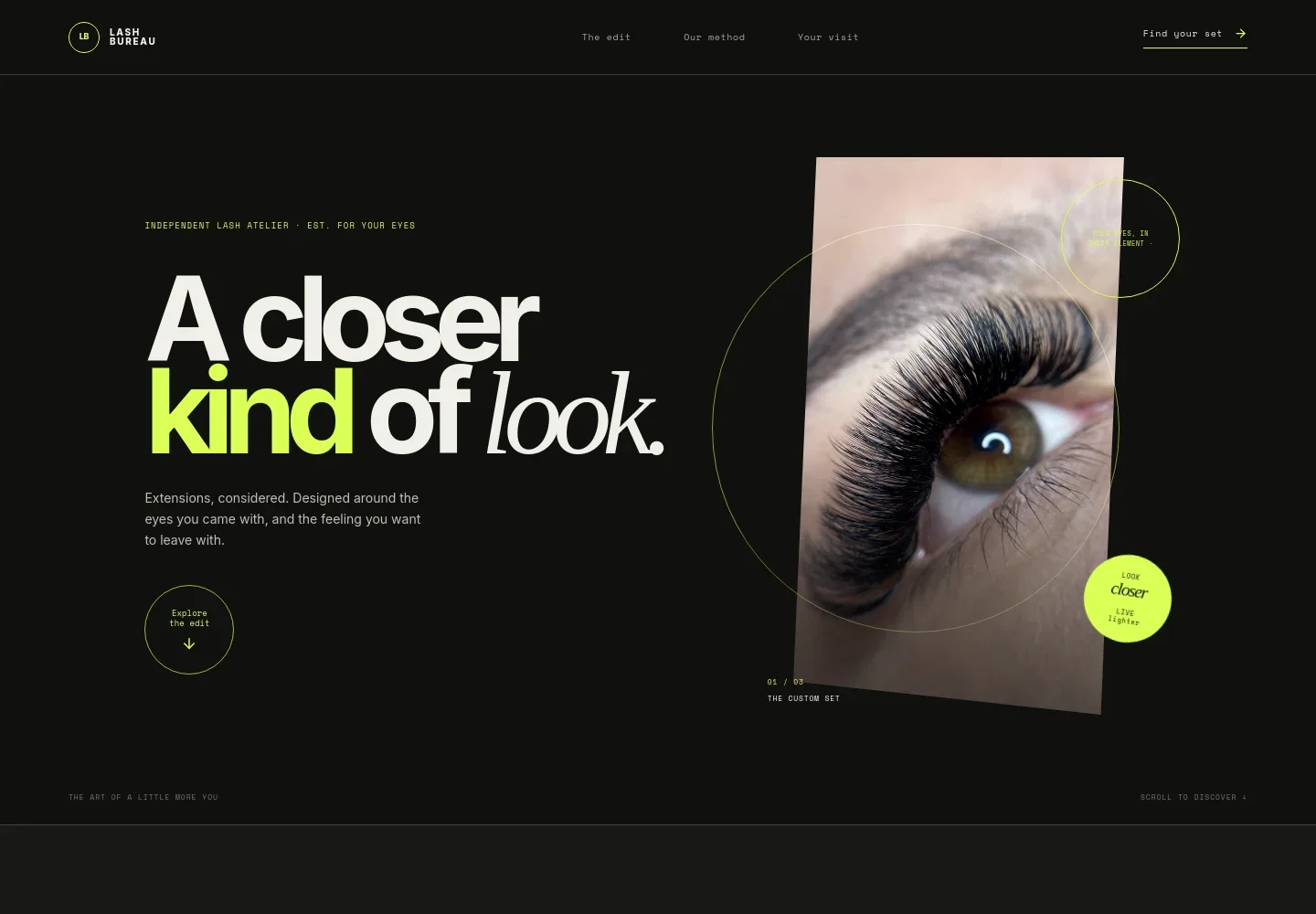
- Hero and studio introduction
- An editorial eye photograph and concise introduction establish the custom lash approach, with navigation links to the lookbook, method, and visit details.
- Studio point of view
- A short statement explains the design philosophy: shaping extensions around a client’s eye shape, natural lash line, and everyday preferences.
- Lash lookbook
- Three example styles, The Barely-There, The Afterglow, and The Scene-Stealer, each have a brief description and an appointment duration. Links lead visitors toward the visit section.
- Application method
- A treatment photograph accompanies three steps covering assessment of the natural lash line, careful extension placement, and aftercare and refill guidance.
- Aftercare note
- A compact care section highlights keeping lashes clean and brushing them gently, and notes that aftercare, refill timing, and sensitivities are discussed before treatment.
- Visit information and contact
- Visitors can start a conversation and review guidance on arriving with clean lashes, expected time for a first set, and how to request studio details.
- Footer
- A branded closing area provides a return-to-top link and repeats the studio identity.
How to use this template
Open in Revamp
Click Use this template and sign in or create an account. You’ll start with your own copy of the design, ready to personalize.
Bring your content
Replace the sample text, photos, and logo with your own. Share your content, a document, or an existing website, and ask Revamp to adapt the template to your business.
Refine and publish
Ask Revamp to adjust the colors, layout, or sections, or edit directly on the page. Review desktop and mobile, then publish. You can keep making changes after launch.
Put your website to work
Make it easier for clients to arrange appointments and keep in touch. Ask Revamp to add or connect tools such as these to suit your studio’s process.
-

Let clients book appointments online
VagaroAsk Revamp to add appointment booking with Vagaro so clients can request a lash service at a time that suits them.
-

Offer a simple booking link
CalendlyAsk Revamp to add consultation or appointment booking with Calendly, giving prospective clients a direct way to choose a time.
-

Keep client inquiries organized
HubSpotAsk Revamp to connect HubSpot so your studio can organize prospective client details and follow-up conversations.
Frequently asked questions
Is this template free?
Yes. The premium template is free to use when you select Use this template. This applies to the template itself.
Can I use my own content?
Yes. Ask Revamp to personalize the page with your studio name, lash services, images, contact details, and other content.
Do I need coding skills?
No. You can ask Revamp to personalize the content and design without coding.
Can I change the design?
Yes. Ask Revamp to adjust the layout, colors, typography, images, and other design details to suit your studio.
Can I keep editing after publishing?
Yes. You can keep editing your website after launch. Ask Revamp to make further changes as your services or studio details evolve.