About this template
Help prospective students understand what your film institute teaches and how they can get started. This design presents a clear path through the school’s point of view, film disciplines, collaborative learning approach, and invitation to start a conversation.
A cinematic, editorial layout uses film imagery, bold type, numbered frames, and a four-part creative process to make the learning journey easy to follow. Program rows give visitors a quick view of directing and story, cinematography, editing and sound, and production and practice.
Who it’s for
Designed for film institutes, film schools, and screen education programs introducing their approach, areas of study, student community, and next steps to prospective learners.
What’s included
The page moves from an image-led introduction to the institute’s teaching outlook, creative process, program areas, collaborative learning culture, and a closing contact invitation.
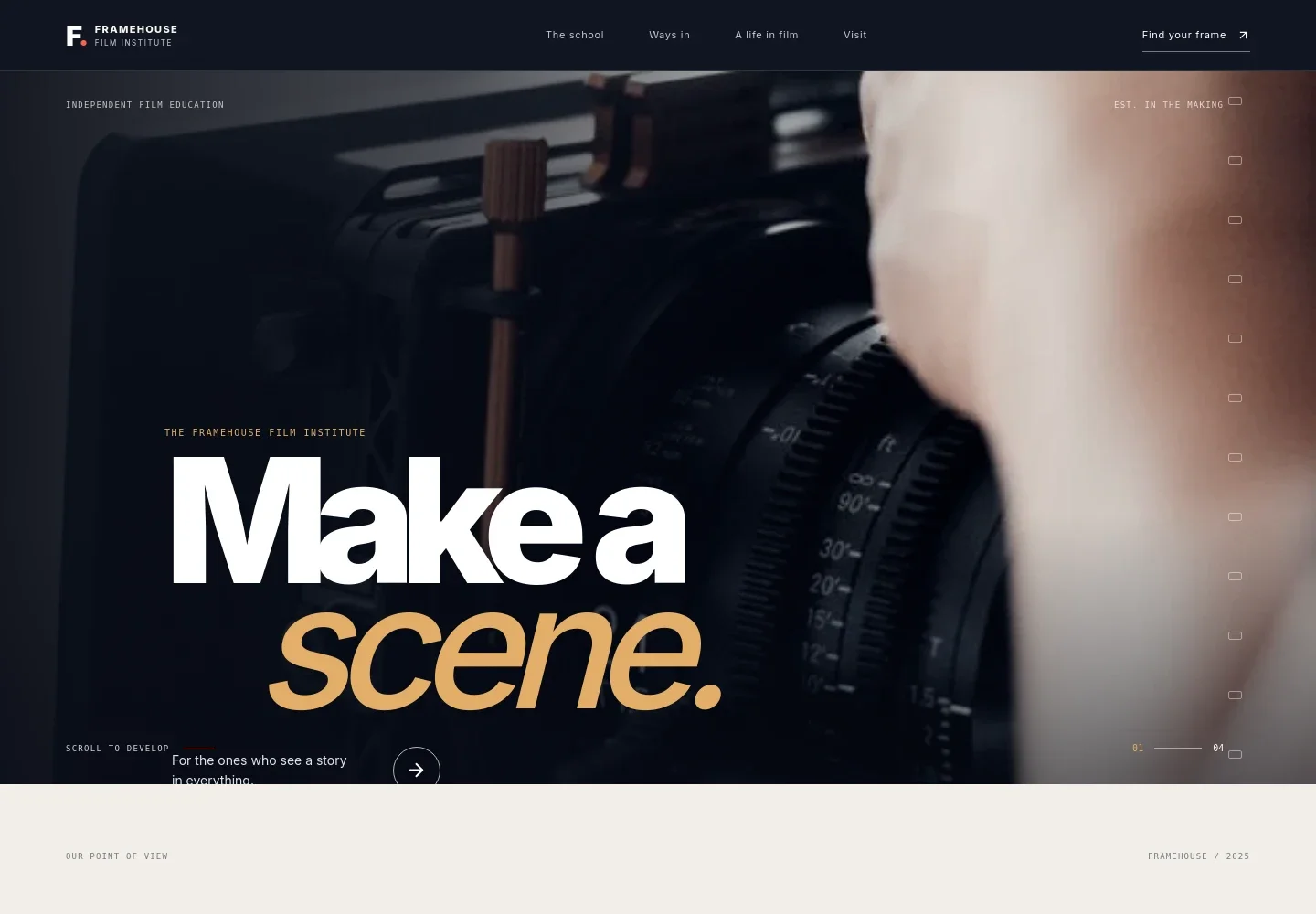
- Film institute hero
- A prominent filmmaker-at-work image, institute identity, concise statement, and link to the program section introduce the school and direct visitors toward what they can study.
- School point of view
- A manifesto-style section explains the institute’s focus on learning the craft, finding a creative voice, and making films with others.
- Creative process
- Four numbered frames describe a film-making sequence: see, shape, shoot, and share. This gives prospective students a concrete sense of the work behind learning film.
- Programs
- Four linked program rows introduce directing and story, cinematography, editing and sound, and production and practice, each with a short explanation of its focus.
- Learning together
- Film imagery and supporting copy show the school’s emphasis on taking turns, sharing ideas, and collaborating on a set.
- Start a conversation
- A final invitation encourages visitors who are deciding where to begin to describe what they want to make and get in touch.
How to use this template
Open in Revamp
Click Use this template and sign in or create an account. You’ll start with your own copy of the design, ready to personalize.
Bring your content
Replace the sample text, photos, and logo with your own. Share your content, a document, or an existing website, and ask Revamp to adapt the template to your business.
Refine and publish
Ask Revamp to adjust the colors, layout, or sections, or edit directly on the page. Review desktop and mobile, then publish. You can keep making changes after launch.
Put your website to work
Make it easier for prospective students to ask questions, arrange a visit, or hear about upcoming programs. Ask Revamp to add or connect tools that support those next steps.
-

Schedule campus visits
CalendlyLet prospective students choose a time to meet the institute. Ask Revamp to add visit booking with Calendly.
-

Manage prospective student inquiries
HubSpotKeep inquiries and follow-up organized as prospective students consider programs. Ask Revamp to connect HubSpot for contact management.
-

Share program updates by email
MailchimpKeep interested learners informed about program news and institute events. Ask Revamp to connect Mailchimp for email updates.
Frequently asked questions
Is this film institute template free?
Yes. This premium template is free to use when you select Use this template. The offer applies to the template, not hosting or other services.
Can I use my own institute content?
Yes. Ask Revamp to personalize the page with your institute name, program details, images, contact information, and other content.
Do I need coding skills to customize it?
No coding skills are needed. Ask Revamp to update the content and design in natural language.
Can I change the design?
Yes. Ask Revamp to adjust the colors, typography, imagery, layout, or other design details to suit your film institute.
Can I keep editing after publishing?
Yes. You can keep editing after launch. Ask Revamp to update program information, images, contact details, or the design as your institute changes.


