About this template
Help prospective clients understand your advisory perspective before they get in touch. This dark, editorial design presents a private wealth practice through its long-term outlook, guiding principles, planning approach, and invitation to start a conversation.
The page moves from a prominent statement about wealth and direction to practical explanations of how the firm thinks about financial decisions. A sequence of planning steps and a perspective section give visitors useful context, while the closing contact area offers a direct way to make an enquiry.
Who it’s for
Designed for independent financial advisers, wealth managers, and private wealth firms that want to explain their approach to prospective clients. Ask Revamp to personalize the language, imagery, contact details, and sections for your practice.
What’s included
A single-page financial services layout that takes visitors from your point of view to your planning approach and a first enquiry.
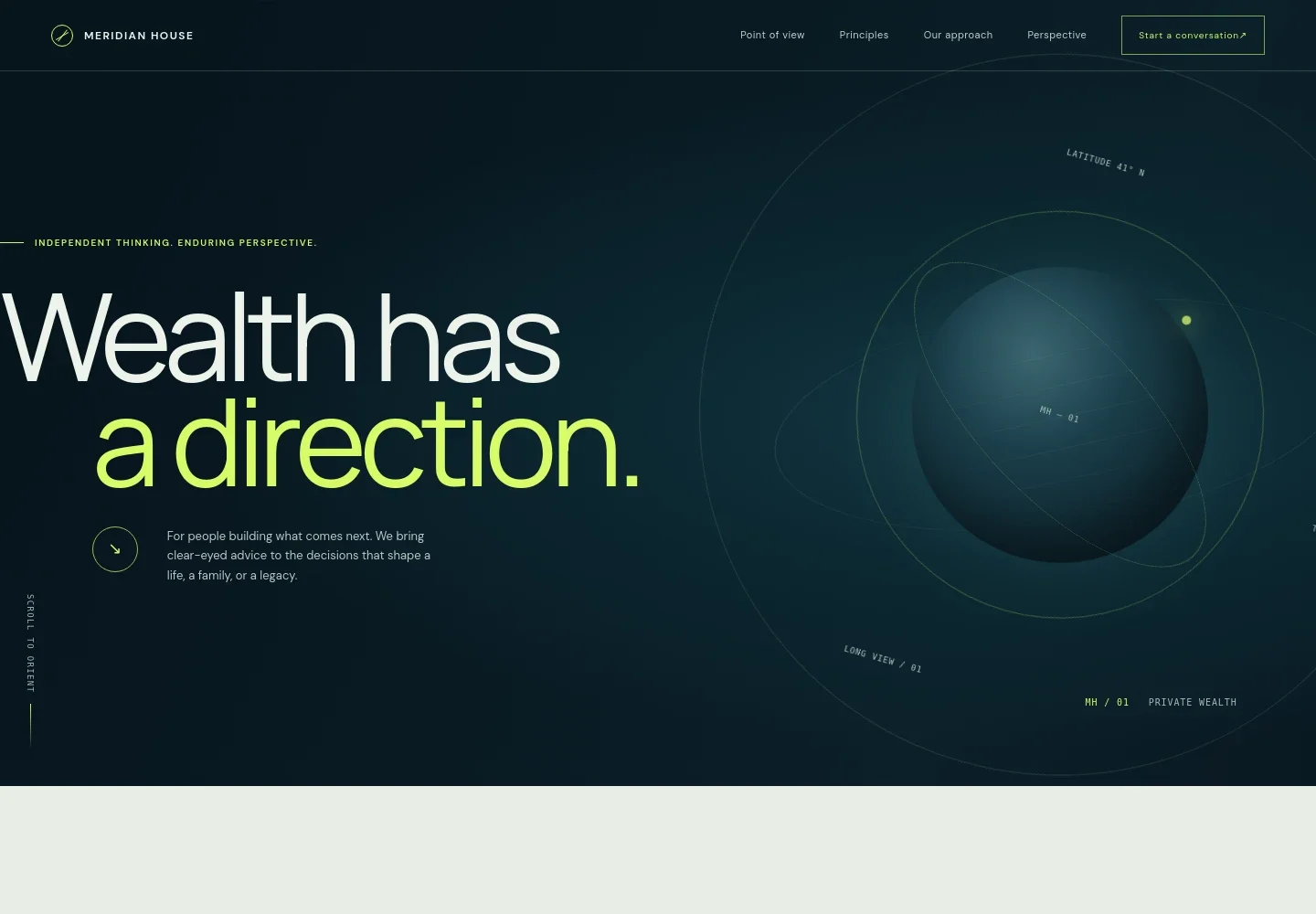
- Hero and navigation
- A high-contrast opening pairs a large wealth-focused headline with an orbit-inspired graphic and a short introduction. Navigation links take visitors to the firm's point of view, principles, approach, perspective, and contact section.
- Point of view
- Explains a long-term outlook on money and connects financial decisions with personal priorities such as choice, family, and future plans.
- Guiding principles
- Three concise principles describe an approach centered on clarity, connected financial planning, and adapting thoughtfully as markets and life change.
- Planning approach
- A plotted course graphic accompanies three steps: understanding a client's horizon, bringing financial priorities together, and keeping the plan responsive.
- Perspective
- A dedicated section frames planning as preparation for choices and uncertainty, rather than prediction, with a featured statement expressing the firm's point of view.
- Contact
- Closes with an invitation to begin a conversation and a direct email link. The visible contact details and brand are illustrative, so Ask Revamp to replace them with your firm's information.
How to use this template
Open in Revamp
Click Use this template and sign in or create an account. You’ll start with your own copy of the design, ready to personalize.
Bring your content
Replace the sample text, photos, and logo with your own. Share your content, a document, or an existing website, and ask Revamp to adapt the template to your business.
Refine and publish
Ask Revamp to adjust the colors, layout, or sections, or edit directly on the page. Review desktop and mobile, then publish. You can keep making changes after launch.
Put your website to work
Make it easier to manage prospective-client enquiries and communicate with clients. Ask Revamp to add or connect tools such as:
-

Organize prospective-client enquiries
HubSpotKeep contact details and follow-up activity together. Ask Revamp to add HubSpot to support enquiry management.
-

Let prospects choose a meeting time
CalendlyOffer a straightforward way to request an introductory meeting. Ask Revamp to add consultation booking with Calendly.
-

Coordinate client conversations
Google CalendarHelp keep meetings and reminders organized around client discussions. Ask Revamp to connect Google Calendar.
Frequently asked questions
Is this template free?
Yes. This premium template is free to use through Use this template. This applies to the template itself, not hosting or other services.
Can I use my own content?
Yes. Ask Revamp to personalize the copy, firm details, contact information, and other content for your business.
Do I need coding skills?
No. Ask Revamp to make content and design changes in plain language, without coding.
Can I change the design?
Yes. Ask Revamp to adjust the layout, colors, typography, and other design choices to suit your firm's identity.
Can I keep editing after publishing?
Yes. You can keep asking Revamp to update your site after launch as your content and business needs change.