About this template
Help residents understand how your fire service approaches emergency response, preparedness, and community safety. The design pairs a dramatic firefighter hero with clear navigation to response, preparedness, community, and contact information.
A preparedness section presents a three-part method, while the community section makes room for safety guidance and everyday outreach. A focused contact area gives visitors a clear way to start a conversation about prevention, preparedness, or working together.
Who it’s for
Fire departments, fire and rescue services, public safety organizations, and community emergency preparedness teams.
What’s included
The page moves from the fire service's role and approach to practical preparedness, community engagement, and a clear next step. Its strong photography, numbered sections, and direct navigation help residents find useful information quickly.
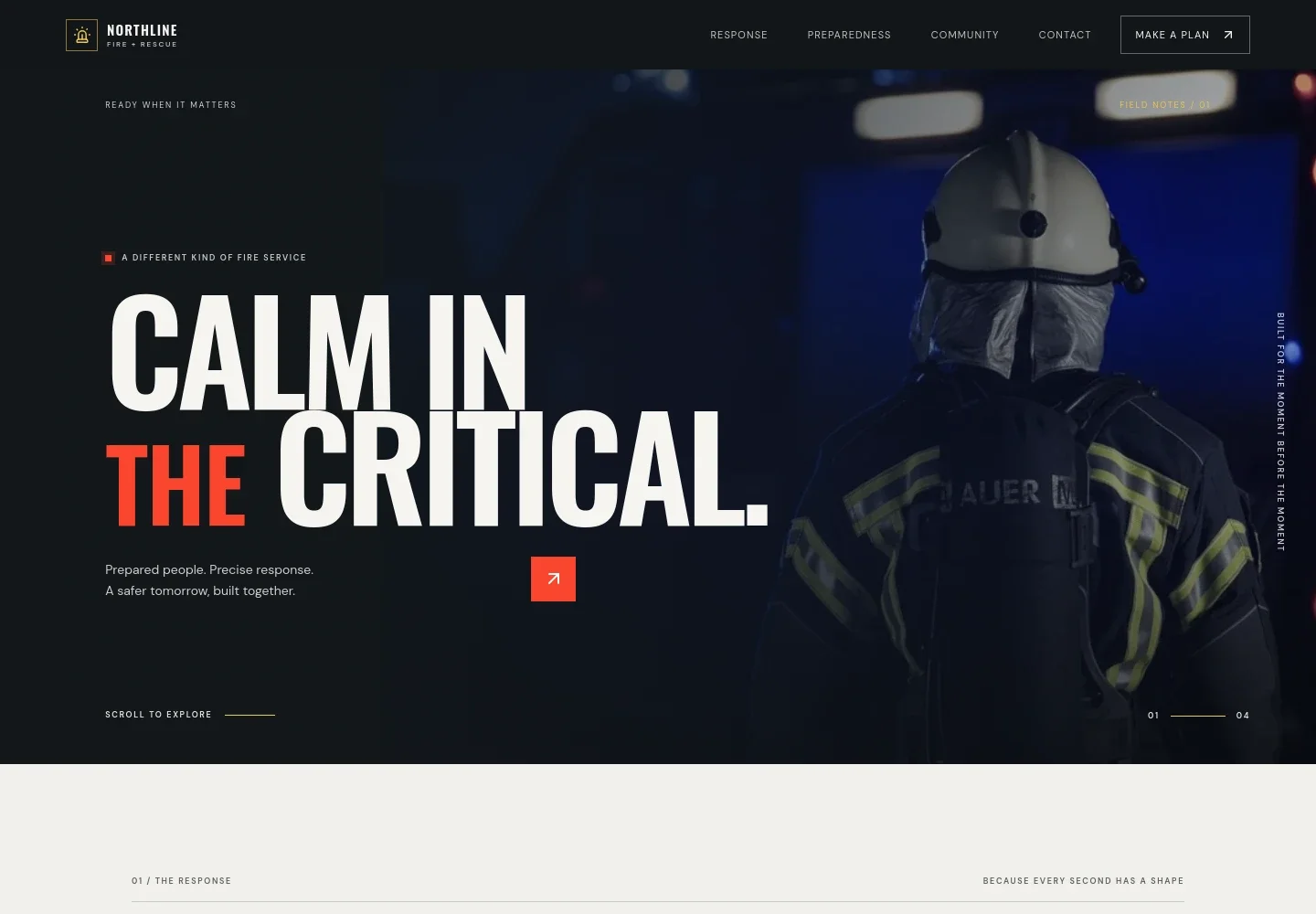
- Fire service hero and navigation
- A firefighter-and-engine image, concise introductory message, and links to response, preparedness, community, and contact orient visitors immediately.
- Response and service approach
- An introductory section explains the relationship between response, rescue, prevention, and preparation, giving the service room to describe its priorities.
- Preparedness method
- A three-step layout covers understanding the area, training for real situations, and keeping people, equipment, and plans ready. A training image reinforces the subject.
- Community safety
- A community visit image and supporting copy provide space for home-safety conversations, practical guidance, and local outreach.
- Contact and next step
- A closing contact section invites teams, families, and neighbors to ask about fire prevention, preparedness, or working together, with a direct email link.
How to use this template
Open in Revamp
Click Use this template and sign in or create an account. You’ll start with your own copy of the design, ready to personalize.
Bring your content
Replace the sample text, photos, and logo with your own. Share your content, a document, or an existing website, and ask Revamp to adapt the template to your business.
Refine and publish
Ask Revamp to adjust the colors, layout, or sections, or edit directly on the page. Review desktop and mobile, then publish. You can keep making changes after launch.
Put your website to work
Ask Revamp to add tools that help your team share public safety information, organize community outreach, and keep residents informed.
-

Coordinate community events
CalendlyMake it easier to schedule safety talks and public events. Ask Revamp to add appointment and event scheduling with Calendly.
-

Share safety updates
MailchimpKeep residents informed about prevention guidance and community programs. Ask Revamp to add an email signup connected to Mailchimp.
-

Organize outreach contacts
HubSpotKeep track of community groups and outreach conversations. Ask Revamp to connect a contact form to HubSpot.
Frequently asked questions
Is this fire service website template free?
Yes. This premium template is free to use when you select Use this template. Free refers to the template itself.
Can I use my own fire service content?
Yes. Ask Revamp to personalize the text, images, service information, contact details, and other content for your fire service.
Do I need coding skills to customize it?
No. You can ask Revamp to personalize the content and design without coding.
Can I change the design?
Yes. Ask Revamp to adjust the layout, colors, imagery, and other design details to suit your organization.
Can I keep editing the website after it is published?
Yes. You can keep asking Revamp to update your content and design after launch.