About this template
Help visitors understand your firearms business, its approach to design and craft, and the importance it places on responsible ownership. The page brings those ideas forward through a concise company introduction, a craft section, practical field notes, and a clear contact invitation.
A dark, restrained visual style pairs a precision-inspired illustration with open-field photography, numbered sections, and direct copy. The layout gives equal weight to your point of view, design principles, safety guidance, and a next step for prospective customers.
Who it’s for
Independent armsmakers, firearm manufacturers, and gunsmiths who want to introduce their approach, communicate responsible ownership, and invite general inquiries.
What’s included
The design guides visitors from your purpose and principles to practical safety notes and a contact prompt. Its clear sections suit a firearms business by making responsibility part of the story, not an afterthought.
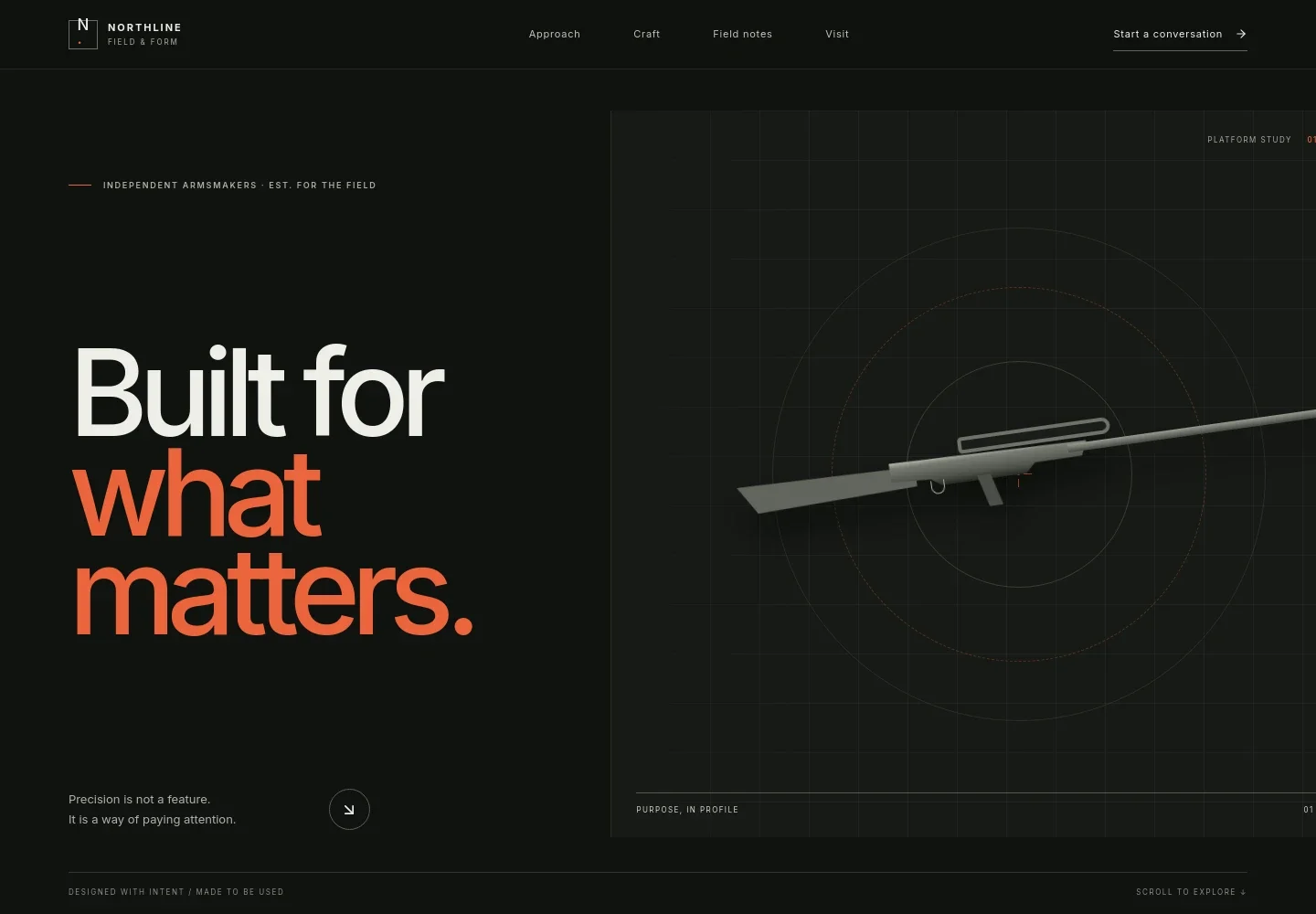
- Hero and navigation
- A Northline wordmark, links to the main sections, and a conversation prompt lead into a headline about purpose and precision. A firearm-component illustration establishes the subject without relying on product specifications.
- Point of view
- A short statement introduces the business's perspective on considered tools and responsibility, with a link onward to its approach to craft.
- Craft and design principles
- An open-field image and introductory copy set up three principles: purpose before ornament, a human-centered design approach, and continued care through safe handling, informed use, maintenance, and respect for the law.
- Field notes on responsible ownership
- Three practical notes cover understanding a firearm's operation and maintenance, making safety routine, and following applicable laws and range rules. A note says the guidance is not a substitute for proper training.
- Next steps and contact
- The closing section invites visitors to ask a question about learning, maintenance, or a custom build, and provides an email contact link. The preview identifies its contact details as illustrative and to be replaced before publishing.
- Footer
- A final brand mark, a message about responsible ownership, and a back-to-top link close the page.
How to use this template
Open in Revamp
Click Use this template and sign in or create an account. You’ll start with your own copy of the design, ready to personalize.
Bring your content
Replace the sample text, photos, and logo with your own. Share your content, a document, or an existing website, and ask Revamp to adapt the template to your business.
Refine and publish
Ask Revamp to adjust the colors, layout, or sections, or edit directly on the page. Review desktop and mobile, then publish. You can keep making changes after launch.
Put your website to work
Make inquiries easier to manage and help visitors find relevant information. Ask Revamp to add or connect tools that support your customer communication and content.
-

Organize inquiries and customer follow-up
HubSpotKeep prospective customer conversations and follow-up details together. Ask Revamp to connect HubSpot for inquiry management.
-

Offer a convenient way to request a conversation
CalendlyLet visitors request a time to talk about your business or services. Ask Revamp to add consultation booking with Calendly.
-

Keep inquiry scheduling organized
Google CalendarCoordinate appointments around your existing availability. Ask Revamp to connect Google Calendar for scheduling.
Frequently asked questions
Is this template free?
Yes. The premium template is free to use when you select Use this template. This applies to the template itself.
Can I use my own content?
Yes. Ask Revamp to personalize the page with your business name, copy, images, contact details, and other content.
Do I need coding skills?
No. Ask Revamp to make content and design changes in plain language, without coding.
Can I change the design?
Yes. Ask Revamp to adjust the visual style, layout, colors, typography, or sections to suit your business.
Can I keep editing after publishing?
Yes. You can keep asking Revamp to update the content and design after launch.


