About this template
Help fire service departments and training professionals explain how they support readiness, crew development, and preparation before a call. The page introduces a readiness-minded fire service partner and clearly presents company training, leadership and culture, and readiness planning.
A dark, editorial design pairs bold field-focused headlines with photographs of firefighters in controlled training scenarios. A three-step readiness sequence and practical training principles help visitors understand the approach, while the closing section invites departments to start a conversation about their priorities.
Who it’s for
Fire service consultants, firefighter trainers, leadership facilitators, and readiness-focused professionals serving fire departments and crews.
What’s included
The page guides visitors from the importance of preparation to specific support areas and a direct invitation to discuss department needs. Its section numbering, training imagery, and concise copy make the readiness focus easy to follow.
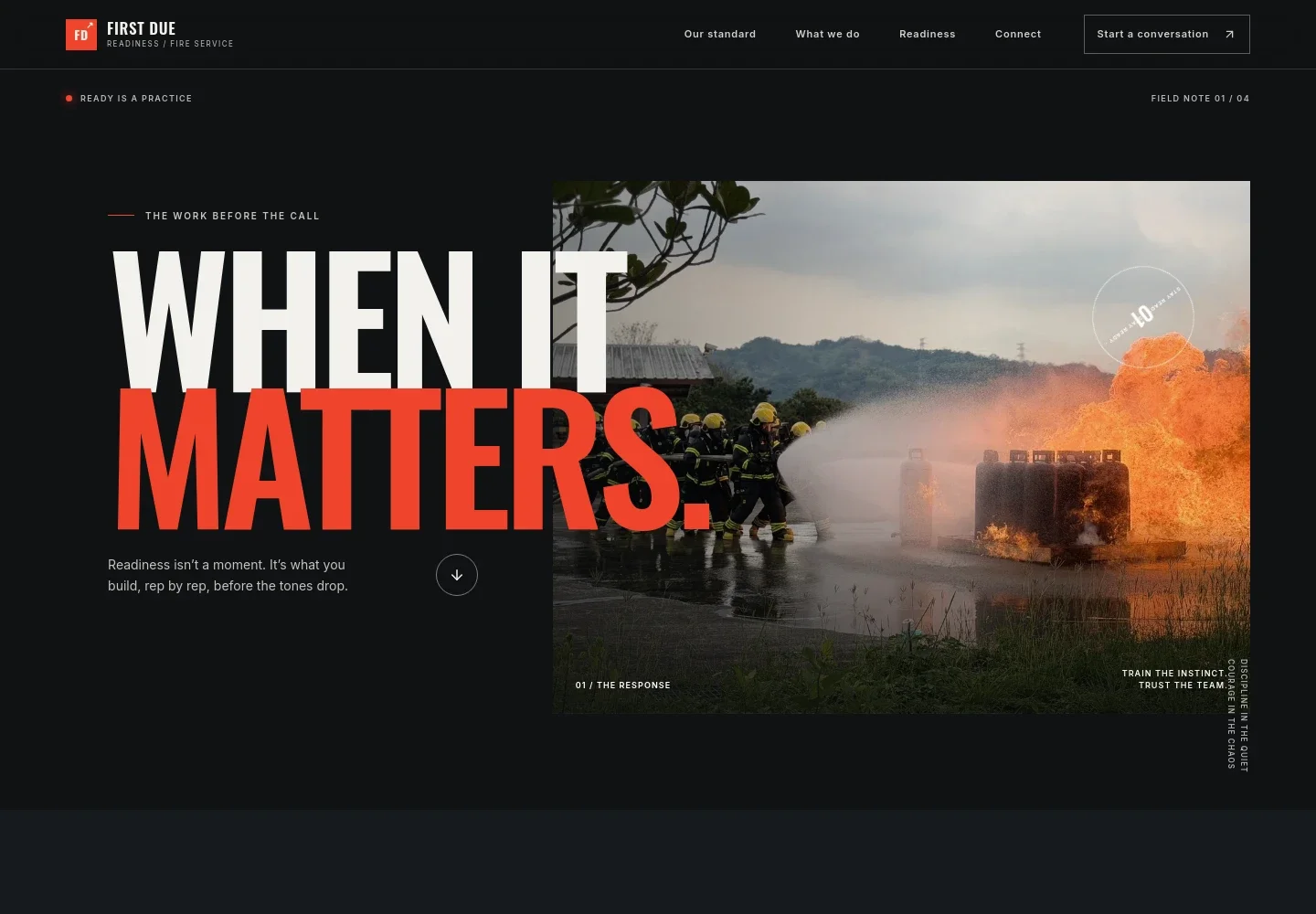
- Hero and fire service identity
- A prominent readiness message, fire service wordmark, navigation, and a photograph of firefighters at a controlled training burn introduce the work and direct visitors toward the standard and next steps.
- The readiness standard
- Explains that preparation begins before an emergency, with supporting copy about station practice, training, and crew trust. A link leads into the approach and services.
- Readiness sequence
- A three-part sequence presents prepare, respond, and recover, with short descriptions that clarify the recurring cycle of building habits, trusting training, and learning from experience.
- How we help
- Lists company training, leadership and culture, and readiness planning, with descriptions covering scenario-led practice, crew accountability and trust, and practical training priorities.
- Training and readiness principles
- Pairs a second training photograph with practical points about practicing fundamentals, communicating clearly, and reviewing lessons to carry forward.
- Conversation invitation
- Closes with a prompt for departments to share what they are working toward and begin a conversation about their people, priorities, and readiness.
How to use this template
Open in Revamp
Click Use this template and sign in or create an account. You’ll start with your own copy of the design, ready to personalize.
Bring your content
Replace the sample text, photos, and logo with your own. Share your content, a document, or an existing website, and ask Revamp to adapt the template to your business.
Refine and publish
Ask Revamp to adjust the colors, layout, or sections, or edit directly on the page. Review desktop and mobile, then publish. You can keep making changes after launch.
Put your website to work
Help departments coordinate training, manage contacts, and keep readiness planning organized. Ask Revamp to add or connect tools that fit your work.
-

Coordinate training schedules
CalendlyMake it easier to arrange sessions with department staff. Ask Revamp to add consultation or training booking with Calendly.
-

Keep department contacts organized
HubSpotTrack prospective department relationships and follow-up conversations in one place. Ask Revamp to connect a contact-management workflow with HubSpot.
-

Coordinate dates around existing commitments
Google CalendarGive visitors a clear way to request a time that fits the department’s calendar. Ask Revamp to add scheduling with Google Calendar.
Frequently asked questions
Is this firefighter website template free?
Yes. The premium template is free to use through Use this template. Free refers to the template itself, not hosting or other services.
Can I use my own content?
Yes. Ask Revamp to personalize the page with your department or business name, services, training details, contact information, and images.
Do I need coding skills?
No. Ask Revamp to personalize the content and design in natural language, without coding.
Can I change the design?
Yes. Ask Revamp to adjust the colors, typography, imagery, layout, or other design details to suit your fire service work.
Can I keep editing after publishing?
Yes. You can keep editing after launch. Ask Revamp to update your content or make further design changes as your services evolve.


