About this template
Help visitors understand what your first aid training covers and how it prepares people to respond in an emergency. The page moves from a clear introduction to a practical response sequence, then explains the training approach and its relevance to teams.
A dark, editorial layout pairs bold condensed headings with an abstract pulse graphic, numbered steps and concise explanatory copy. Its structure gives prospective participants and workplace decision-makers a straightforward path from learning about the practice to starting a team training conversation.
Who it’s for
First aid trainers, instructors and training providers who want to present practical courses for individuals and workplace teams.
What’s included
The design brings the purpose, teaching approach and team-training offer into one focused page, helping visitors see what the training is about and where to enquire.
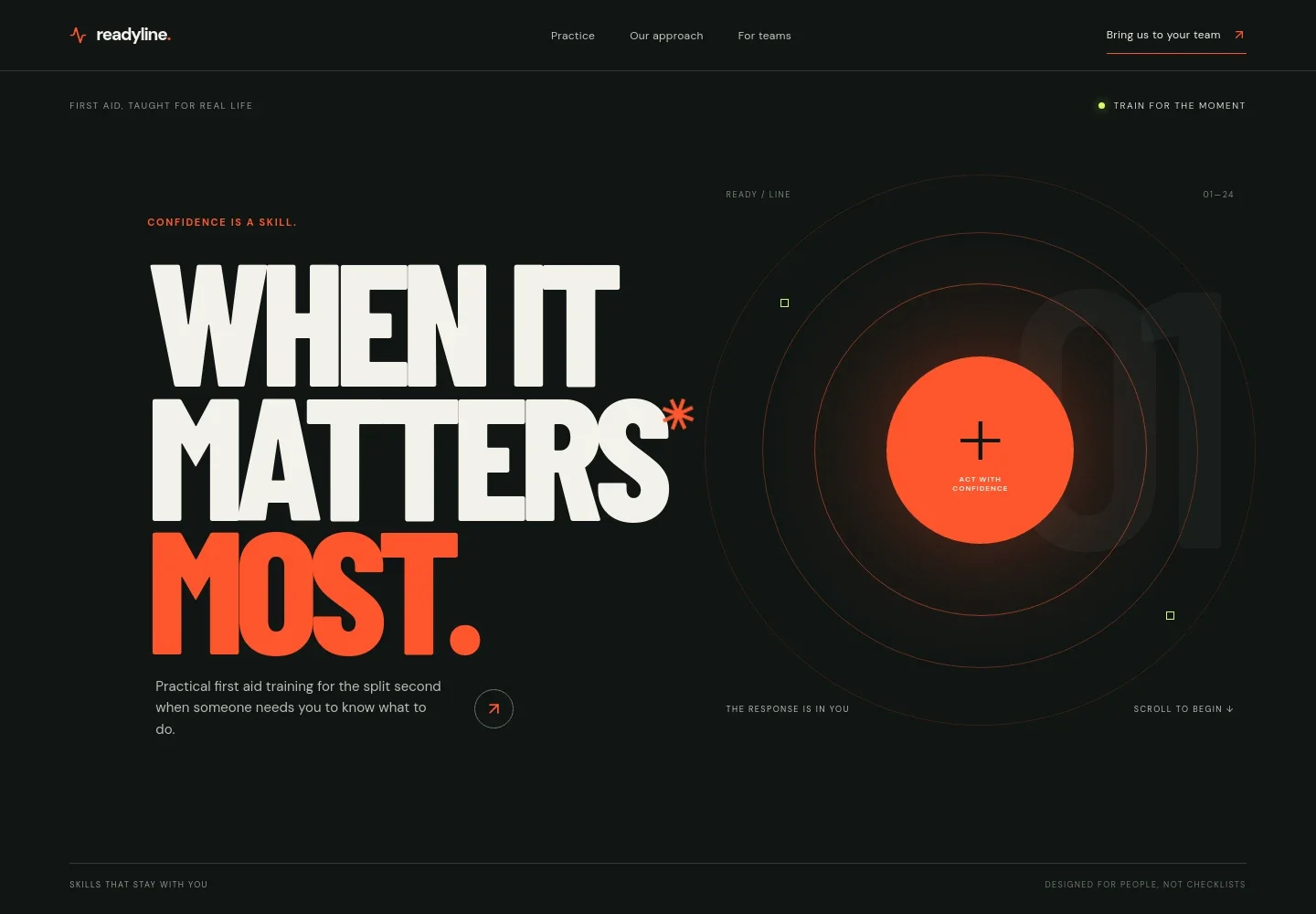
- Hero and navigation
- A prominent first aid training message, abstract pulse illustration and navigation links introduce the offer and guide visitors to the practice, approach and team sections.
- The practice
- A three-part NOTICE, RESPOND and CARE sequence shows the page’s practical framing for emergency response, supported by concise introductory copy.
- Training approach
- Three numbered points describe hands-on repetition, accessible instruction and sessions shaped around the people, spaces and situations teams want to prepare for.
- For teams
- A dedicated workplace section explains the team-training offer and includes a contact link for starting a conversation about training.
- Footer
- A compact closing area repeats the brand, summarizes the first aid focus and links back to the top of the page.
How to use this template
Open in Revamp
Click Use this template and sign in or create an account. You’ll start with your own copy of the design, ready to personalize.
Bring your content
Replace the sample text, photos, and logo with your own. Share your content, a document, or an existing website, and ask Revamp to adapt the template to your business.
Refine and publish
Ask Revamp to adjust the colors, layout, or sections, or edit directly on the page. Review desktop and mobile, then publish. You can keep making changes after launch.
Put your website to work
Make it easier to coordinate enquiries, training dates and participant follow-up. Ask Revamp to add connections with tools that suit your training operation.
-

Schedule training conversations
CalendlyLet prospective clients choose a time to discuss team training. Ask Revamp to add consultation booking with Calendly.
-

Keep participant and client details organized
HubSpotTrack prospective organizations and follow-up conversations in one place. Ask Revamp to connect HubSpot for contact management.
-

Coordinate dates around your calendar
Google CalendarHelp visitors request training dates that fit your schedule. Ask Revamp to add scheduling with Google Calendar.
Frequently asked questions
Is this template free?
Yes. This premium template is free to use when you select Use this template. The offer is for the template itself.
Can I use my own content?
Yes. Ask Revamp to personalize the page with your training details, business information, images and contact content.
Do I need coding skills?
No. You can ask Revamp to personalize the content and design without coding.
Can I change the design?
Yes. Ask Revamp to adjust the colors, typography, layout and other design details to suit your training business.
Can I keep editing after publishing?
Yes. You can continue asking Revamp to edit your site after it is published.


