About this template
Help visitors understand what your flea market offers, when to visit and how sellers can ask about a stall. The design brings vintage and secondhand goods, independent makers, records, prints and other finds into clear view.
A lively editorial layout pairs market photography and bold headlines with an illustrated visitor route, seller guidance, and practical visit details. Visitors can find the weekly schedule and location, while prospective sellers have a dedicated place to learn how to take part.
Who it’s for
Flea market organizers, vintage and secondhand market operators, and community market teams looking to introduce their market, welcome visitors and hear from prospective stallholders.
What’s included
The page guides visitors from the market’s character and what they can browse to seller information and practical details for planning a visit.
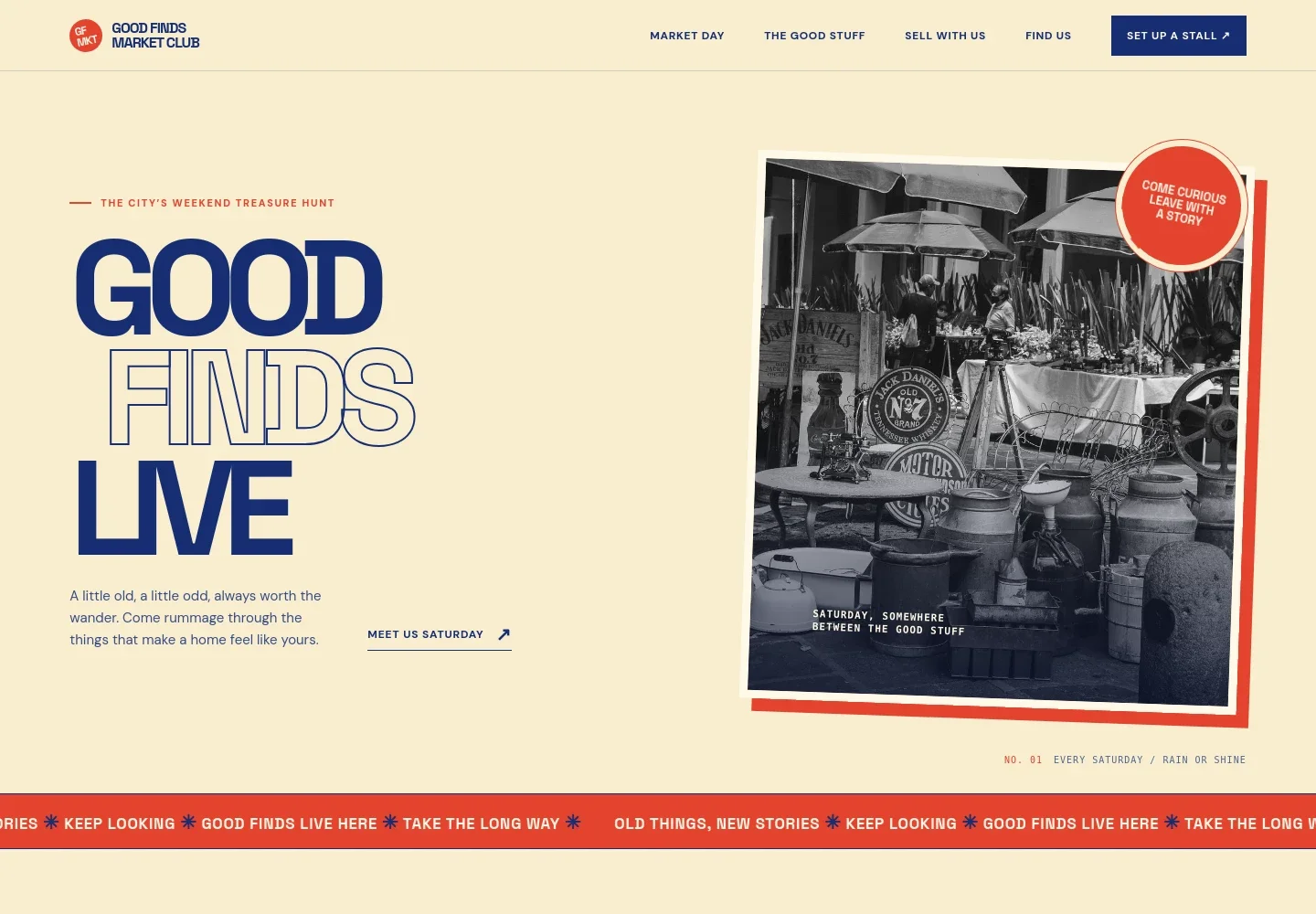
- Market introduction
- A large headline, market photo and short introduction set the tone for a weekly market focused on vintage finds, independent makers and an unhurried browse.
- Illustrated market-day route
- A playful route map gives visitors a sample Saturday itinerary, from coffee and browsing to meeting makers and following an unexpected detour.
- What you can find
- A photo-led section groups the market’s offerings into vintage and secondhand goods, independent makers, records and prints, and plants and pantry items.
- Information for sellers
- A dedicated seller section invites prospective stallholders to share what they bring and presents a simple three-part overview of taking part.
- Visit details and contact
- Visitors can find the weekly schedule, example location details, and a contact email for questions about visiting or selling.
How to use this template
Open in Revamp
Click Use this template and sign in or create an account. You’ll start with your own copy of the design, ready to personalize.
Bring your content
Replace the sample text, photos, and logo with your own. Share your content, a document, or an existing website, and ask Revamp to adapt the template to your business.
Refine and publish
Ask Revamp to adjust the colors, layout, or sections, or edit directly on the page. Review desktop and mobile, then publish. You can keep making changes after launch.
Put your website to work
Make it easier to coordinate seller interest, share market updates and keep event planning organized. Ask Revamp to request additions using tools such as these.
-

Collect stallholder enquiries
HubSpotKeep prospective vendor details and follow-ups together. Ask Revamp to add a seller enquiry form that sends responses to HubSpot.
-

Share market updates
MailchimpGive visitors and sellers a way to hear about upcoming market days and announcements. Ask Revamp to add an email signup connected to Mailchimp.
-

Coordinate market dates
Google CalendarKeep event dates visible to your team as market plans take shape. Ask Revamp to connect a shared Google Calendar.
Frequently asked questions
Is this template free?
Yes. This premium template is free to use when you select Use this template. Free refers to the template itself.
Can I use my own content?
Yes. Ask Revamp to personalize the page with your market name, photos, schedule, location, seller information and contact details.
Do I need coding skills?
No. Ask Revamp to make content and design changes in natural language, without coding.
Can I change the design?
Yes. Ask Revamp to adjust the colors, typography, imagery, layout or other design details to suit your market.
Can I keep editing after publishing?
Yes. You can keep asking Revamp to update the site after launch as your market details and needs change.


