About this template
Help listeners find your station, tune in online, and see what is coming up across the broadcast day. The layout pairs a prominent on-air introduction and listening player with a show schedule, frequency dial, and station story.
Warm photography, bold type, and a distinctive radio-inspired visual style give the station a clear identity while keeping essential listener information easy to find. Ask Revamp to personalize the station name, frequencies, show details, imagery, and copy for your broadcast.
Who it’s for
For independent FM stations, community broadcasters, online radio stations, and radio show teams that want to introduce their sound, guide listeners to the live stream, and present programming in one place.
What’s included
The design brings together the key things a listener wants to know: what the station is about, where to listen, which shows are on, and how to find its frequencies.
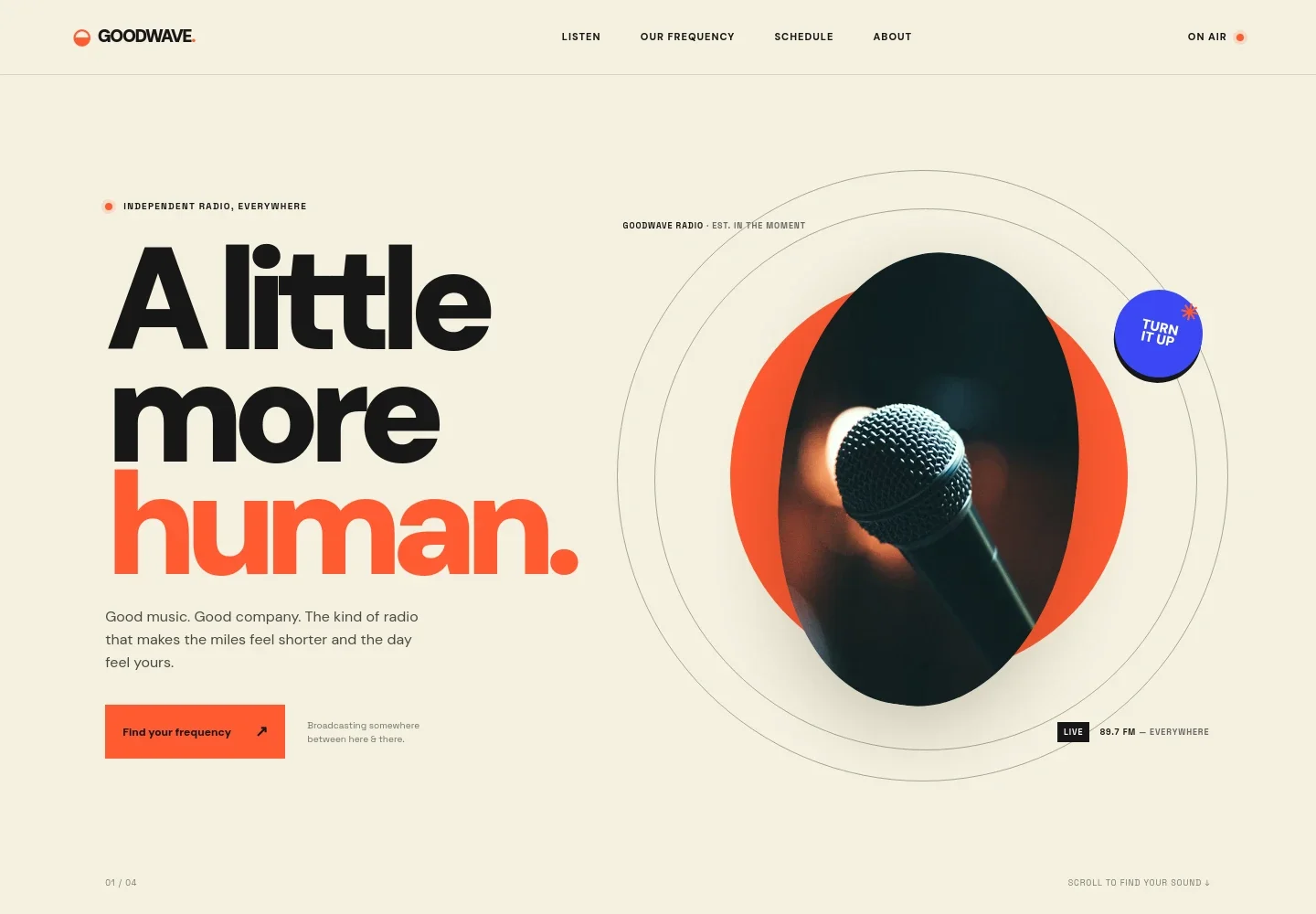
- Station introduction
- A large headline, short station message, and live-radio styling introduce the station's personality and direct visitors toward listening.
- Station story
- A statement-led section describes the station's approach to music and broadcasting, supported by a sound-wave graphic.
- Listen live
- A featured player card highlights a current show, on-air status, station frequency, and a prominent play link for the live stream.
- Broadcast schedule
- A four-row sample schedule displays show times, program names, presenters, and music or format notes so visitors can scan the day.
- Frequency dial
- An interactive dial visual presents selectable FM frequencies and a central readout, alongside a prompt to listen online.
- About the station
- A photo-led section gives space for the station's background, values, and a direct contact link.
- Closing message and contact
- A short sign-off, return-to-top link, station wordmark, and email contact complete the page.
How to use this template
Open in Revamp
Click Use this template and sign in or create an account. You’ll start with your own copy of the design, ready to personalize.
Bring your content
Replace the sample text, photos, and logo with your own. Share your content, a document, or an existing website, and ask Revamp to adapt the template to your business.
Refine and publish
Ask Revamp to adjust the colors, layout, or sections, or edit directly on the page. Review desktop and mobile, then publish. You can keep making changes after launch.
Put your website to work
Make it easier to keep listeners informed and grow your audience. Ask Revamp to add connections with tools your station uses.
-

Grow the listener mailing list
MailchimpInvite listeners to receive station news and program updates. Ask Revamp to connect Mailchimp for email signup and campaigns.
-

Plan promotions and programming
Google SheetsCoordinate show details, guest information, or promotional calendars with your team. Ask Revamp to connect Google Sheets for shared planning.
Frequently asked questions
Is this FM radio template free?
Yes. This premium template is free to use when you select Use this template. This applies to the template itself.
Can I use my own station content?
Yes. Ask Revamp to personalize the station copy, show schedule, frequencies, images, and contact details with your own content.
Do I need coding skills to customize it?
No coding skills are needed. Ask Revamp to personalize the content and design for your station.
Can I change the design?
Yes. Ask Revamp to adjust the colors, typography, imagery, layout, or other design details to suit your station.
Can I keep editing after publishing?
Yes. You can keep editing your site after launch. Ask Revamp to update show information, station details, content, or design as your needs change.


